What Momentum EA does
AIMS Momentum EA trades trend continuation. It waits for the Gator to open, for a pullback in the Awesome Oscillator, and for momentum to resume. Then it places a stop order beyond the signal candle.
Closed-Bar Entry
A signal needs the AO wave colour to turn Lime (or Red) after a different colour, with the Gator fully open and the close on the trend side of the Purple line (SMMA 34 of close, shifted 21).
Free Trade at +1R
At +1R the EA closes half the position. The stop is not moved to break-even first, so the runner keeps room to breathe.
Teeth Trail and Lips Exit
After the half is banked, the stop trails forward only along the Gator Teeth. A trade in profit closes when a candle closes across the Lips.
How to trade Momentum EA
Attach and License
Attach the EA to the chart of the symbol you want to trade and enter your Serial Key in Inputs. Until then the chart shows LOCKED and no orders are placed.
Check the Profile
With Auto-Profile on, the chart comment shows the profile chosen for the symbol and its stop-loss model. Turn Auto-Profile off to choose the model yourself.
Set Risk and Session
Choose risk % or a fixed lot, and the session window in server time. New entries only happen inside the session.
Let It Manage
The EA places, cancels and manages its own orders. Pending stops expire after 3 bars, and the opposite stop is cancelled when one side fills.
Setups and chart grammar
The EA checks for a new signal once per closed bar. It manages open positions on every tick.
| Setup | Context | What the EA sees | Goal |
|---|---|---|---|
| Buy Stop | Gator open up: close > Lips > Teeth > Jaws, close above the Purple line | AO wave turns Lime after a non-Lime bar | Buy Stop 1 pip above the signal candle high |
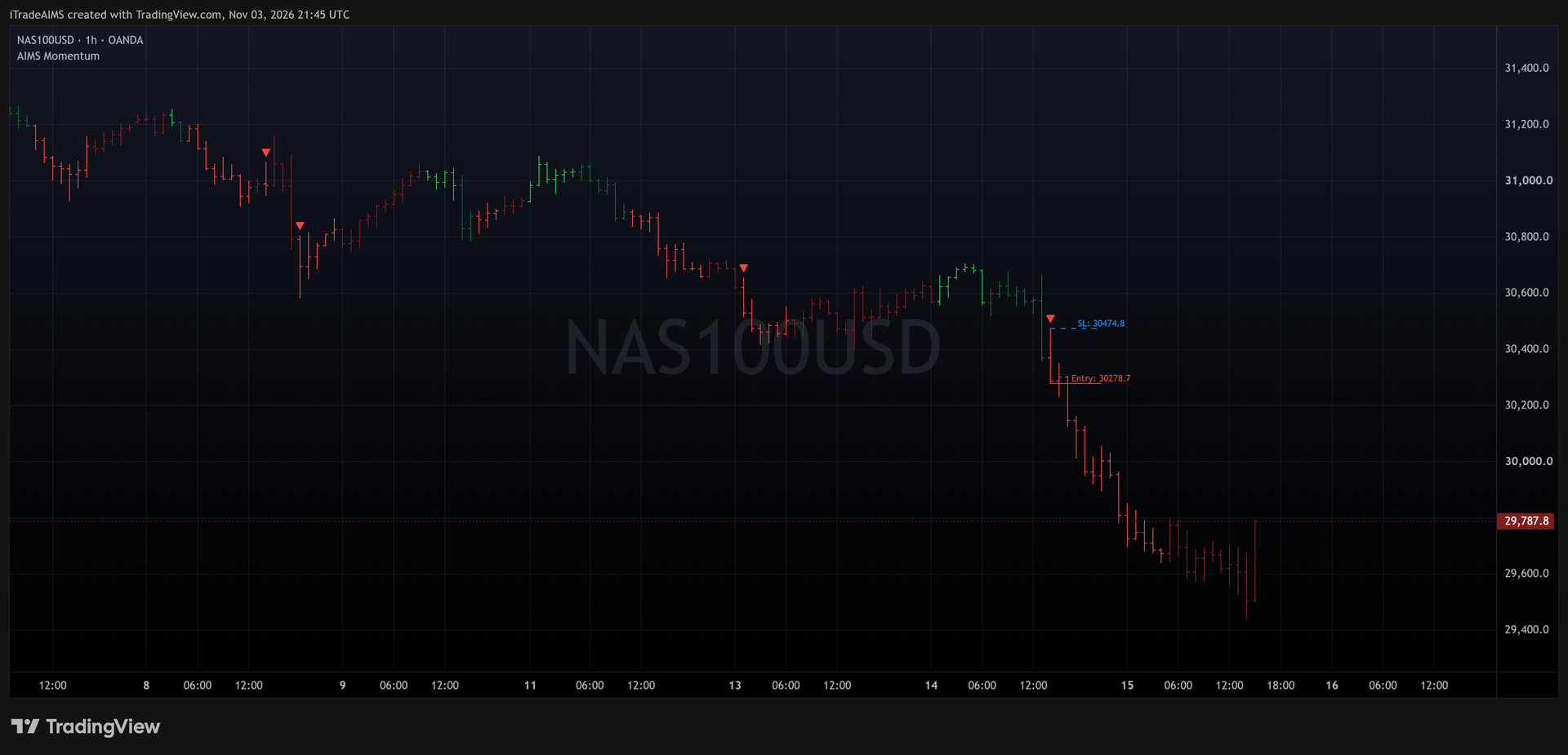
| Sell Stop | Gator open down: close < Lips < Teeth < Jaws, close below the Purple line | AO wave turns Red after a non-Red bar | Sell Stop 1 pip below the signal candle low |
| Free Trade | Position open, half not yet banked | Price reaches +1R from entry | Close 50% (the whole position if the lot cannot be split) |
| Exit | Runner open | Stop hit on the Teeth trail, or a close across the Lips while in profit | Close the runner |
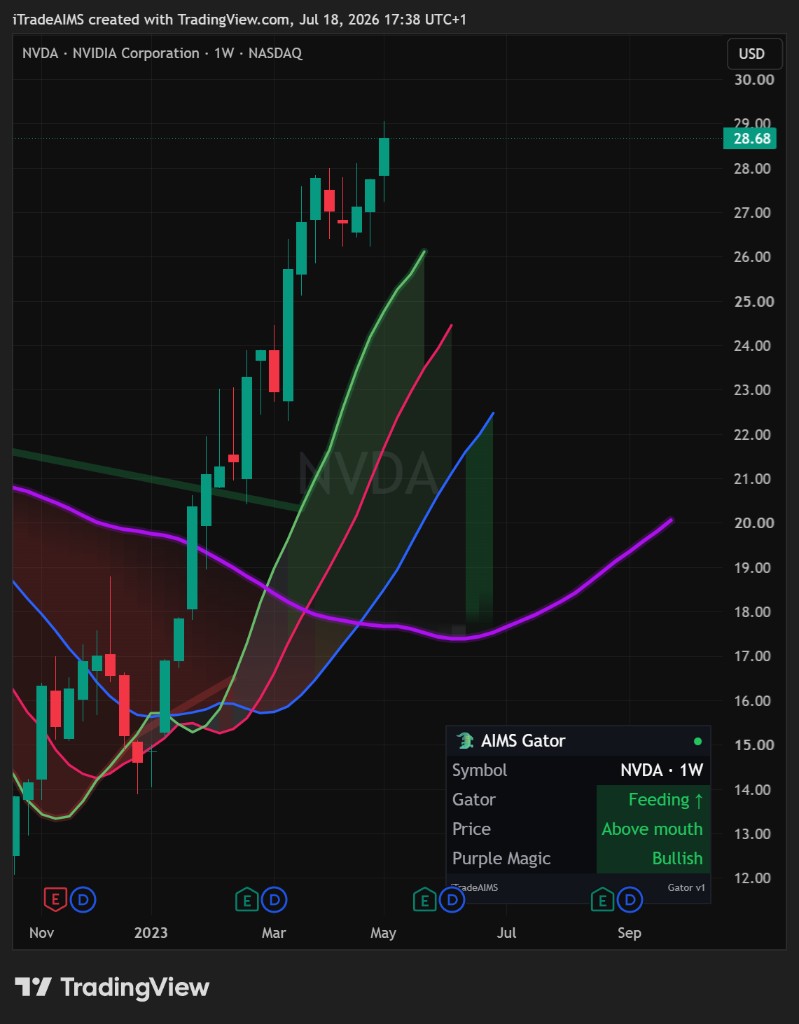
Bullish momentum resumed on an open Gator.
Bearish momentum resumed on an open Gator.
Half banked at +1R; the runner trails the Teeth.
No valid Serial Key: no orders, no management.
The Risk Gate
Before placing an order the EA checks the spread, how far price has already moved past the entry, and the distance to the stop. If any check fails, the setup is skipped.
risk = |entry - stop|
skip if risk > 2.5 x ATR(14)
skip if spread > Max spread
skip if price is already > 5 pips beyond the entry
Settings
| Input | Type | Default | What it does |
|---|---|---|---|
| Serial Key | String | (empty) | Licence key from the member portal. Without a valid key the EA stays locked and neither opens nor manages trades. |
| Auto-Profile | Boolean | true | Picks the stop-loss model and a magic-number offset for the chart symbol (NAS100, US30, GER40, XAUUSD, USDJPY, GBPUSD, EURUSD). |
| Stop Loss Model | Enum | Candle Extreme | Candle Extreme, Gator Jaws or Swing Fractal, each 1 pip beyond the level. Used when Auto-Profile is off or the symbol is not mapped. |
| Max concurrent runners | Integer | 2 | A new trade opens only when every open runner is already Free. Netting accounts allow one. |
| Session Filter | Boolean | true | Restricts new entries to the session window. Open runners are kept beyond it. |
| Session start / end | String | 08:00 / 17:30 | Session window in broker server time (HH:MM). |
| Lips Exit | Boolean | true | Closes a trade in profit when a candle closes across the Lips. |
| Risk % sizing | Boolean | true | Sizes each trade from the distance to its stop loss. |
| Risk % per trade | Float | 1.0 | Percentage of balance risked per trade when risk sizing is on. |
| Fixed lot | Float | 0.10 | Lot size when risk sizing is off. |
| Max spread (pips) | Float | 25.0 | No new order while the spread is wider than this. |
| Max slippage (points) | Integer | 30 | Maximum slippage accepted on execution. |
| Magic number | Integer | 108170 | Identifies this EA’s trades. Auto-Profile adds a per-symbol offset. |
| Input | Type | Default | What it does |
|---|---|---|---|
| Serial Key | String | (empty) | Licence key from the member portal. Without a valid key the EA stays locked and neither opens nor manages trades. |
| Auto-Profile | Boolean | true | Picks the stop-loss model and a magic-number offset for the chart symbol (NAS100, US30, GER40, XAUUSD, USDJPY, GBPUSD, EURUSD). |
| Stop Loss Model | Enum | Candle Extreme | Candle Extreme, Gator Jaws or Swing Fractal, each 1 pip beyond the level. Used when Auto-Profile is off or the symbol is not mapped. |
| Max concurrent runners | Integer | 2 | A new trade opens only when every open runner is already Free. Netting accounts allow one. |
| Session Filter | Boolean | true | Restricts new entries to the session window. Open runners are kept beyond it. |
| Session start / end | String | 08:00 / 17:30 | Session window in broker server time (HH:MM). |
| Lips Exit | Boolean | true | Closes a trade in profit when a candle closes across the Lips. |
| Risk % sizing | Boolean | true | Sizes each trade from the distance to its stop loss. |
| Risk % per trade | Float | 1.0 | Percentage of balance risked per trade when risk sizing is on. |
| Fixed lot | Float | 0.10 | Lot size when risk sizing is off. |
| Max spread (pips) | Float | 25.0 | No new order while the spread is wider than this. |
| Max slippage (points) | Integer | 30 | Maximum slippage accepted on execution. |
| Magic number | Integer | 108170 | Identifies this EA’s trades. Auto-Profile adds a per-symbol offset. |
Frequently asked questions
The EA runs on the chart it is attached to. Auto-Profile has settings for NAS100, US30, GER40, XAUUSD, USDJPY, GBPUSD and EURUSD; other symbols use your manual settings.