What Calendar Flows does
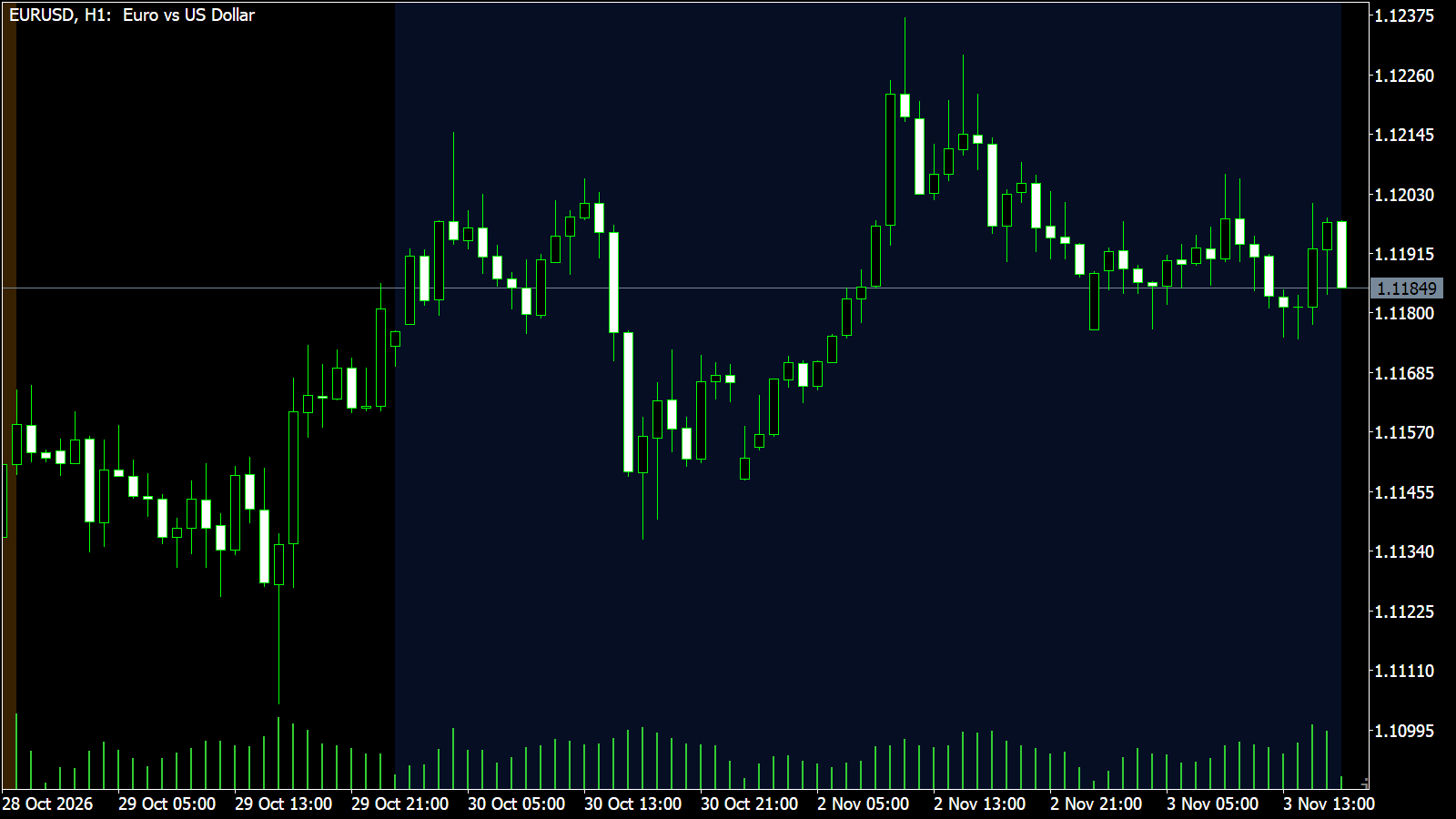
Two calendar windows from the academic research on equity indices. Calendar Flows draws them on your chart so you know when they are open; it does not add entries or exits.
Turn of the month
The last trading day of each month and the first three of the next, when salary and pension money is invested (Lakonishok and Smidt, 1988).
Pre-FOMC window
The 24 hours before each scheduled FOMC statement at 14:00 New York, with the statement itself marked (Lucca and Moench, 2015).
Built-in statement dates
Scheduled FOMC statement days are built in from 2016 to 2028-01-26. Add later dates yourself as yyyy-mm-dd.
How to trade Calendar Flows
Open a daily or lower chart
On MT5, weekly and monthly charts show a note instead of the windows. On MT5, set "Server time = New York time + hours" to your broker's offset.
Know when a window opens
Shading starts on the first bar of each window. Alerts fire when the turn of the month opens and 24 hours before the statement.
Use it as context, not a signal
The windows tell you when a known flow is due. Combine them with your own entry rule; the indicator gives no direction.
Keep the FOMC dates current
After 2028-01-26, add each new statement day to "Extra FOMC Dates" so the pre-FOMC window keeps appearing.
Prompts, not trade instructions. A SETUP READY prompt tells you to review the structure on a closed candle. It is never a command to enter blindly.
Setups and chart grammar
Calendar Flows draws two windows and one marker.
| Setup | Context | What the indicator sees | Goal |
|---|---|---|---|
| Turn of the month | Last trading day plus the first three of the next month | Shaded band in the turn-of-month colour | Know when month-start flows are due |
| Pre-FOMC window | 24 hours before the 14:00 New York statement | Shaded band in the pre-FOMC colour | Know when the pre-statement window is open |
| Statement | 14:00 New York on a scheduled FOMC day | Vertical line at the statement | See when the window ends |
Inside the last trading day or the first three of the month.
Inside the 24 hours before a scheduled FOMC statement.
Settings
| Input | Type | Default | What it does |
|---|---|---|---|
| Turn of the Month | Boolean | true | Shades the last trading day of each month and the first three of the next. |
| Pre-FOMC Window | Boolean | true | Shades the 24 hours before each scheduled FOMC statement (14:00 New York) and marks the statement. |
| Extra FOMC Dates | String | "" | Statement days after the built-in list ends (2028-01-26), comma separated, as yyyy-mm-dd. |
| Turn of Month Color | Color | #2962ff | Colour of the turn-of-month window. |
| Pre-FOMC Color | Color | #ff9800 | Colour of the pre-FOMC window. |
| Input | Type | Default | What it does |
|---|---|---|---|
| InpSerialKey | string | "" | Your serial key from the member portal. The indicator stays locked without it. |
| InpServerNyPlus | int | 7 | Server time = New York time + hours. |
| InpShowTom | bool | true | Turn of the month. |
| InpShowFomc | bool | true | Pre-FOMC window. |
| InpExtraFomc | string | "" | Extra FOMC statement days after 2028-01-26, yyyy-mm-dd, comma separated. |
| InpDrawDays | int | 750 | Days of history to draw. |
| InpAlerts | bool | true | Alert when a window opens. |
| InpTomColor | color | C'41,98,255' | Turn of month colour. |
| InpFomcColor | color | C'255,152,0' | Pre-FOMC colour. |
Use it in your EA
On MetaTrader you can read the levels and setup state from an Expert Advisor with iCustom().
// MQL5 — is the last closed bar inside a window?
int    h = iCustom(_Symbol, _Period, "iTradeAIMS\\AIMSCalendarFlows", "YOUR-SERIAL-KEY");
double tom[], fomc[];
CopyBuffer(h, 0, 1, 1, tom);    // 1 = turn of month, 0 = not
CopyBuffer(h, 1, 1, 1, fomc); // 1 = pre-FOMC window, 0 = not| Buffer | Name | Value |
|---|---|---|
| 0 | Turn of month | 1 inside the turn-of-month window, 0 outside |
| 1 | Pre-FOMC | 1 inside the 24 hours before a statement, 0 outside |
Frequently asked questions
They are published effects, not guarantees. In our own testing the turn of the month was no better than other days, and the pre-FOMC window was positive but on too few meetings to prove. Treat them as context.