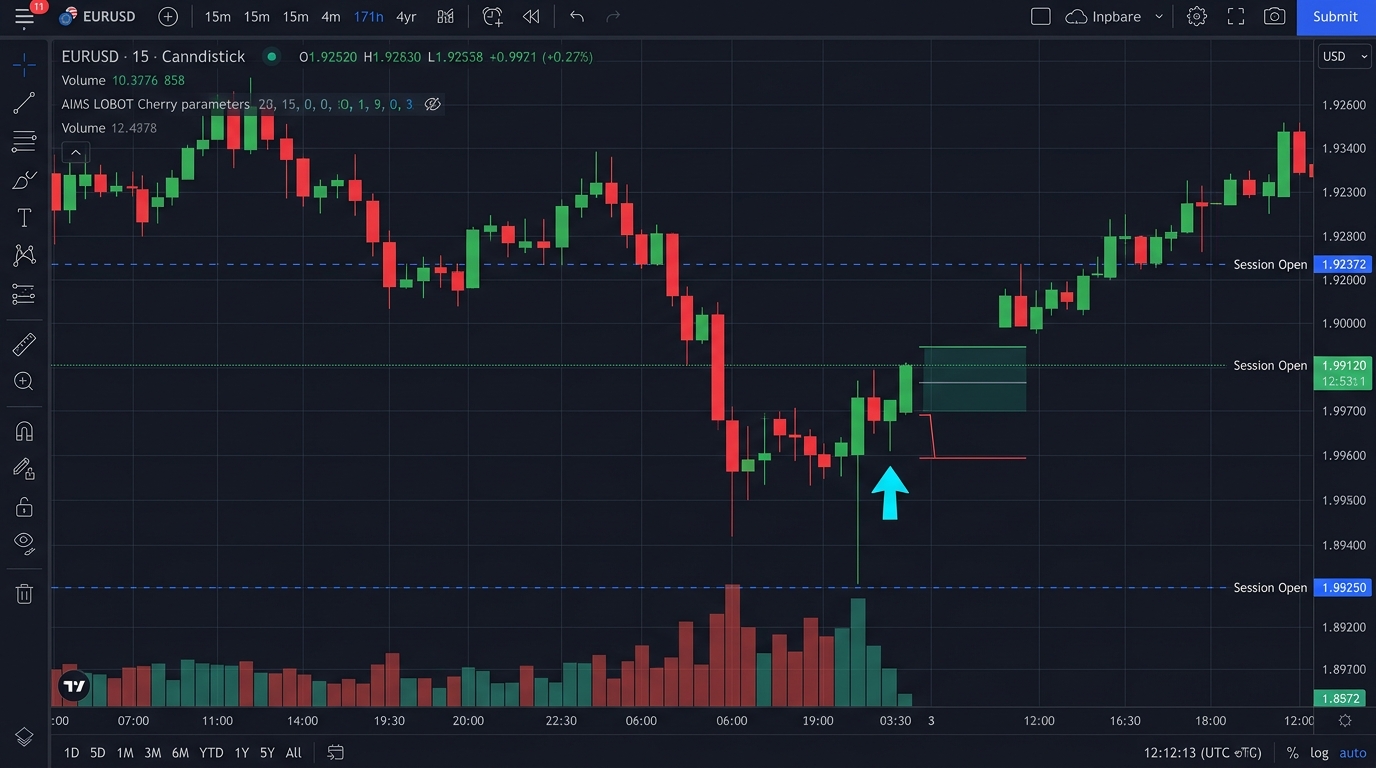
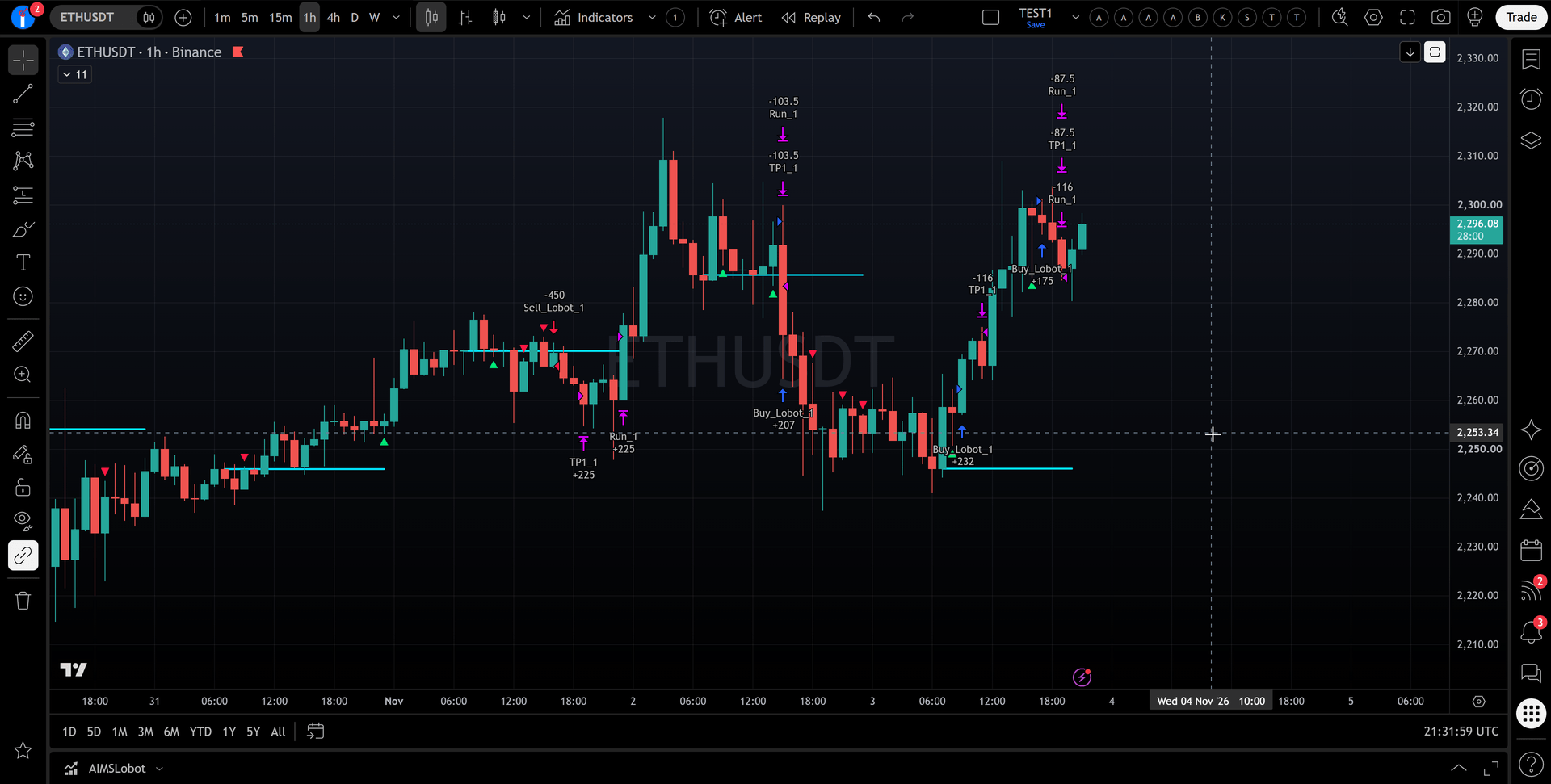
What AIMS LOBOT does
Trading market opens is notoriously challenging due to deceptive fakeouts and sudden volatility spikes. AIMS LOBOT eliminates subjective interpretation by identifying mechanical Inside Bar volatility compression ("The Seed") and qualifying each breakout against a strictly day-bounded Session Open benchmark.
Inside Bar Volatility Compression
Detects structural coiling where price is engulfed inside the preceding Mother Bar, identifying order accumulation before the London Open.
Day-Bounded Session Benchmark
Draws an objective horizontal equator line from London Open with zero overnight diagonal slope artifacts distorting technical levels.
Forward Order Brackets
Automatically projects entry stop lines and protective stop loss brackets across future bars with dynamic pip buffer offsets.
How to trade AIMS LOBOT
London Session Timing (07:00–10:00 UTC)
Focus execution on the peak European morning liquidity window when institutional banks establish intraday directional inventory.
Wait for Inside Bar Compression
Identify an Inside Bar forming at or near the session open, signaling volatility squeeze and order accumulation.
Align with Session Benchmark Equator
Take buy breakouts strictly when the pattern forms above the Session Open line; take sell breakouts strictly below.
Deploy Pending Bracket & Manage
Place pending Buy Stop at High + buffer or Sell Stop at Low - buffer. Bank 50% profits at +1.0R and trail remainder.
Prompts, not trade instructions. A SETUP READY prompt tells you to review the structure on a closed candle. It is never a command to enter blindly.
Setups and chart grammar
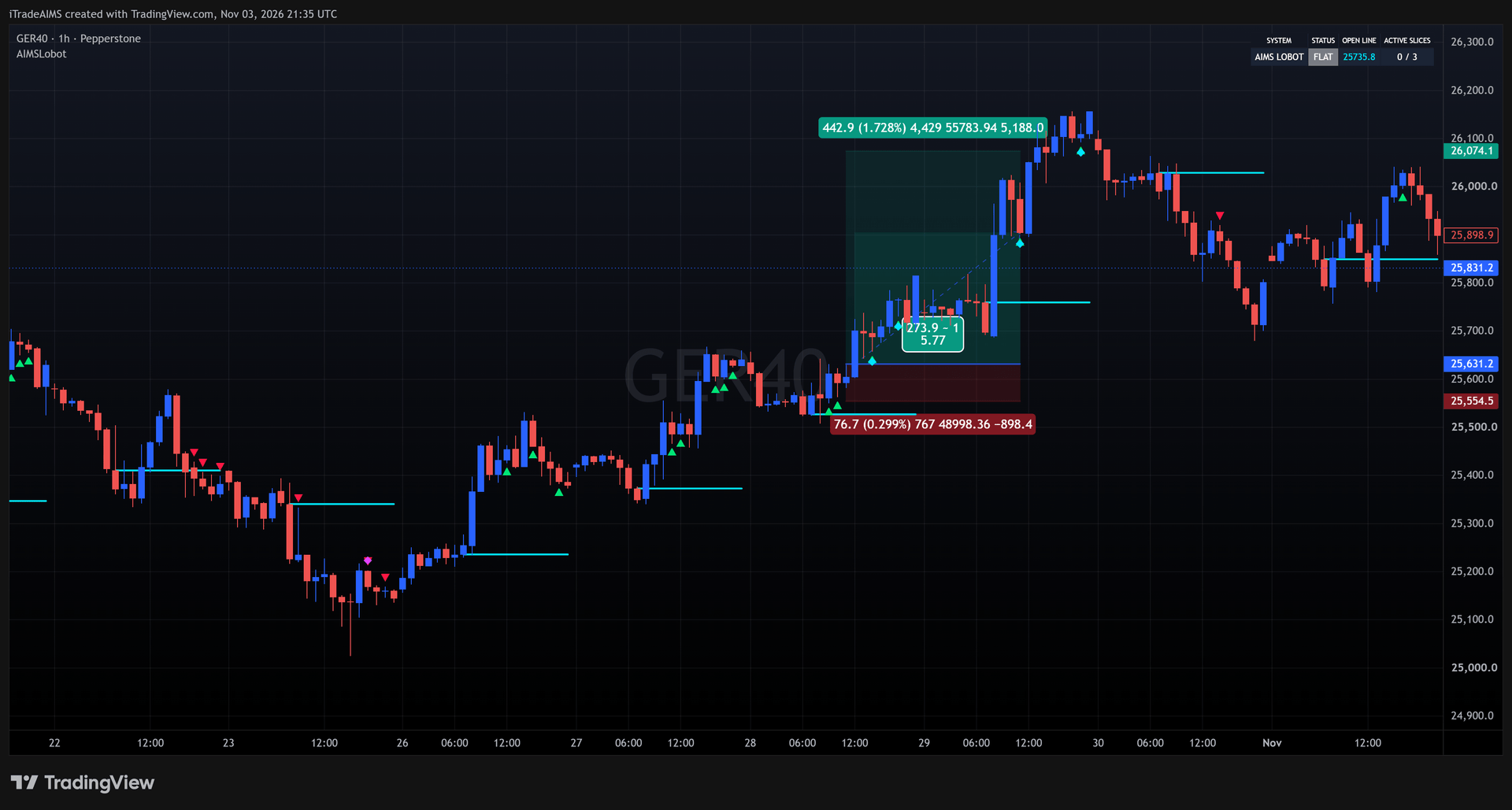
AIMS LOBOT qualifies breakouts using the session open benchmark line.
| Setup | Context | What the indicator sees | Goal |
|---|---|---|---|
| London Open Bull Breakout | London Open session open window | Inside Bar formed strictly above the Session Open benchmark with Buy arrow #241 | Enter long via pending Buy Stop at High + buffer, banking +1.0R at first target |
| London Open Bear Breakout | London Open session open window | Inside Bar formed strictly below the Session Open benchmark with Sell arrow #242 | Enter short via pending Sell Stop at Low - buffer, banking +1.0R at first target |
| Session Setup Invalidation | Prior to order fill | Price breaking through the opposite Mother Bar boundary before entry fill | Cancel the pending bracket order immediately to preserve risk capital |
Inside Bar formed at or near London Open — coiling for breakout.
Inside Bar formed above Session Open benchmark with Buy arrow #241.
Inside Bar formed below Session Open benchmark with Sell arrow #242.
Opposing mother bar boundary pierced before fill — order cancelled.
The Day-Bounded Benchmark Invariant
Zero overnight slope distortion horizontal session benchmark line.
SessionOpenBenchmark = OpenPrice[InpOpenHour:InpOpenMinute]
Bullish: InsideBar.Low >= SessionOpen | Bearish: InsideBar.High <= SessionOpen
Settings
| Input | Type | Default | What it does |
|---|---|---|---|
| Session Open Hour | Integer | 9 | Broker/chart hour defining London session open. |
| Session Open Minute | Integer | 0 | Minute defining London session open. |
| Show Daily Open Line | Boolean | true | Plot horizontal day-bounded session anchor line. |
| Show Breakout Arrows | Boolean | true | Display directional breakout arrow cues. |
| Entry Buffer Pips | Float | 1.0 | Safety cushion added to breakout high/low. |
| Bracket Lookahead Bars | Integer | 6 | Number of bars to project active order lines. |
| Input | Type | Default | What it does |
|---|---|---|---|
| InpSerialKey | string | "" | DLMS serial key license activation. |
| InpOpenHour | int | 9 | Broker server hour for London Open benchmark. |
| InpOpenMinute | int | 0 | Broker server minute for London Open benchmark. |
| InpShowDailyOpen | bool | true | Display day-bounded horizontal session anchor. |
| InpShowPriceLevels | bool | true | Project forward order bracket entry and SL lines. |
| InpBufferPips | double | 1.0 | Pip cushion added to breakout high/low. |
| InpBracketBars | int | 6 | Lookahead horizon in bars for projected lines. |
| Input | Type | Default | What it does |
|---|---|---|---|
| InpSerialKey | string | "" | DLMS serial key license validation. |
| InpOpenHour | int | 9 | Broker server hour for session open anchor. |
| InpOpenMinute | int | 0 | Broker server minute for session open anchor. |
| InpShowDailyOpen | bool | true | Draw horizontal session open line. |
| InpShowPriceLevels | bool | true | Draw forward entry and stop loss lines. |
| InpBufferPips | double | 1.0 | Buffer in pips for entry triggers. |
| InpBracketBars | int | 6 | Number of bars to extend level lines. |
Use it in your EA
On MetaTrader you can read the levels and setup state from an Expert Advisor with iCustom().
// MQL5 — Read AIMS LOBOT breakout triggers on confirmed bar close
int    h = iCustom(_Symbol, _Period, "AIMSLOBOT");
double buyArrow[], sellArrow[], sessionOpen[];
CopyBuffer(h, 0, 1, 1, buyArrow);    // Buffer 0: Buy Signal entry price
CopyBuffer(h, 1, 1, sellArrow);   // Buffer 1: Sell Signal entry price
CopyBuffer(h, 2, 1, 1, sessionOpen); // Buffer 2: Session Open benchmark price| Buffer | Name | Value |
|---|---|---|
| 0 | Buy Signal Price | Bullish breakout entry price level (EMPTY_VALUE if none) |
| 1 | Sell Signal Price | Bearish breakout entry price level (EMPTY_VALUE if none) |
| 2 | Session Open Level | Day-bounded session benchmark price line |
| 3 | Inside Bar State | 1.0 if closed bar is an Inside Bar, 0.0 otherwise |
Frequently asked questions
The London session represents over 35% of total global forex daily turnover. When European financial institutions open, vast institutional order flows enter the market, triggering high-velocity expansion out of Asian session consolidations. AIMS LOBOT harnesses this predictable liquidity surge.