What Wave Overlay does
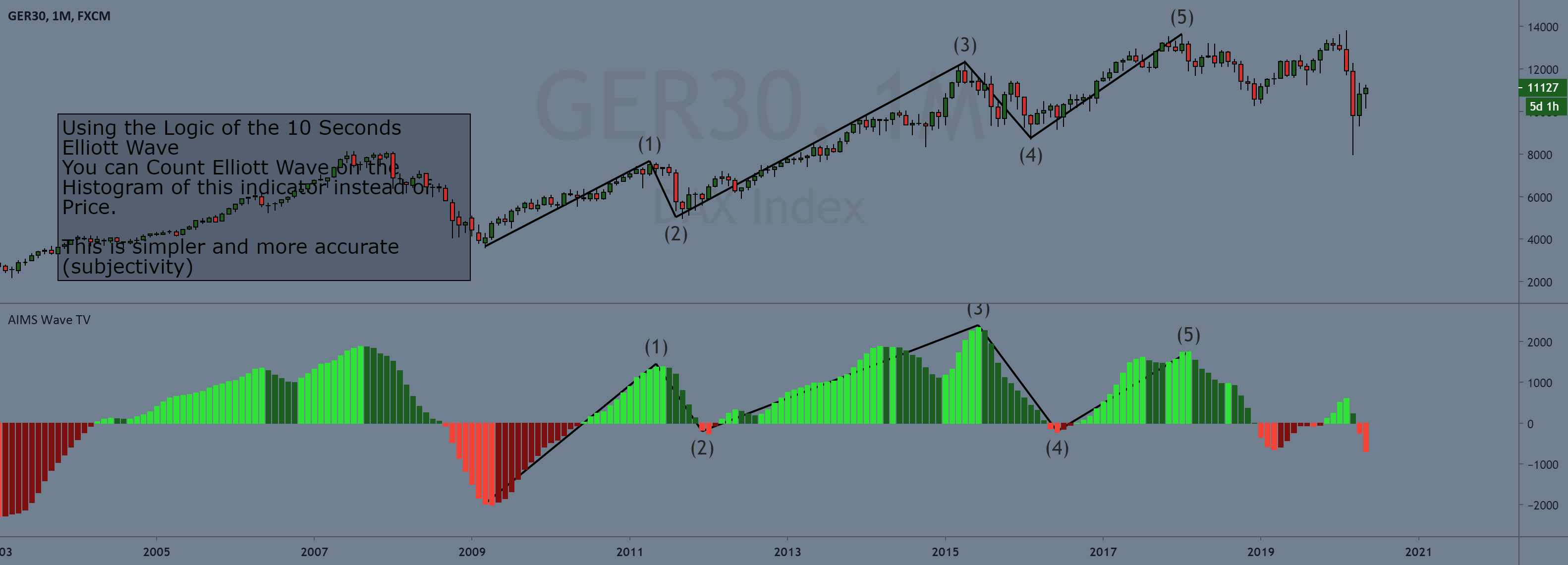
AIMS Wave Overlay projects the mathematical momentum states of the Awesome Oscillator directly onto candlestick bodies and wicks, eliminating cognitive fatigue from sub-window oscillator scanning.
On-Chart Momentum Projection
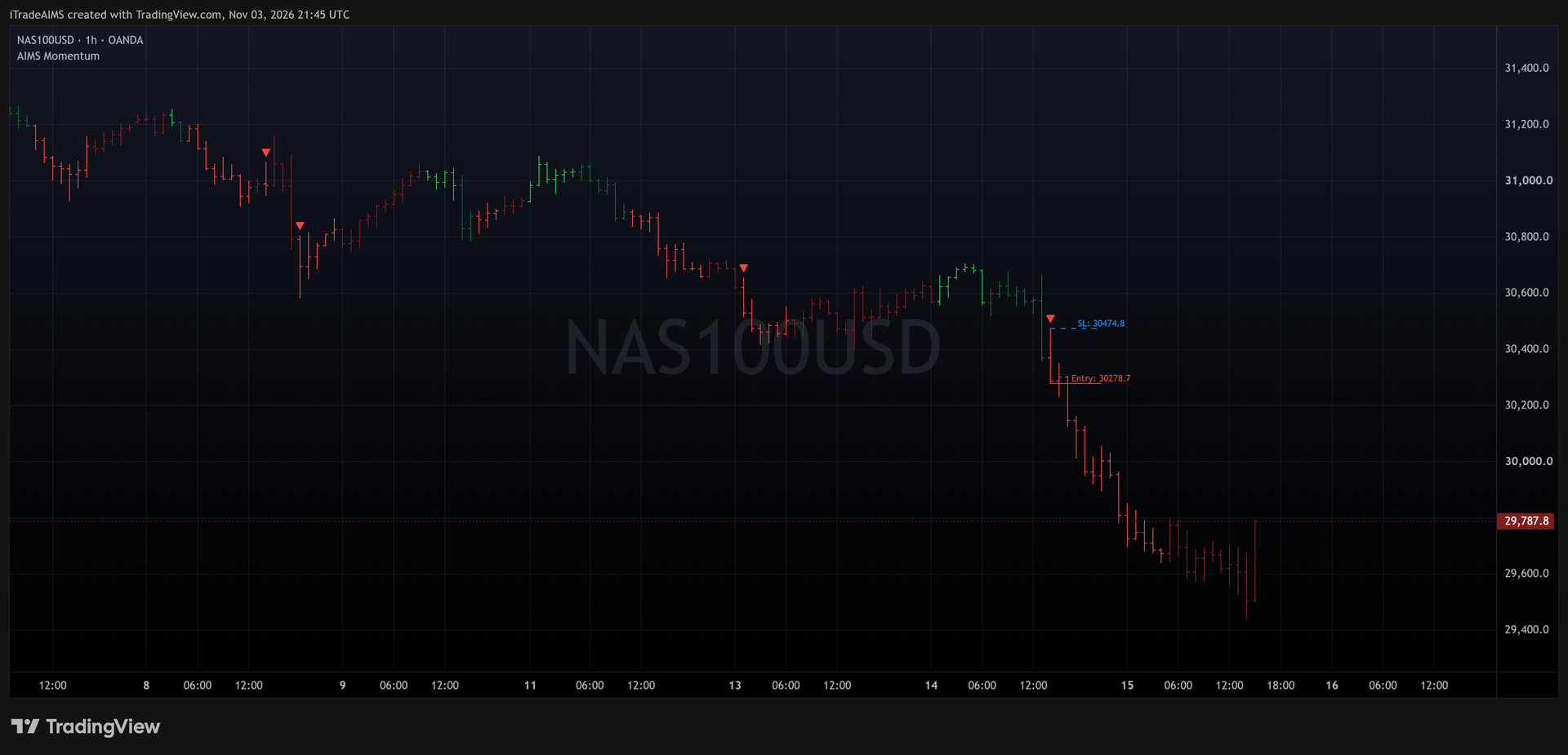
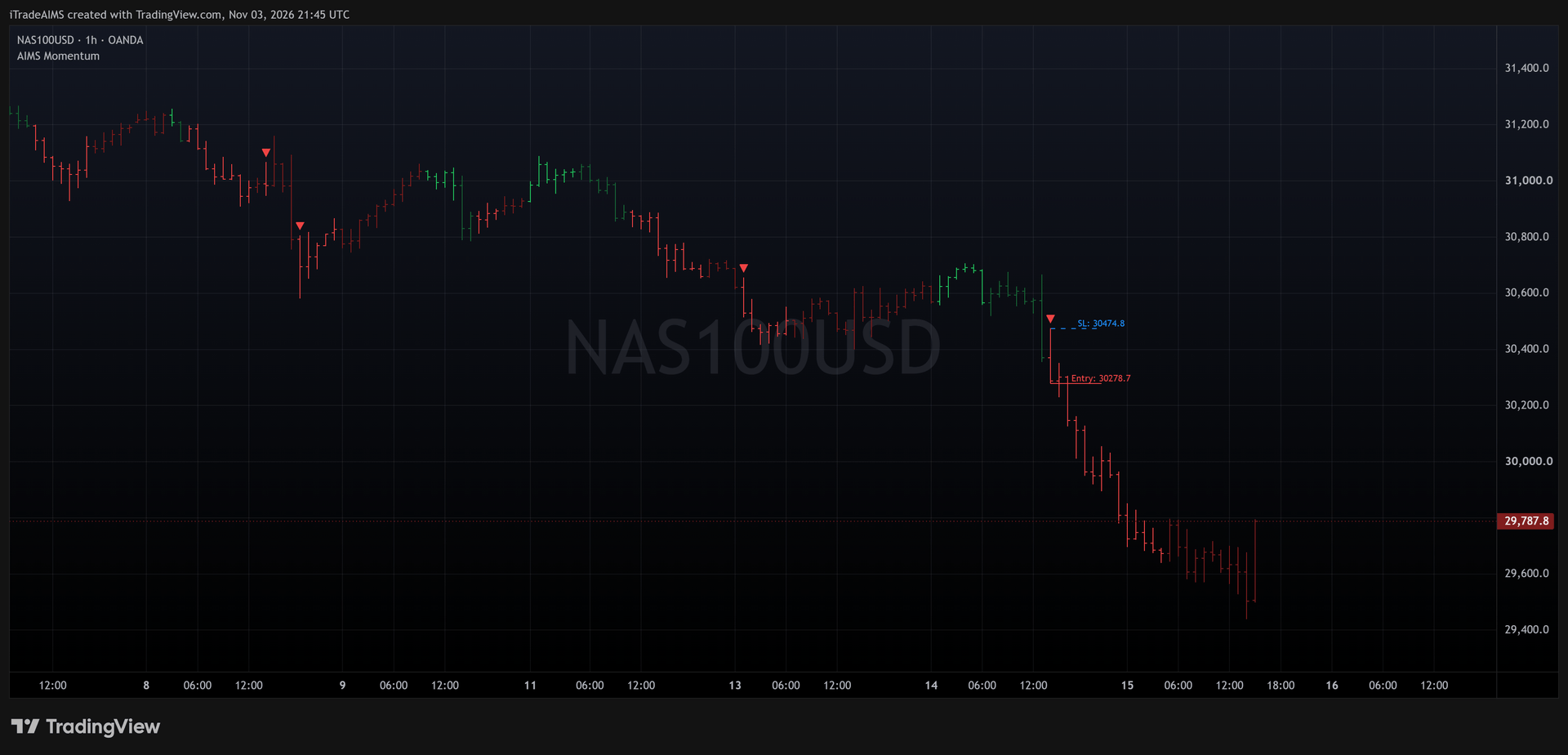
Renders Lime, Dark Green, Bright Red, and Maroon states directly onto price candles, allowing immediate trend and pullback assessment without glancing at lower panels.
Exact AO Momentum State Rule
Evaluates AO = SMA(5) - SMA(34) on median price with deterministic tie-breaking (equal AO counts as rising), ensuring perfect cross-platform parity between Pine v6 and MQL.
Closed-Candle Execution Invariant
Calculations lock irreversibly upon candle close, eliminating repainting and providing clean buffer telemetry for automated Expert Advisors.
How to trade Wave Overlay
Bullish Impulse Continuation (Lime Green)
When candles print Lime Green (AO >= 0 and rising), momentum is accelerating in an active Wave 3 or Wave 5. Ride trends and enter high-conviction breakout continuations.
Pullback Recognition (Dark Green)
Transition to Dark Green (AO >= 0 and falling) marks healthy Wave 4 consolidation or deceleration. Avoid buying highs; let the pullback find support at the Alligator.
Bearish Impulse Continuation (Bright Red)
Bright Red candles (AO < 0 and falling) confirm high-velocity downward thrusts. Look for breakdown setups and hold short positions with structural trailing stops.
Relief Bounce Caution (Maroon)
Maroon candles (AO < 0 and rising) signify counter-trend relief bounces or short covering. Avoid long trades against downward-sloping corridors.
Prompts, not trade instructions. A SETUP READY prompt tells you to review the structure on a closed candle. It is never a command to enter blindly.
Setups and chart grammar
The 4-colour momentum grammar maps Awesome Oscillator values into objective market states on every completed candle close.
| Setup | Context | What the indicator sees | Goal |
|---|---|---|---|
| Bullish Impulse | AO >= 0 & Rising (or tie) | Lime Green candlestick body & wick | Enter long breakouts and trail stops along the Alligator corridor. |
| Bullish Deceleration | AO >= 0 & Falling | Dark Green candlestick body & wick | Tighten trailing stops; wait for fresh Lime candle before adding. |
| Bearish Impulse | AO < 0 & Falling | Bright Red candlestick body & wick | Execute short breakdowns; hold short through trend expansion. |
| Bearish Deceleration | AO < 0 & Rising (or tie) | Maroon / Crimson candlestick body & wick | Bank partial short profits; avoid aggressive short entries at lows. |
Bullish impulsion active (AO >= 0 and rising). Wave 3 / Wave 5 acceleration.
Bullish deceleration (AO >= 0 and falling). Wave 4 pullback or profit-taking.
Bearish impulsion active (AO < 0 and falling). Dominant institutional selling.
Bearish deceleration (AO < 0 and rising). Relief bounce or consolidation.
Awesome Oscillator Mathematical State Gate
The color state is evaluated on completed bar 1 using median price (hl2) SMAs, ensuring absolute consistency across platforms.
AO = SMA(hl2, 5) - SMA(hl2, 34); State = (AO >= 0) ? (AO >= AO[1] ? 0 : 1) : (AO >= AO[1] ? 3 : 2)
Settings
| Input | Type | Default | What it does |
|---|---|---|---|
| Bull Impulse | #22c55e (rgb 34, 197, 94) | Candle color when AO is at or above zero and rising. | |
| Bull Corrective | #166534 (rgb 22, 101, 52) | Candle color when AO is at or above zero and falling. | |
| Bear Impulse | #ef4444 (rgb 239, 68, 68) | Candle color when AO is below zero and falling. | |
| Bear Corrective | #7f1d1d (rgb 127, 29, 29) | Candle color when AO is below zero and rising. |
| Input | Type | Default | What it does |
|---|---|---|---|
| InpSerialKey | "" | DLMS serial licensing authentication key. | |
| InpShowCandles | true | Enable DirectX hardware-accelerated 4-colour candlesticks. | |
| InpMaxBars | 1000 | Maximum bars to render on chart (0 = all historical bars). | |
| InpShowDashboard | true | Render HUD telemetry dashboard on chart window. | |
| InpDashX / InpDashY | 15 / 25 | Screen pixel coordinates for telemetry dashboard. |
| Input | Type | Default | What it does |
|---|---|---|---|
| InpSerialKey | "" | DLMS serial licensing authentication key. | |
| InpColorLime | C'34,197,94' | Color for Bull Impulse candles (AO >= 0 & rising). | |
| InpColorDarkGreen | C'22,101,52' | Color for Bull Corrective candles (AO >= 0 & falling). | |
| InpColorRed | C'239,68,68' | Color for Bear Impulse candles (AO < 0 & falling). | |
| InpColorMaroon | C'127,29,29' | Color for Bear Corrective candles (AO < 0 & rising). | |
| InpBodyWidth / InpWickWidth | 3 / 1 | Width in pixels for candle bodies and wicks (1-5 / 1-3). | |
| InpMaxBars | 1000 | Maximum historical bars to calculate and display. |
Use it in your EA
On MetaTrader you can read the levels and setup state from an Expert Advisor with iCustom().
// Read AIMS Wave Overlay momentum state on completed bar 1
int waveColor = (int)iCustom(_Symbol, _Period, "AIMSWaveOverlay", 0, 1);

// Wave Color States:
// 0.0 = Lime Green (Bull Impulse Acceleration)
// 1.0 = Dark Green (Bull Corrective Pullback)
// 2.0 = Bright Red (Bear Impulse Acceleration)
// 3.0 = Maroon (Bear Corrective Relief Bounce)

if (waveColor == 0) {
   // Long trend momentum active — look for continuation entry
} else if (waveColor == 2) {
   // Short trend momentum active — look for breakdown entry
}| Buffer | Name | Value |
|---|---|---|
| WaveColorBuffer |
Frequently asked questions
Lower-window oscillators force traders to constantly glance between price candles and indicator sub-windows, creating execution friction and hesitation. AIMS Wave Overlay solves this by rendering momentum states directly onto the candle bodies and wicks.