Visual Alerts
AIMS Box MT5 can use visual chart states and MetaTrader alerts to draw attention to setups.
Chart Visuals
The chart can show:
- Box shading.
- Signal levels.
- Break or setup states on the dashboard.
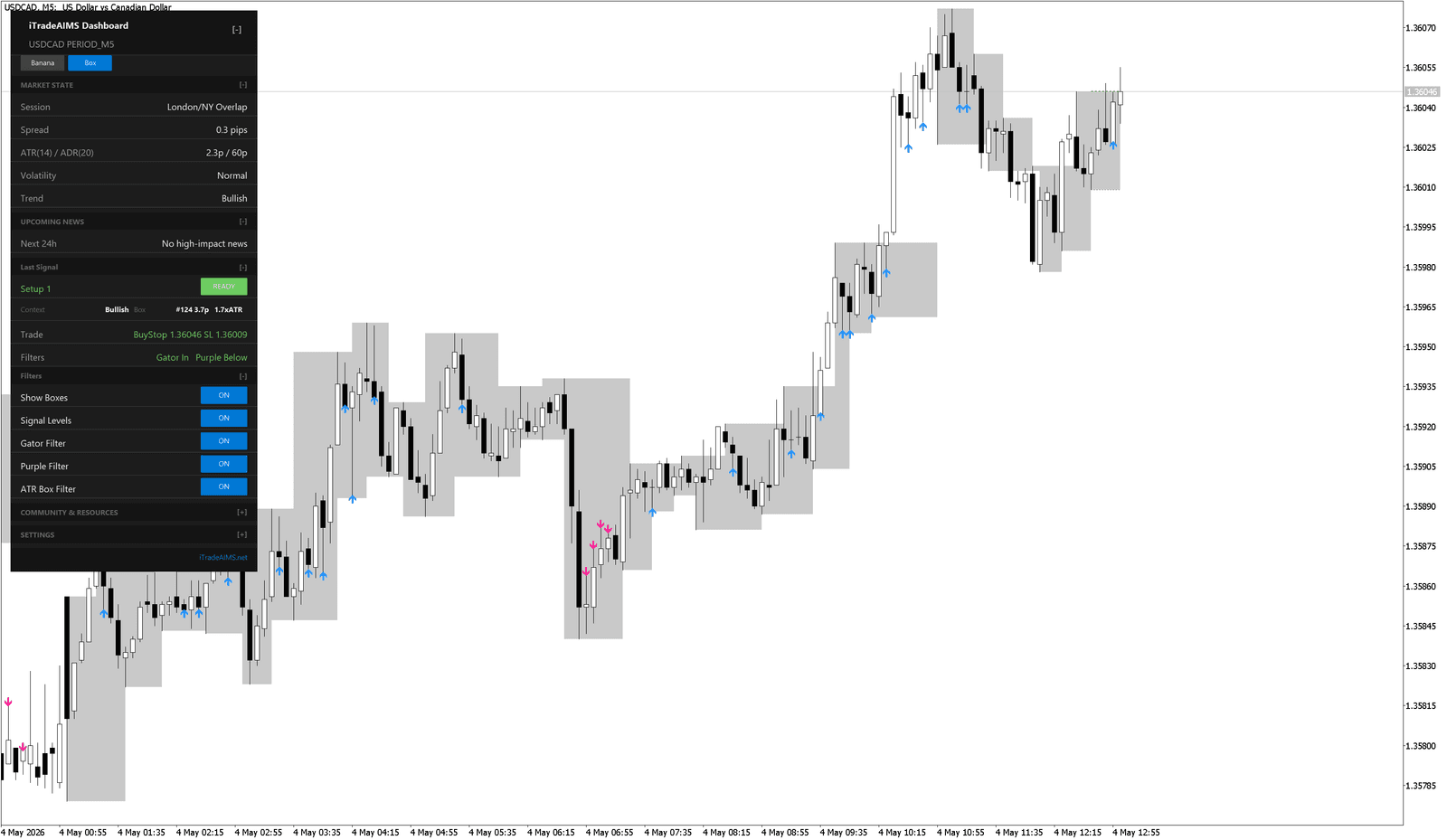
Dashboard Alert States
The dashboard can show a last-signal state such as:
READYCLOSEDBLOCKED
Read the detail rows below the state:
ContextTradeFilters
These rows explain why the setup is ready, closed, or blocked.
MetaTrader Alerts
Current MT5 builds can include popup alert controls such as:
- Alert Setup Ready
- Alert Live Break
- Alert Closed Breakout
Start with setup-ready alerts only. Add live-break or closed-breakout alerts after you know which setup state you want to review.
Current MT4 builds focus on chart zones, signal levels, and the mini dashboard. If you are using MT4, follow the MT4 Guide and do not expect every MT5 alert input to be present.
Avoid Alert Overload
Too many alerts can make the indicator harder to use.
Use this simple setup at first:
- One chart.
- Popup alerts only.
- Boxes and signal levels visible.
- Filters left on.
- No extra indicators until you understand the AIMS Box states.
When An Alert Appears
Do not react immediately just because an alert fired.
Check:
- Is the candle closed?
- Is price inside the box, breaking the box, or already beyond it?
- Is the setup
READY,CLOSED, orBLOCKED? - Do the filters agree?
- Does the stop distance fit your risk plan?