What Is TM Pro?
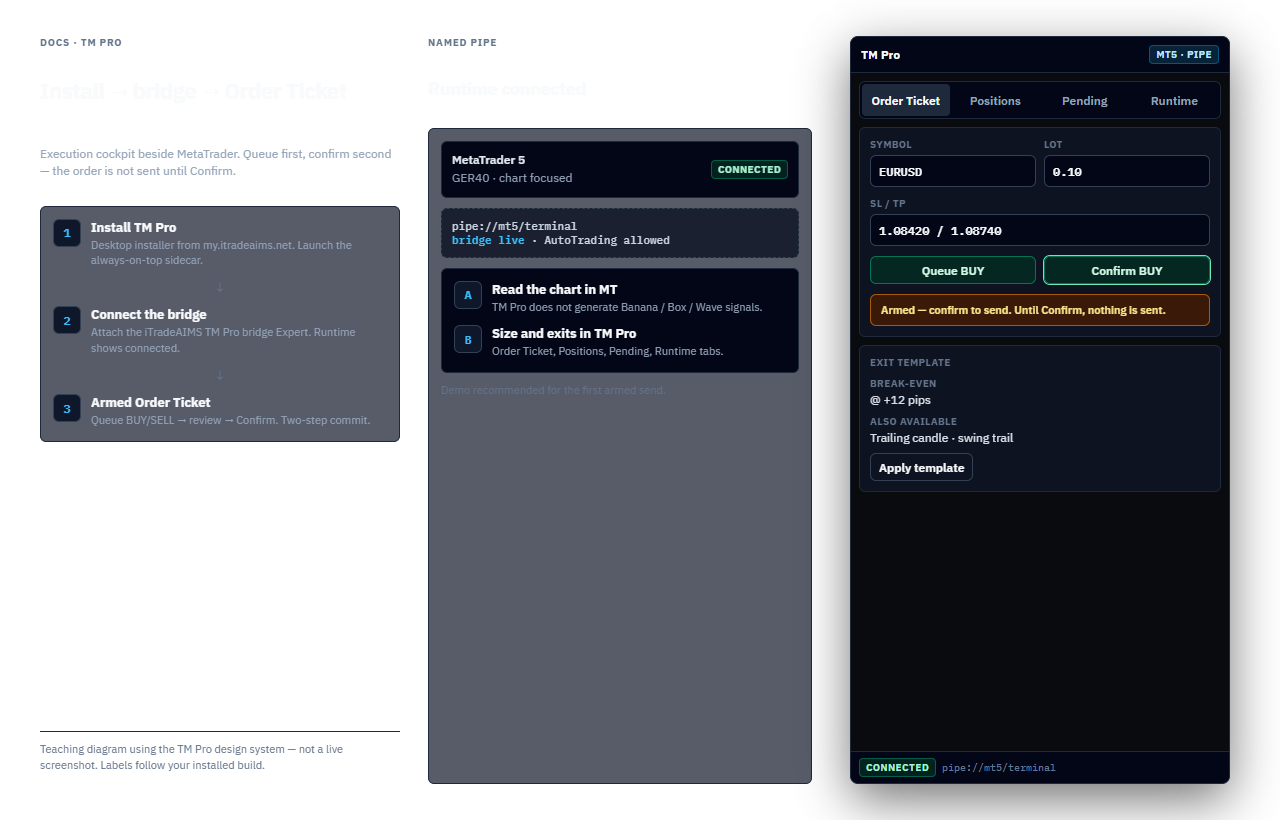
TM Pro is the always-on-top desktop operator surface that sits next to MetaTrader 4 or MetaTrader 5. It talks to the terminal over a Windows named pipe and houses the Order Ticket, Positions, Pending Orders, and Runtime tabs.
Execution cockpit — not a signal product
TM Pro helps you place and manage orders with two-step confirmation. It does not generate Banana/Box/Wave signals and it does not replace your trading plan. Not financial advice.
Why traders use it
- Read the chart in MetaTrader; run sizing, stops, and exits in TM Pro.
- Two-step armed orders — queue a BUY/SELL, then confirm — so a single mis-click is less likely to send a live order.
- Exit templates such as break-even, trailing-candle, and swing-trail (availability depends on build).
- Narrow always-on-top window that stays next to a live chart.
Platforms
TM Pro bridges MT4 and MT5 via the matching Expert Advisor / bridge components installed with your iTradeAIMS package. Confirm your grant and installer at my.itradeaims.net.