Install AIMS Box on MT5
This tutorial matches Install on MT5. The installer wizard screenshots are universal — the same UI as Confluence suite install on MT5. Only the components list and Navigator products differ for standalone AIMS Box MT5 vs full suite.
1. Run the shared MT5 installer
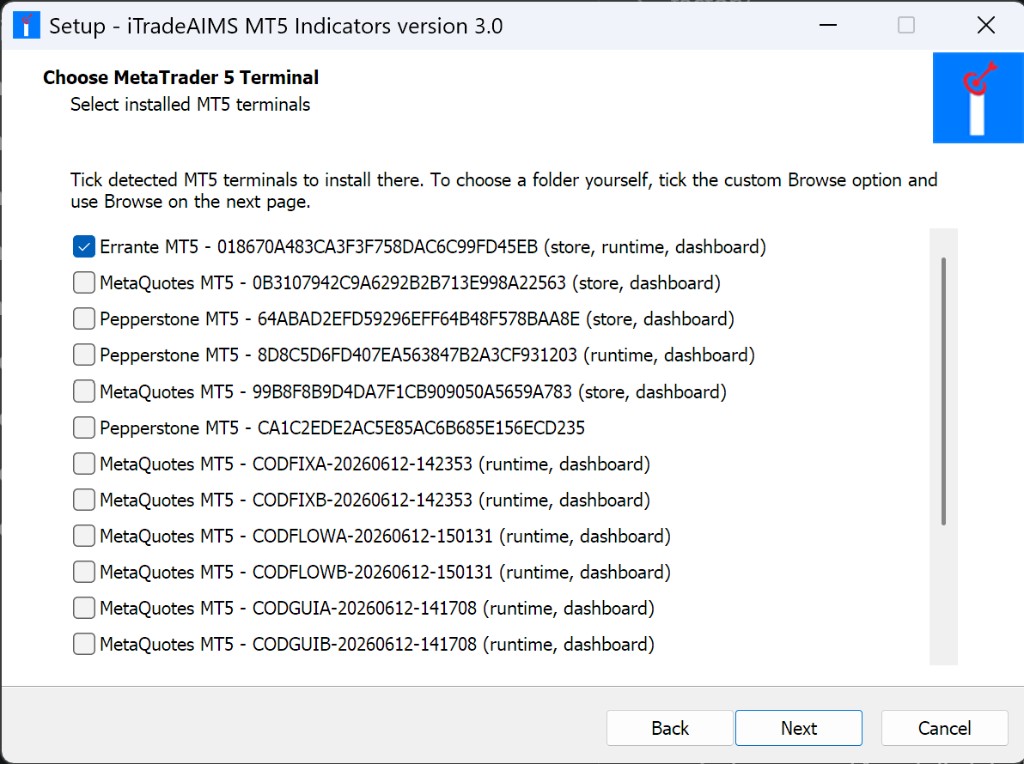
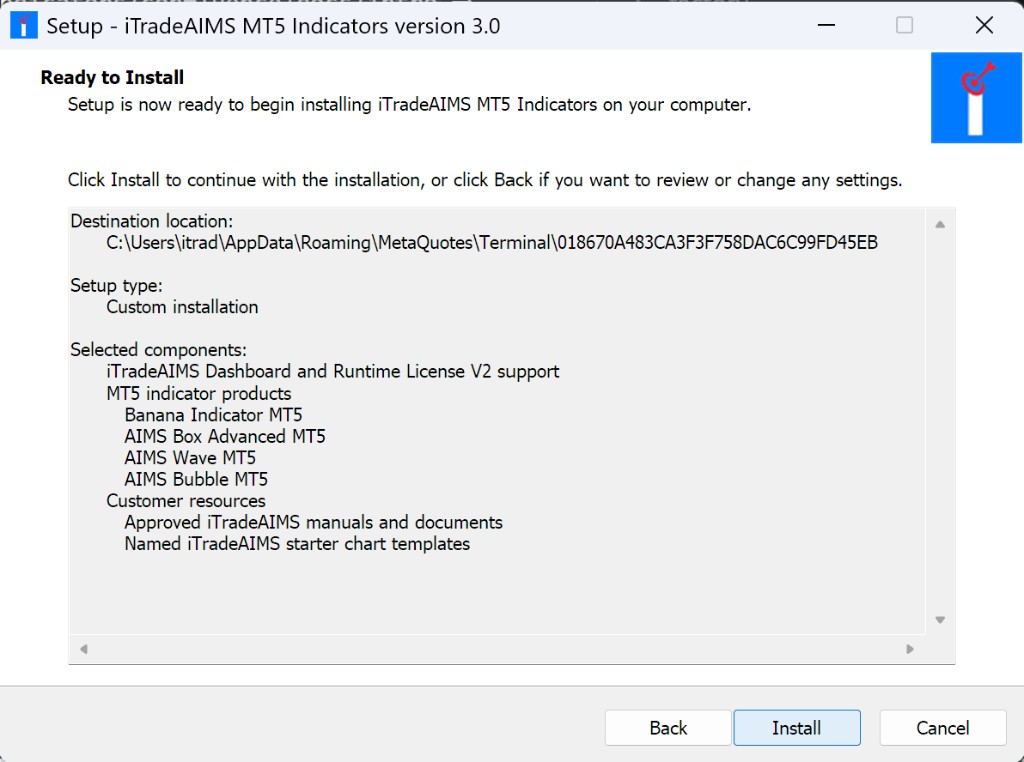
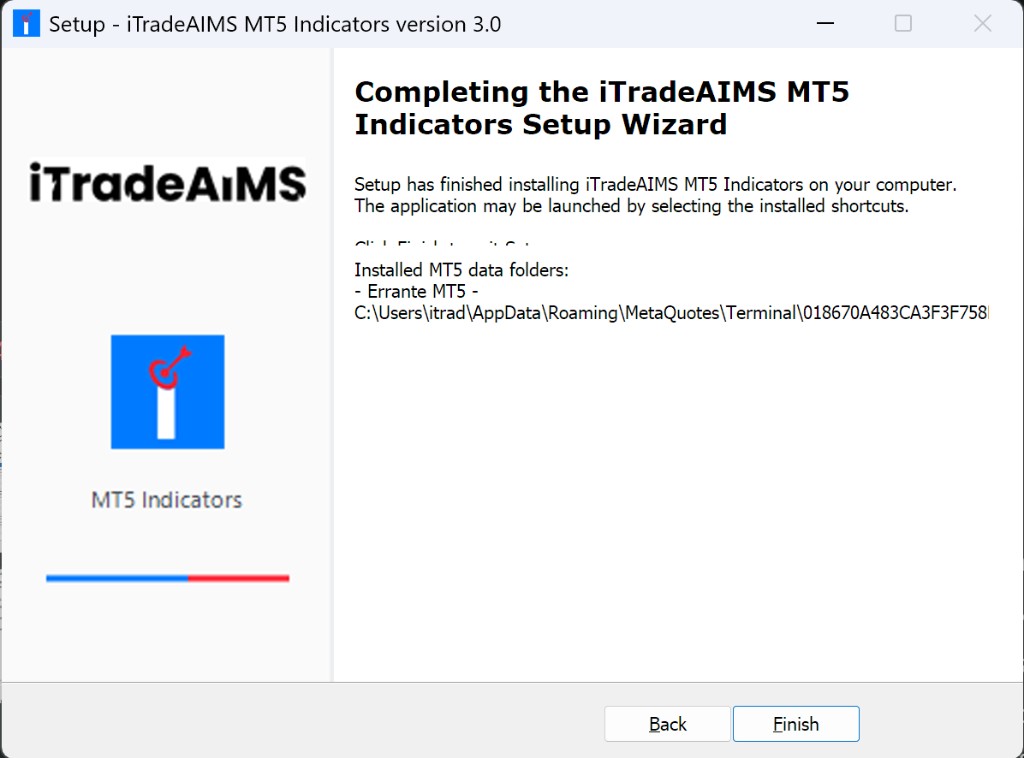
All six wizard steps: Confluence install §1.
2. Confirm Navigator
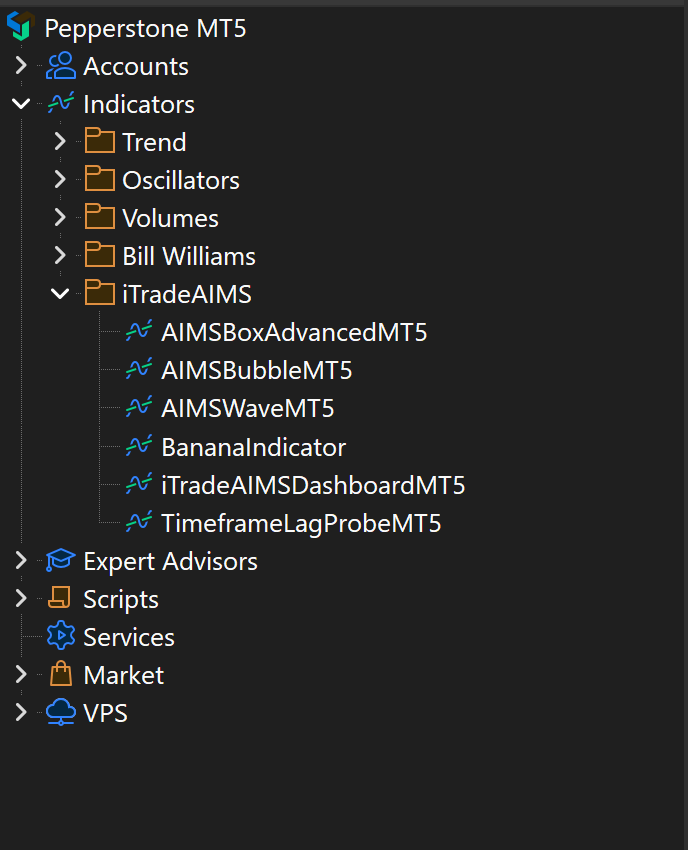
3. Dashboard + first Box read
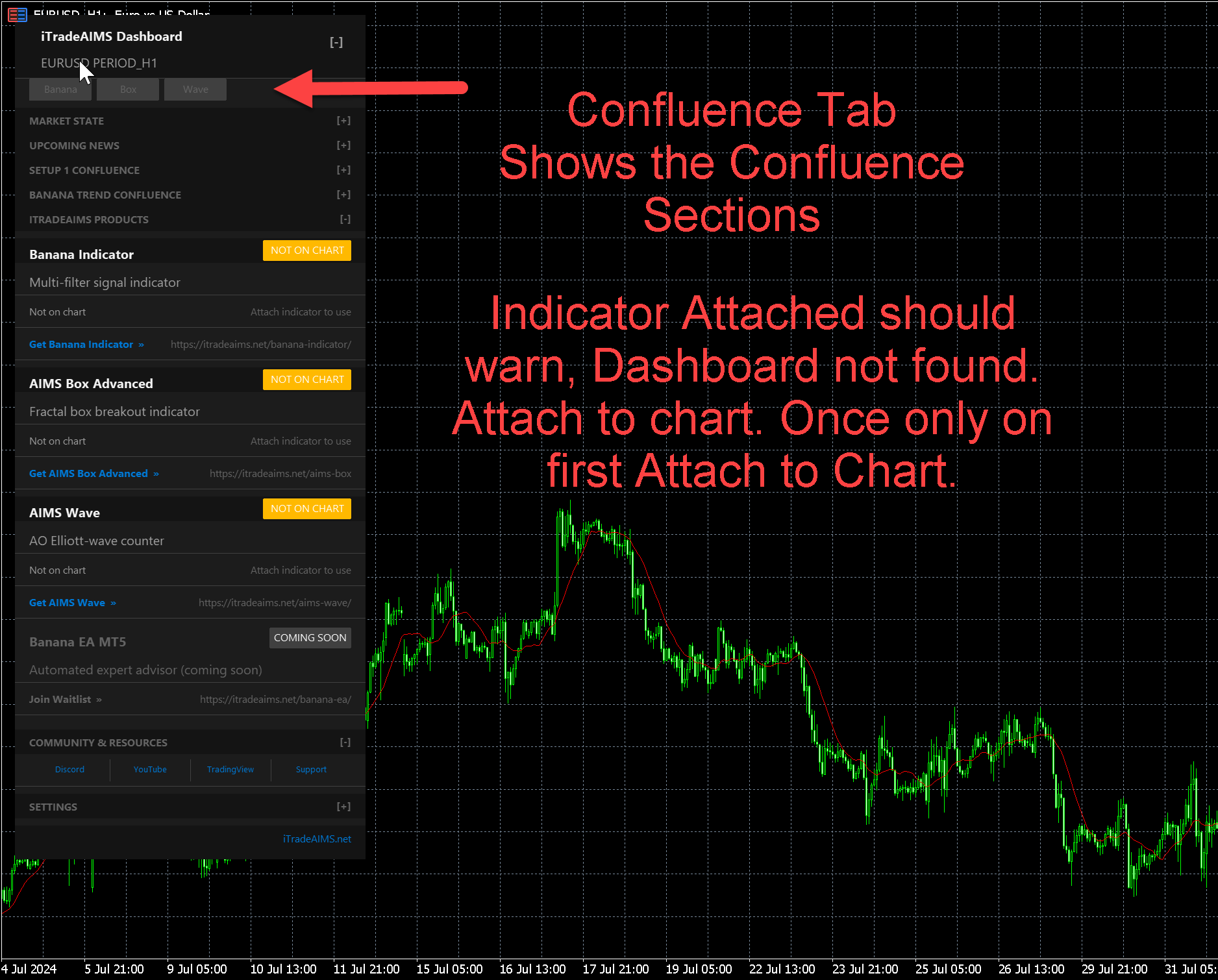
Then Quick start on MT5 for Setup 1 on the Box tab.
Full suite?
If you bought the Confluence Indicator Suite, follow Install on MT5 — same wizard, all five activations.
Risk notice
Setup states are chart information for your review — not automatic trade instructions. Not financial advice.