TradingView Alerts
Use this page for AIMS Gator alerts on TradingView. Alerts fire when the mouth state or Purple Magic bias changes — not when a Box Setup Ready fires (that belongs to AIMS Box).
An alert is not an automatic order. Confirm the chart and your plan before you act.
Script page
Public trend compass — Alligator jaw / teeth / lips plus Purple Magic bias, mouth ribbon, and state alerts (no boxes, no Setup 1/2).
Before you create alerts
- Attach AIMS Gator and confirm you can recognise the mouth states — Quick start.
- Match Inputs group 5 · Alerts to what you want to hear.
- Prefer one symbol and one timeframe at first.
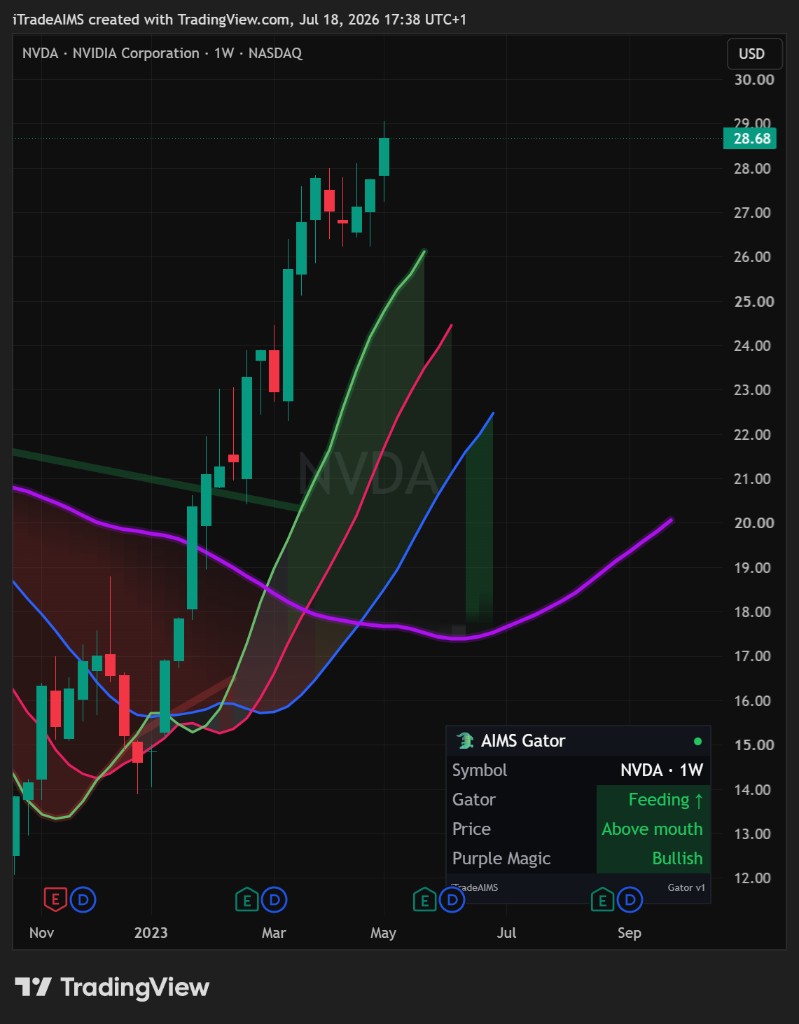
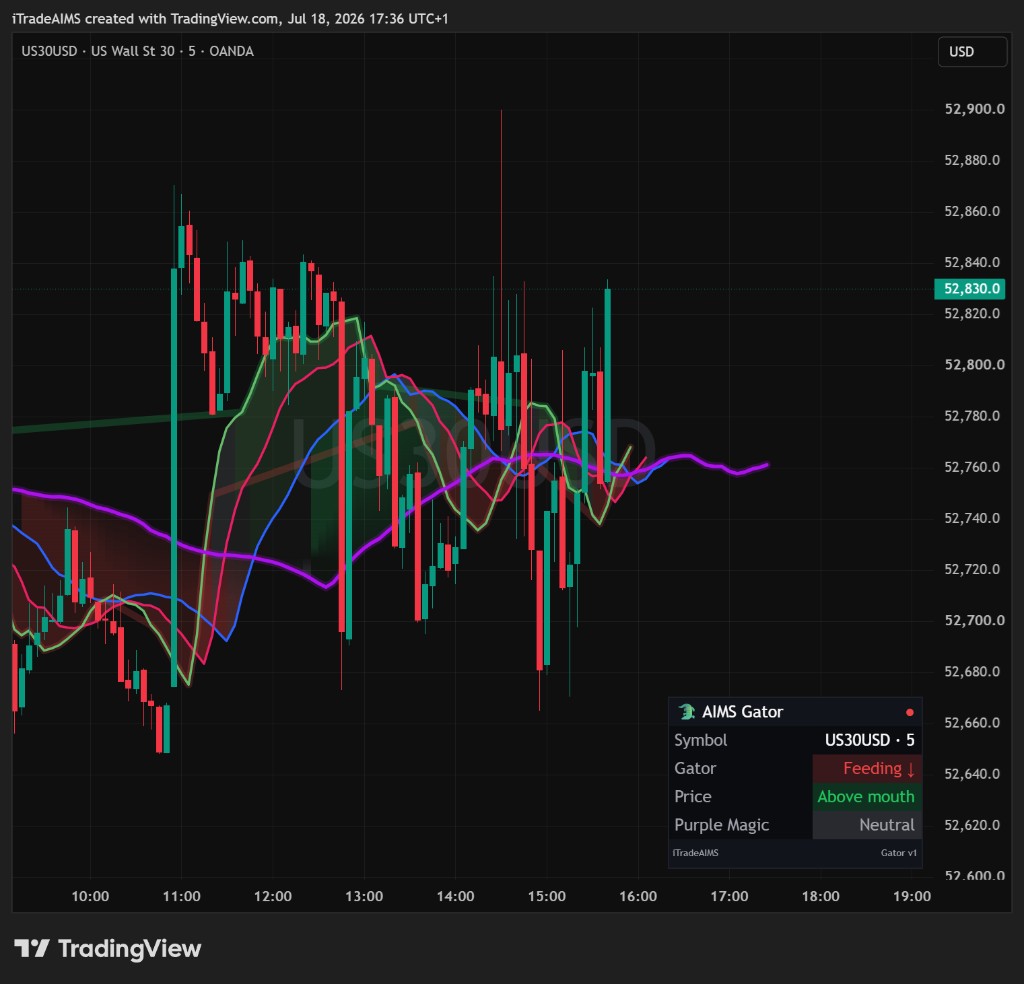
Built-in alert conditions
When you create an alert on the indicator, TradingView can list:
| Condition name | Plain meaning |
|---|---|
| Gator Feeding Up | Mouth just opened Feeding up (Lips > Teeth > Jaw) |
| Gator Feeding Down | Mouth just opened Feeding down (Lips < Teeth < Jaw) |
| Gator Sleeping | Mouth just closed / intertwined |
| Bias Bullish | Purple Magic bias just became Bullish |
| Bias Bearish | Purple Magic bias just became Bearish |
Optional script messages (when the matching Inputs toggle is on) also cover price crosses the lips — that condition is off by default and is not a separate alertcondition name in the list above; use the Inputs toggles and chart confirmation for lips-cross workflows.
Create an alert (beginner path)
- Right-click the chart (or open the Alerts panel) → Add alert.
- Condition: select AIMS Gator (or the exact name on your chart).
- Choose Gator Feeding Up, Gator Feeding Down, Gator Sleeping, Bias Bullish, or Bias Bearish.
- Set notification method for your TradingView plan.
- Name the alert clearly (symbol + timeframe + condition).
- Save.
Create separate alerts if you want different notifications per condition.
Inputs that gate messages
Under 5 · Alerts:
| Input | Default | Note |
|---|---|---|
| Enable alerts | On | Master switch for script alert() messages |
| Gator feeds up | On | |
| Gator feeds down | On | |
| Gator sleeps | Off | Turn on only if you want sleep notices |
| Purple Magic bias flip | On | Covers bullish and bearish flips |
| Price crosses the lips | Off | Extra noise on busy charts — leave off at first |
Full group list: Settings overview.
Start simple
- One condition first (for example Gator Feeding Up).
- Review the chart when an alert fires — confirm Feeding / Sleeping / bias by eye.
- Do not expect Box Setup Ready or Banana B#/S# alerts from this script.