Quick Start On TradingView
Use this page after TradingView access.
AIMS Gator is the trend lane on TradingView: the classic Alligator mouth (Jaw / Teeth / Lips) plus the Purple Magic bias line. It does not draw boxes or colour candles — those belong to AIMS Box and Banana.
Gator states and Purple Magic bias are context to review. The indicator does not place trades or size positions. Not financial advice.
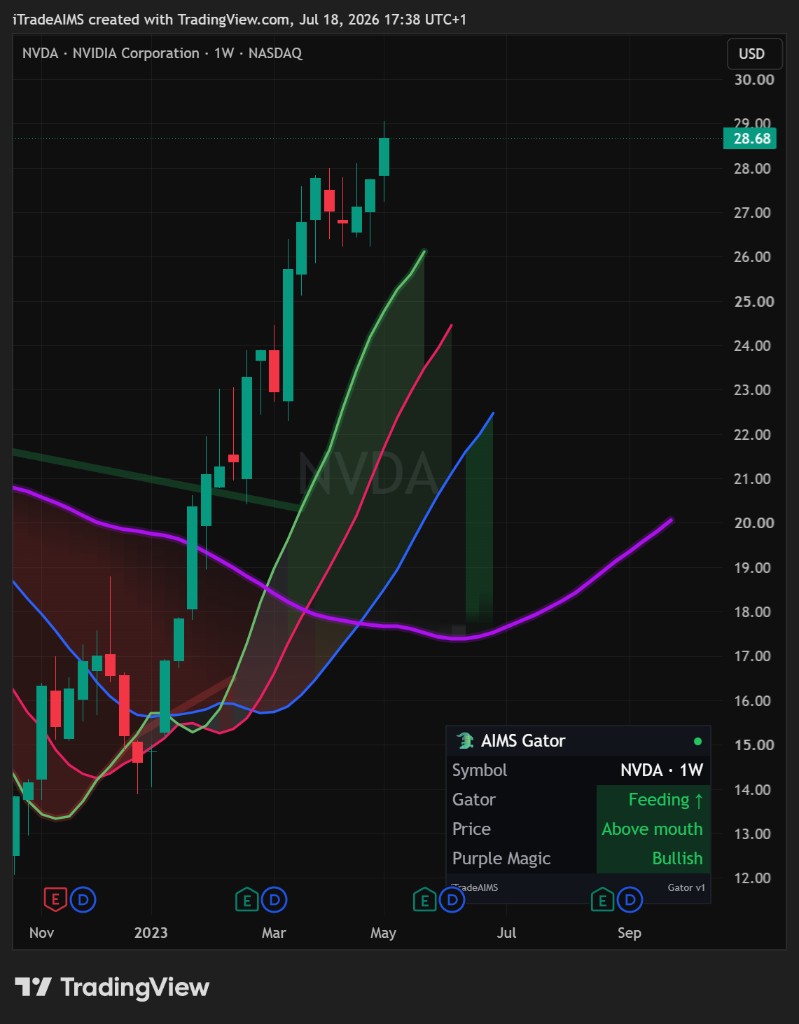
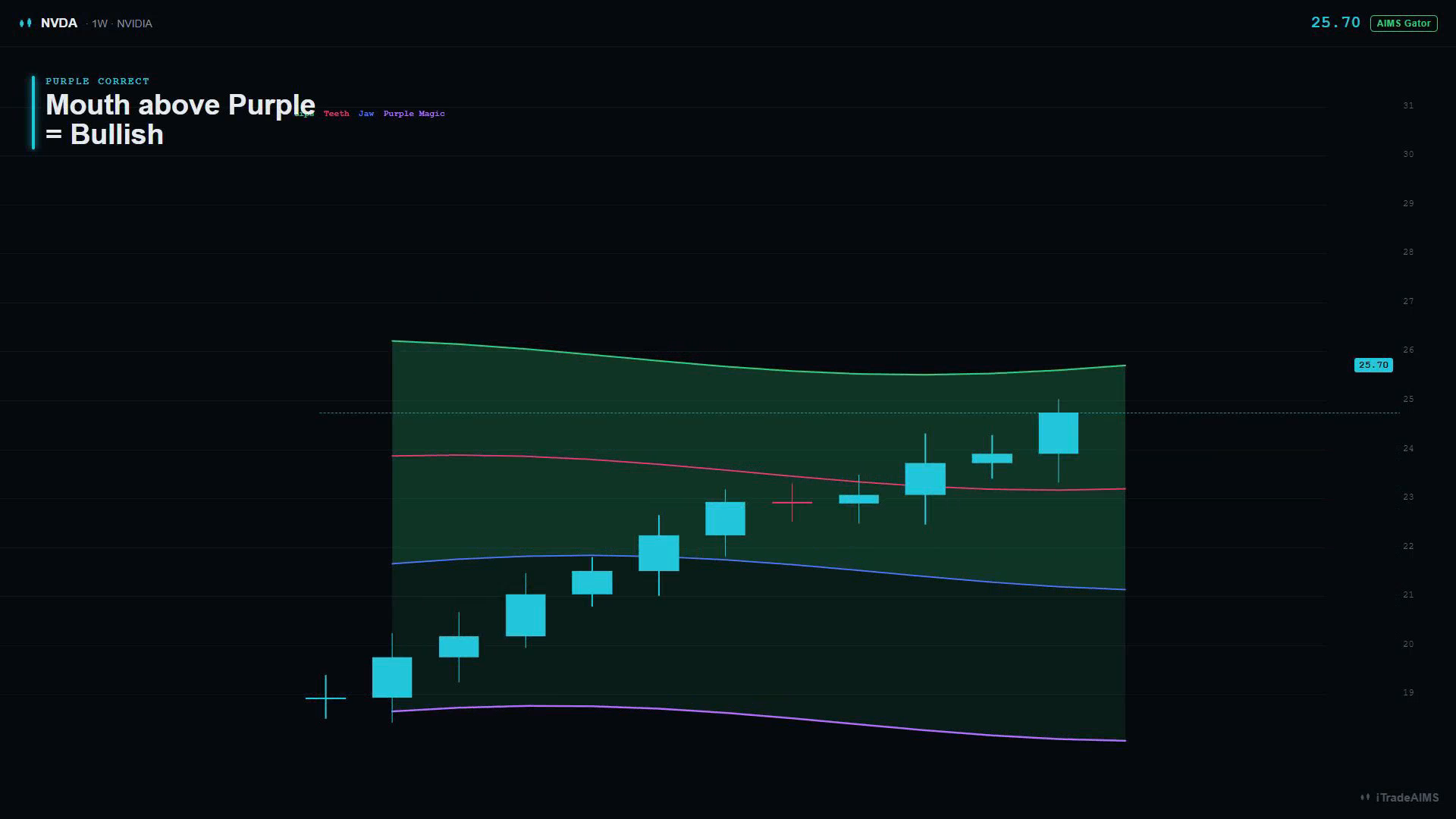
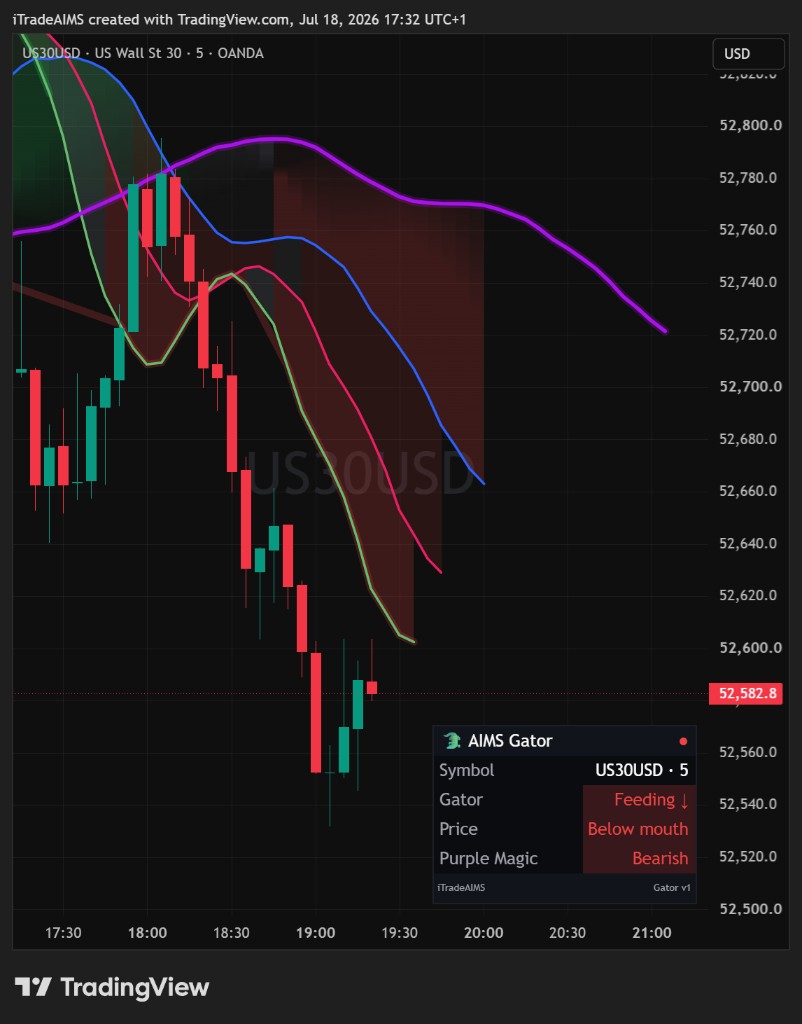
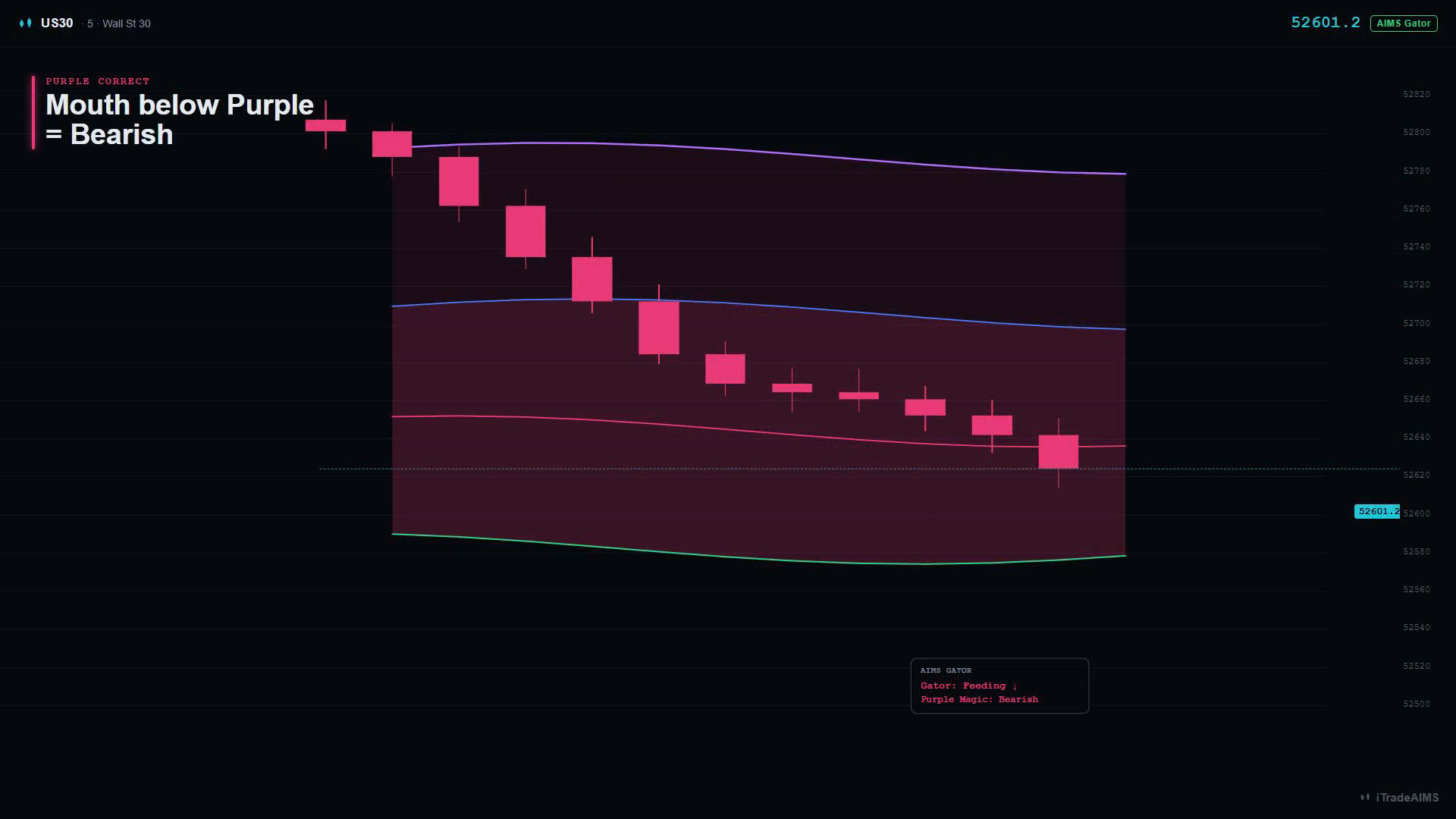
Each state below shows a live TradingView example beside a teaching diagram. Use the live still to recognise the real chart; use the teaching diagram to learn the line stack. Teaching diagrams are not live screenshots.
Before you start
- Sign in to the TradingView username that can open the script.
- Open a symbol and timeframe you normally review.
- Leave enough history loaded so the displaced lines can settle.
1. Add the script to your chart
Public trend compass — Alligator jaw / teeth / lips plus Purple Magic bias, mouth ribbon, and state alerts (no boxes, no Setup 1/2).
- Open the script page and select Add to chart (or Use on chart).
- Confirm the chart legend lists AIMS Gator or iTradeAIMS | The AIMS Gator.
- Leave defaults for the first session.
2. Learn the four lines
Default Style colours (you can change them in TradingView’s Style tab):
| Line | Default colour | Classic lengths | What to notice |
|---|---|---|---|
| Jaw | Blue | Length 13 · offset 8 | Slowest of the three — balance of the current timeframe |
| Teeth | Pink | Length 8 · offset 5 | Mid line |
| Lips | Green | Length 5 · offset 3 | Fastest of the three |
| Purple Magic | Purple | Length 34 · offset 21 | Higher-timeframe bias line on this chart |
Lines are drawn forward (displaced). Read the ordered stack near the right of the chart for mouth state; compare price to the lines at the current bar when you care about where price sits.
3. Read the mouth states
Feeding up
Lips above Teeth above Jaw. Mouth open. Mouth ribbon turns green (when Gator mouth ribbon is on). Dashboard: Feeding ↑.
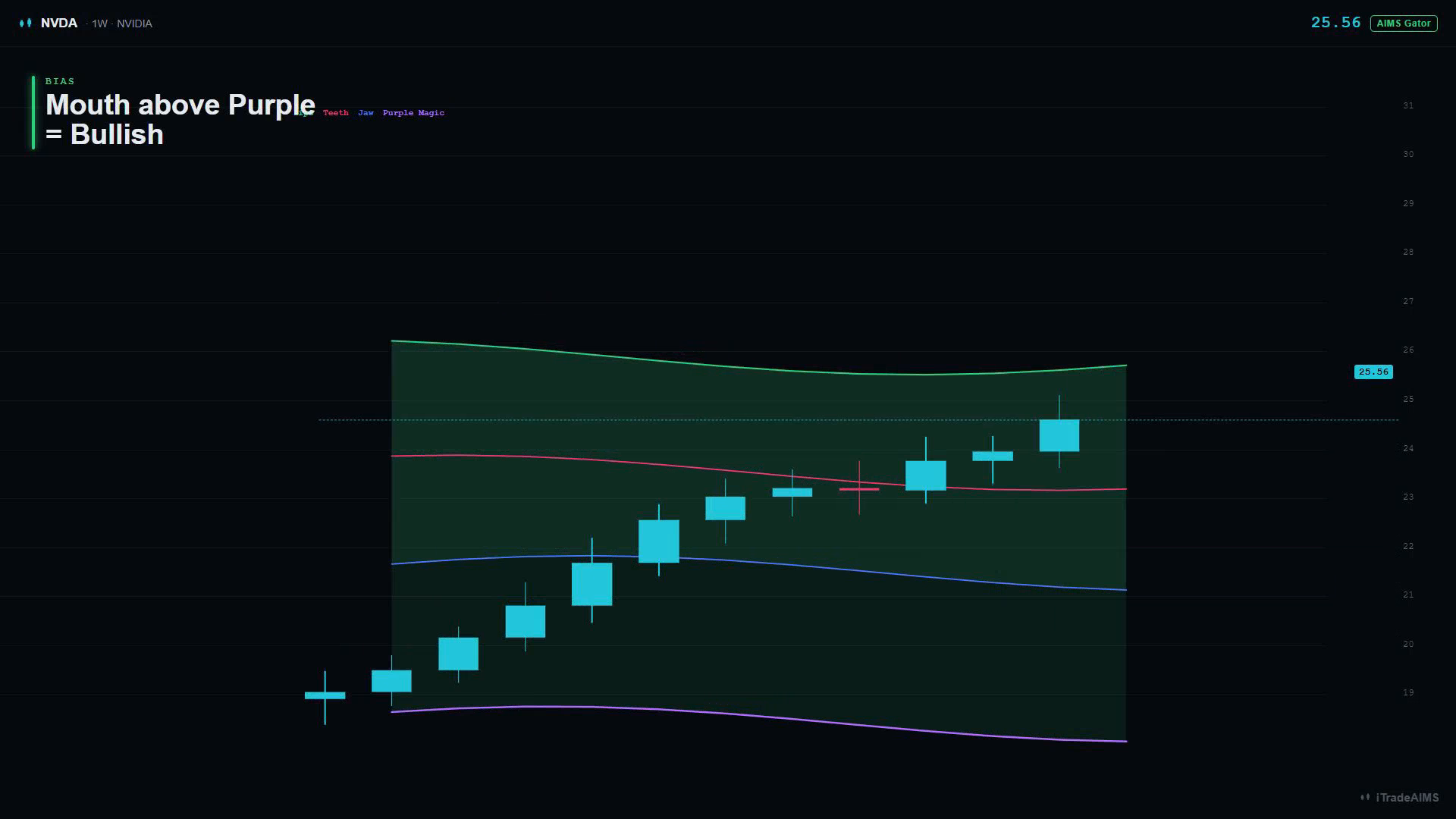
Purple correct (bullish): the whole mouth sits above Purple Magic.
Feeding down
Lips below Teeth below Jaw. Mouth open. Mouth ribbon turns red. Dashboard: Feeding ↓.
Purple correct (bearish): the whole mouth sits below Purple Magic.
Sleeping — two different reads
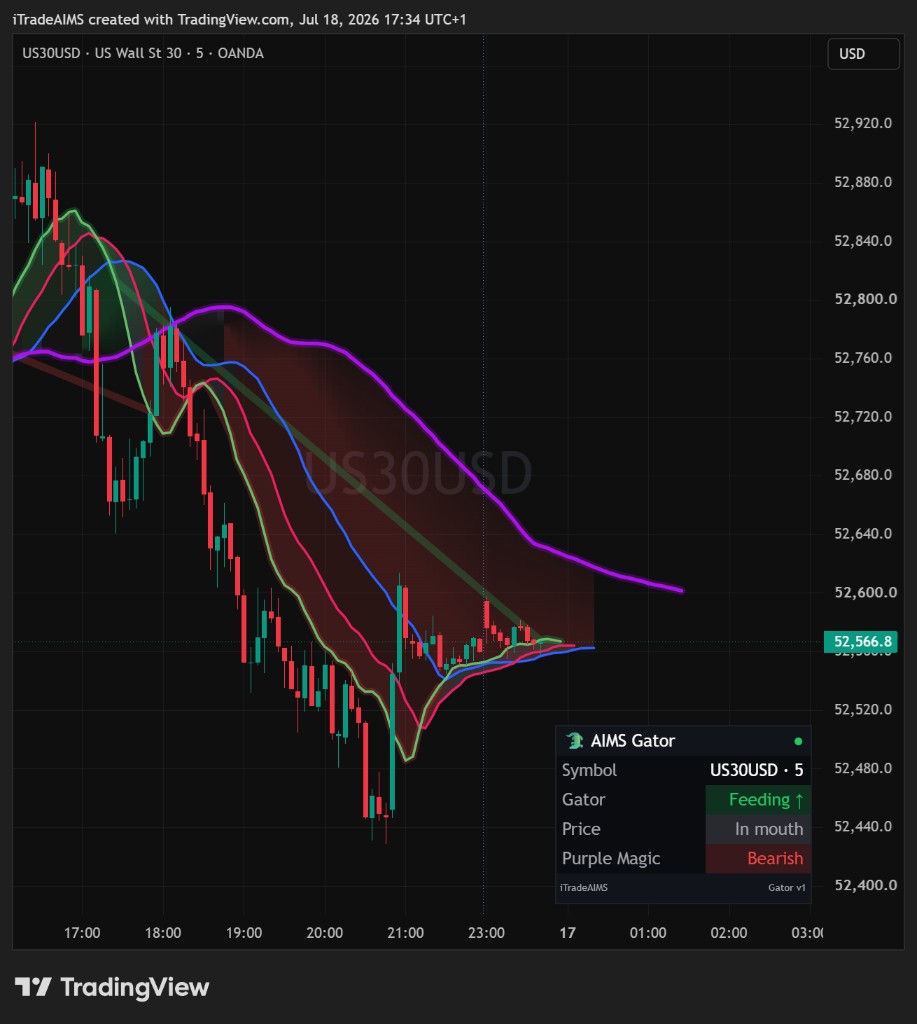
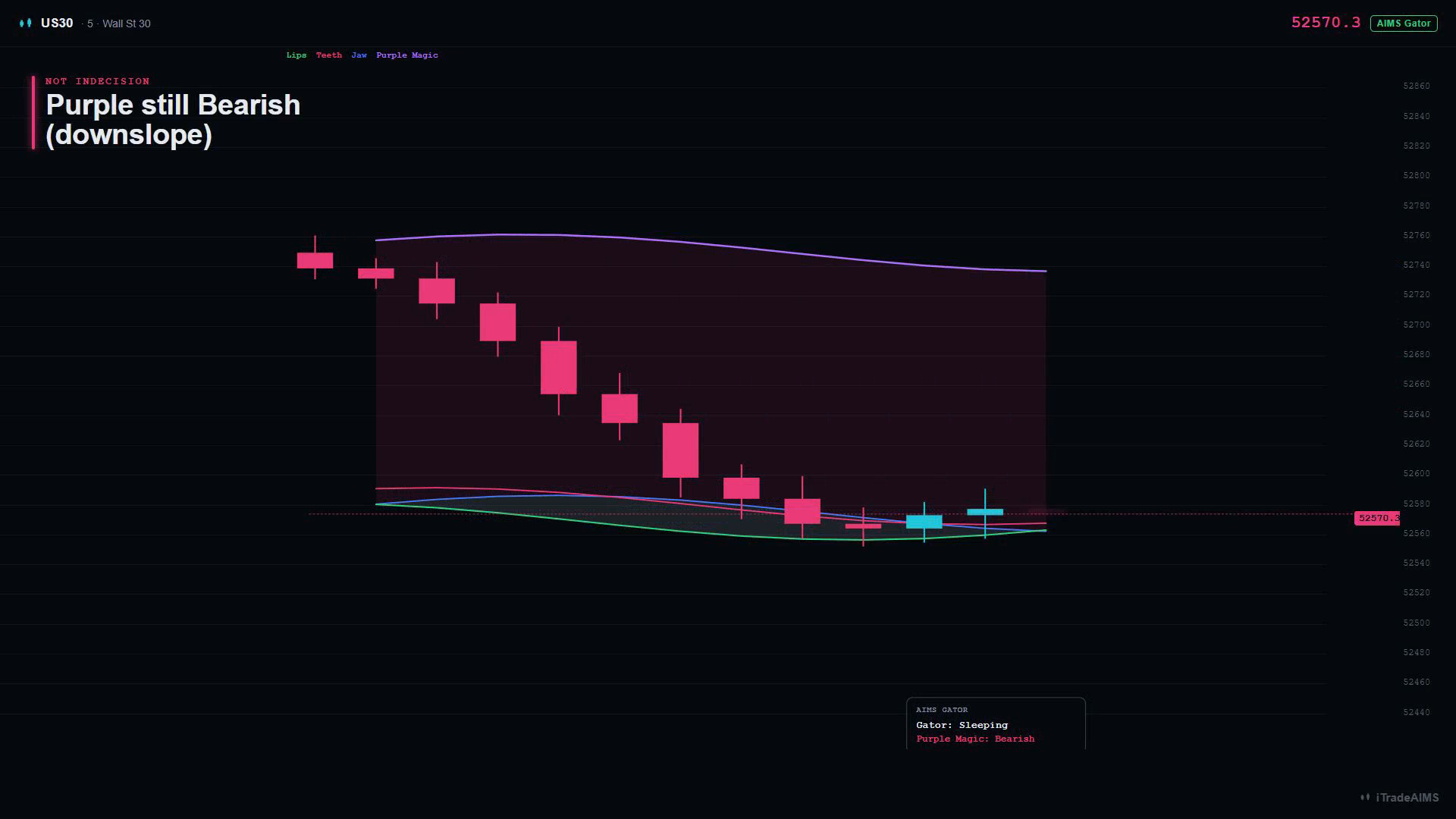
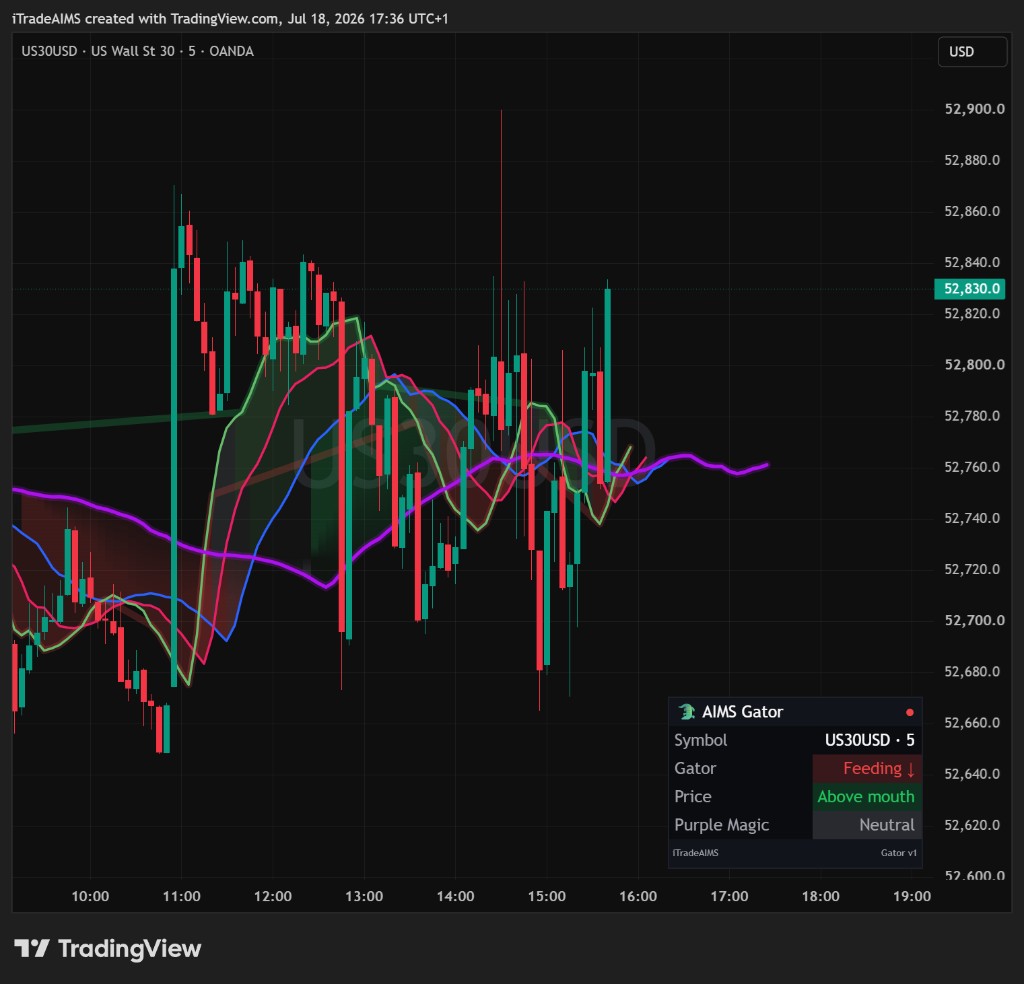
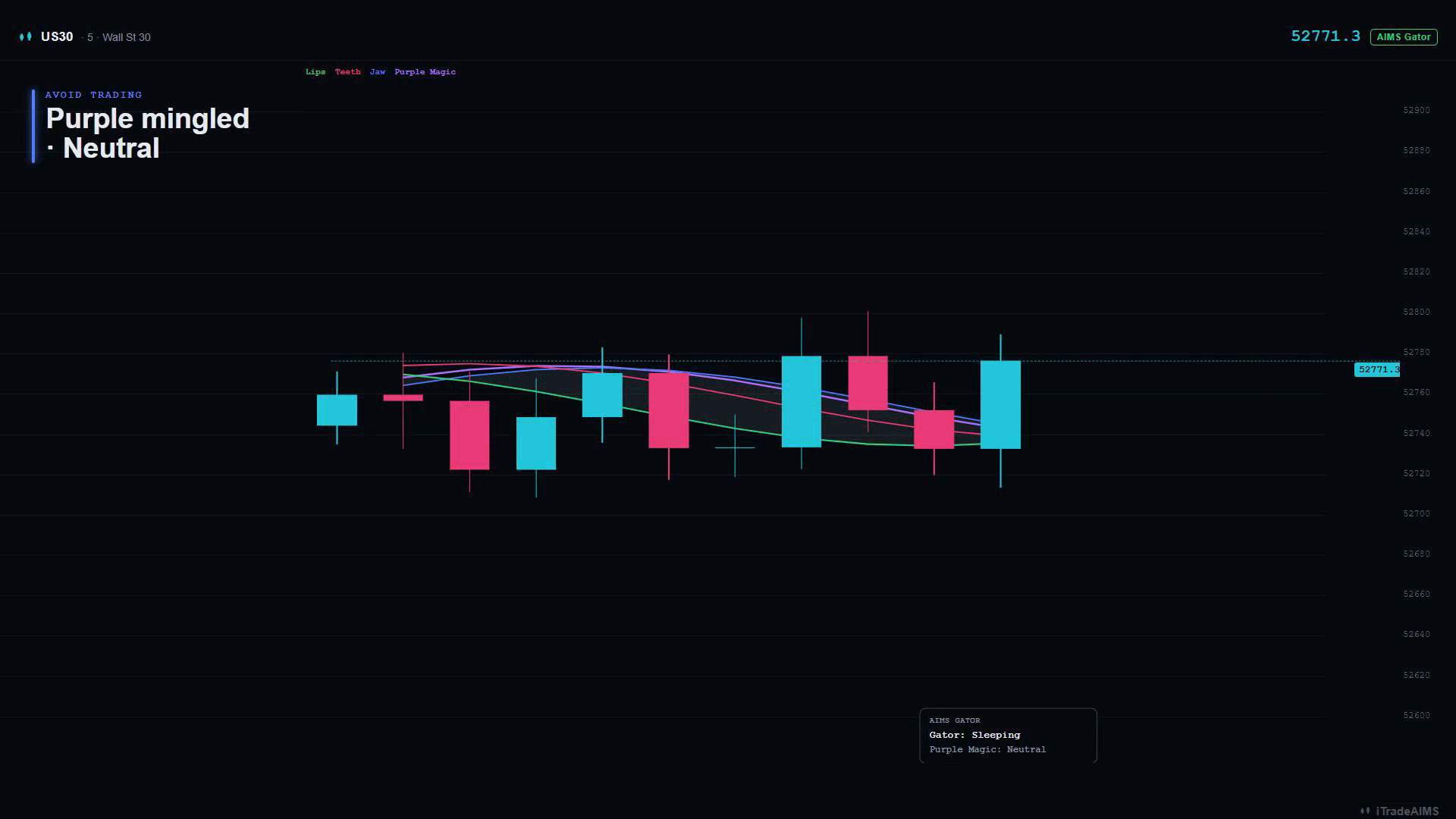
Sleeping means the three mouth lines are intertwined (neither clean Feeding stack). Mouth ribbon goes dim / grey. Dashboard: Gator: Sleeping.
Do not treat every Sleeping chart as “avoid.” Read Purple Magic as well:
| Scene | What you see | Meaning |
|---|---|---|
| A — bias retained | Mouth sleeping, Purple separated and still sloping | Bias still directional — not indecision |
| B — true indecision | Mouth sleeping, Purple mingled / dashboard Neutral | Chop — Avoid trading (current + higher-timeframe) |
Scene A — Sleeping with Purple Bearish (not indecision)
Scene B — Sleeping with Purple mingled (avoid trading)
4. Read Purple Magic bias
Purple Magic is the fourth line. Bias is read from the whole mouth vs Purple (not from a single cross):
| Dashboard Purple Magic | Meaning |
|---|---|
| Bullish | Whole mouth sits above Purple |
| Bearish | Whole mouth sits below Purple |
| Neutral | Mouth straddles Purple / lines mingled |
Optional Trend cloud (jaw ↔ Purple Magic) soft-fills between Jaw and Purple and tints with that bias.
5. Read the dashboard
Defaults put the Gator dashboard at Bottom Right so it does not sit on top of AIMS Box (Bottom Left) when you stack them.
| Row | What it shows |
|---|---|
| Gator | Feeding ↑ · Feeding ↓ · Sleeping |
| Price | Above mouth · In mouth · Below mouth |
| Purple Magic | Bullish · Bearish · Neutral |
6. Confirm it is working
Check all of the following:
- Chart lists AIMS Gator.
- Four lines are visible (Jaw, Teeth, Lips, Purple Magic) unless you hid them in Style.
- Mouth ribbon and/or trend cloud appear when those Display toggles are on.
- Dashboard shows Gator / Price / Purple Magic (if Show dashboard is on).
- You do not see fractal boxes or B#/S# candle labels from this script alone.
7. Leave lengths alone first
Do not change Jaw / Teeth / Lips / Purple lengths until you can recognise Sleeping vs Feeding on your usual symbol and timeframe. Full input list: Settings overview.