Introduction
The Banana Indicator MT5 is a chart indicator for traders who want visual Banana pattern signals while keeping control of trade decisions. Banana Indicator also has MT4 and TradingView versions referenced in this guide.
The indicator is available for:
- MetaTrader 4.
- MetaTrader 5 as The Banana Indicator MT5.
- TradingView.
Each platform has a different setup path, but the basic workflow is the same:
- Add the indicator to a chart.
- Confirm access or enter your license key.
- Watch for completed-bar signals.
- Review the signal against market context.
- Decide whether the setup fits your plan.
Who This Guide Is For
This guide is written for traders, including beginners who are still learning MT4, MT5, or TradingView.
It avoids developer language. When a technical term is needed, it is explained in the context of using the platform.
What The Indicator Shows
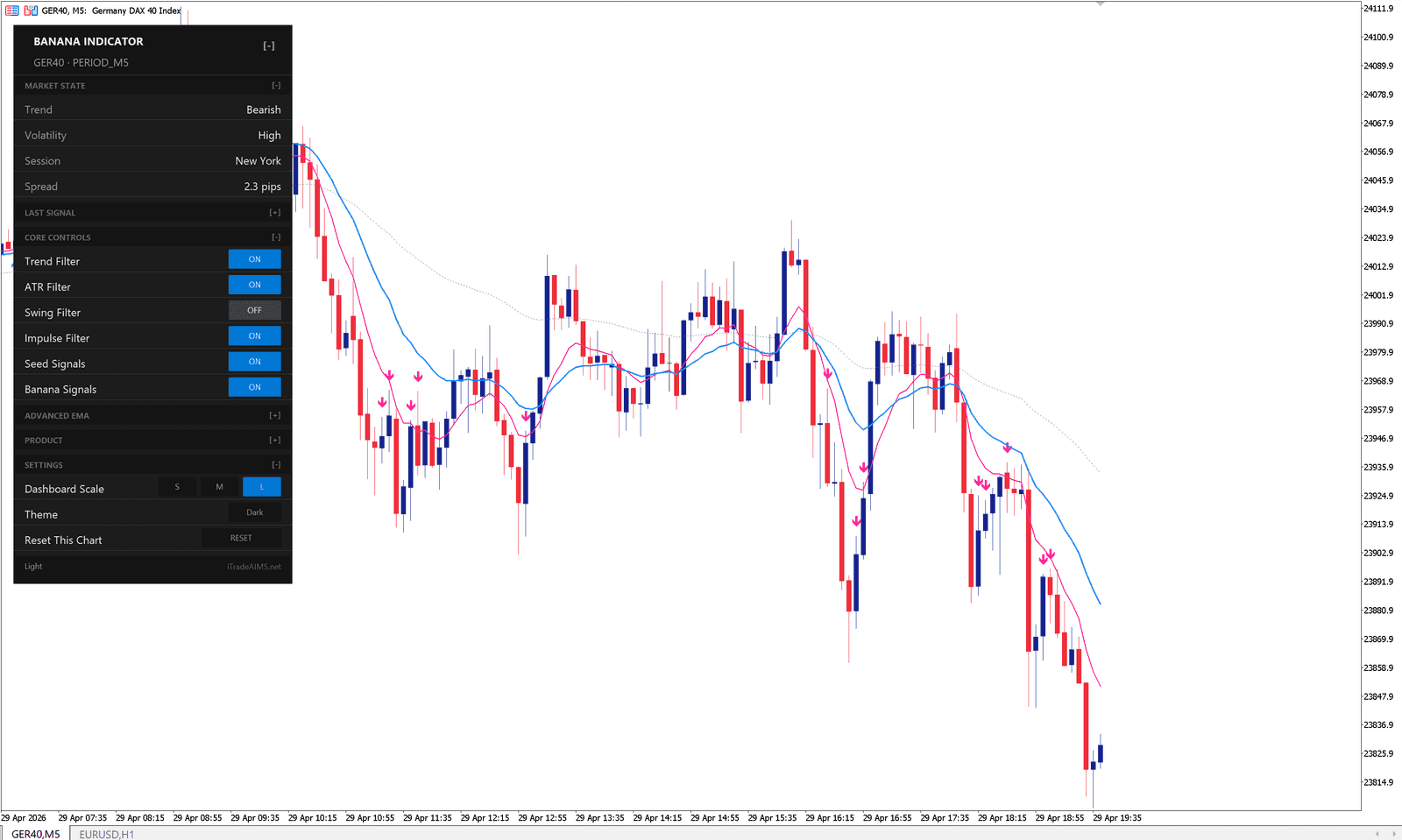
The Banana Indicator MT5 can show:
- Buy and sell signal markers.
- Banana and Seed signal types.
- Moving average lines, if enabled.
- MetaTrader dashboard information, if enabled.
- Alerts, if configured on your platform.
What The Indicator Does Not Do
The indicator does not place trades for you. It does not guarantee that a signal should be traded.
You still need to check:
- The direction of the market.
- Whether price is near support or resistance.
- Whether spreads or market conditions are suitable.
- Your risk, stop loss, and position size.
- Whether the signal fits your trading plan.
Recommended Reading Order
Risk Notice
The Banana Indicator MT5 is not financial advice. A chart signal is only information for your review. Trading involves risk, and you are responsible for your own decisions.