Chart Walkthrough (TradingView)
Real TradingView charts — mostly AIMS eWaves Super. Use these after quick start.
Script pages
Review prompts, not orders
Screenshots show setups to review. They are not trade recommendations. Wave labels describe structure on completed bars — not automatic entries.
Chart index
| # | Scenario | Section |
|---|---|---|
| TV1 | Wave count on chart | Wave count |
| TV2 | Structure continuation | Continuation reads |
| TV3 | Pullback / mid-count | Pullback context |
| TV4 | Wave 5 prediction | Wave 5 prediction |
| TV5 | Late extension | Late extension |
| TV6 | Alternate count angles | More angles |
For MT5 suite screenshots (Wave tab + Setup 1 Confluence), see AIMS Wave in the suite — do not mix platforms on this page.
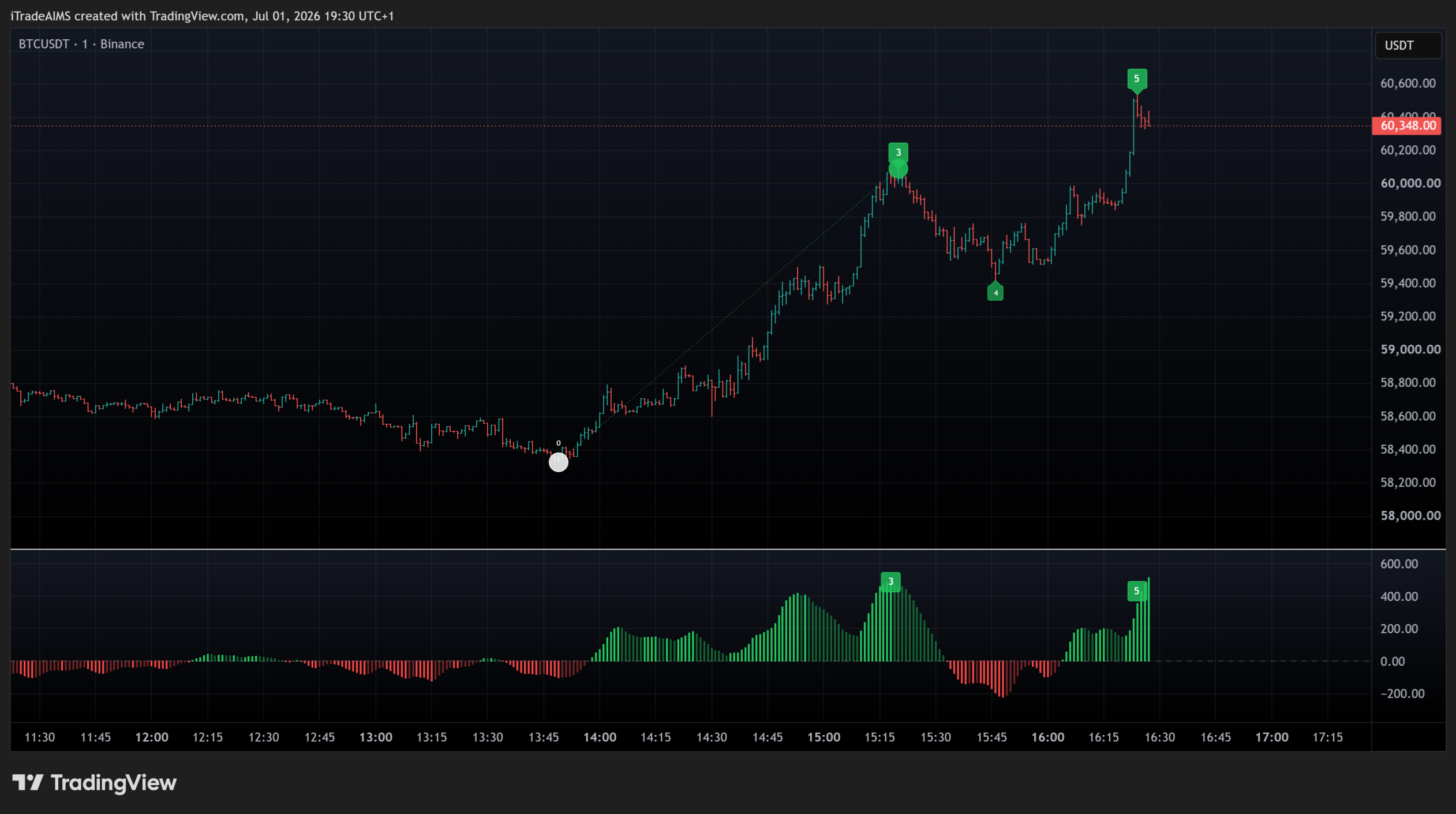
Wave count on chart
What to look for:
- Numbered wave labels on closed structure
- Target / projection context ahead of price
- Clear impulse → pullback → extension rhythm
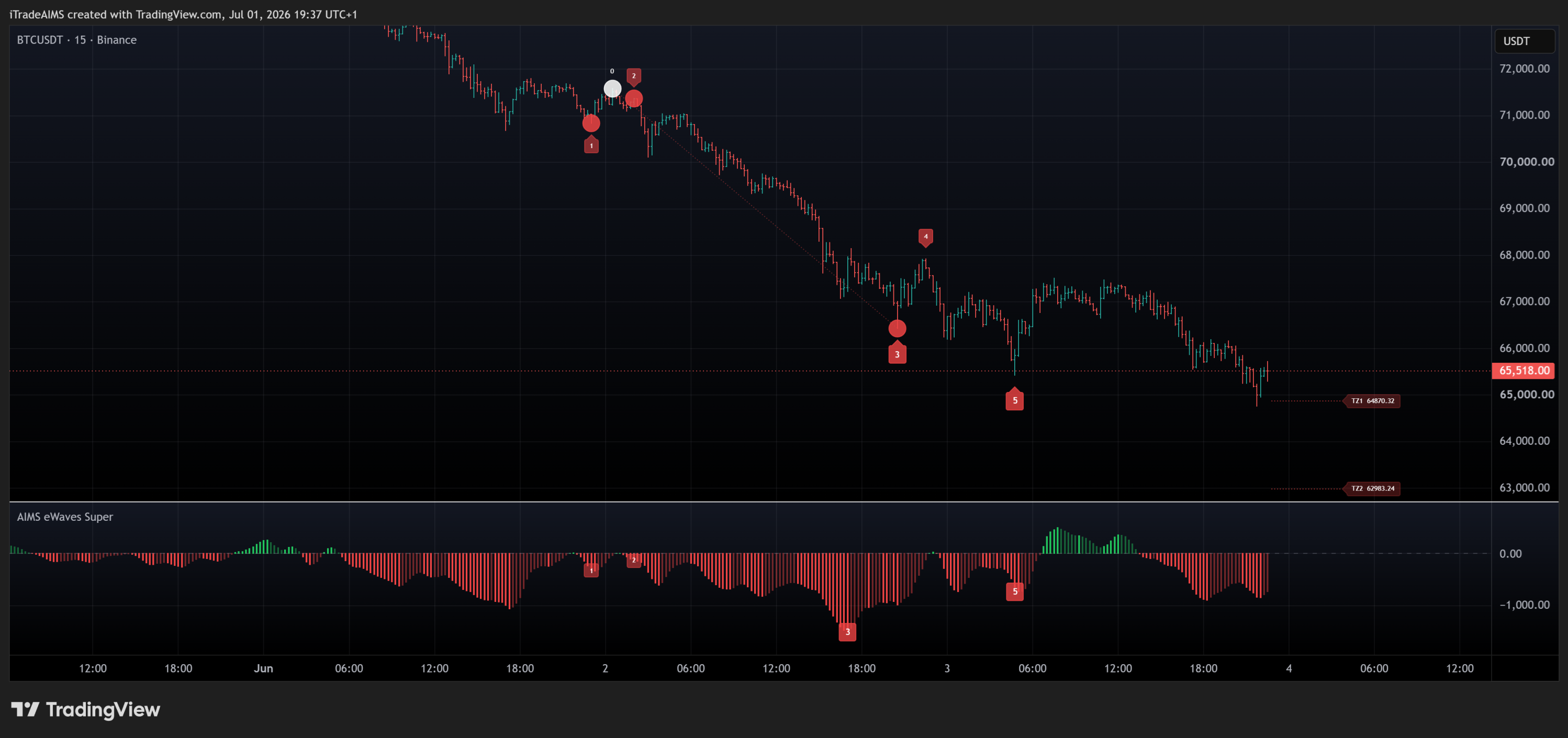
Continuation reads
What to look for:
- Impulse labelled as the main move
- Room remaining to the next target area
- Count still developing (not already finished at TZ1)
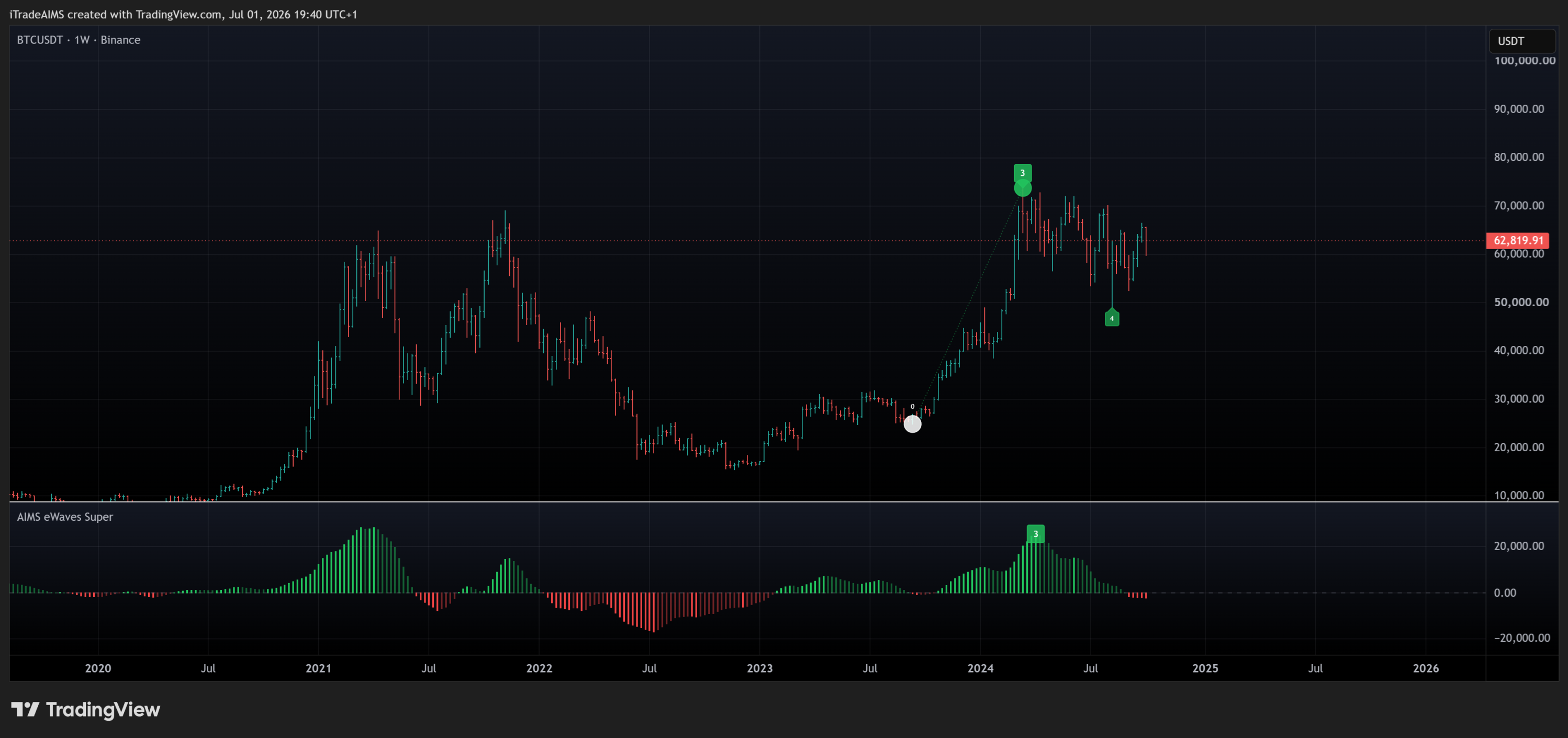
Pullback context
What to look for:
- Pullback labelled after the main impulse
- Correction depth still compatible with the count
- Wait for closed bars before treating the label as final
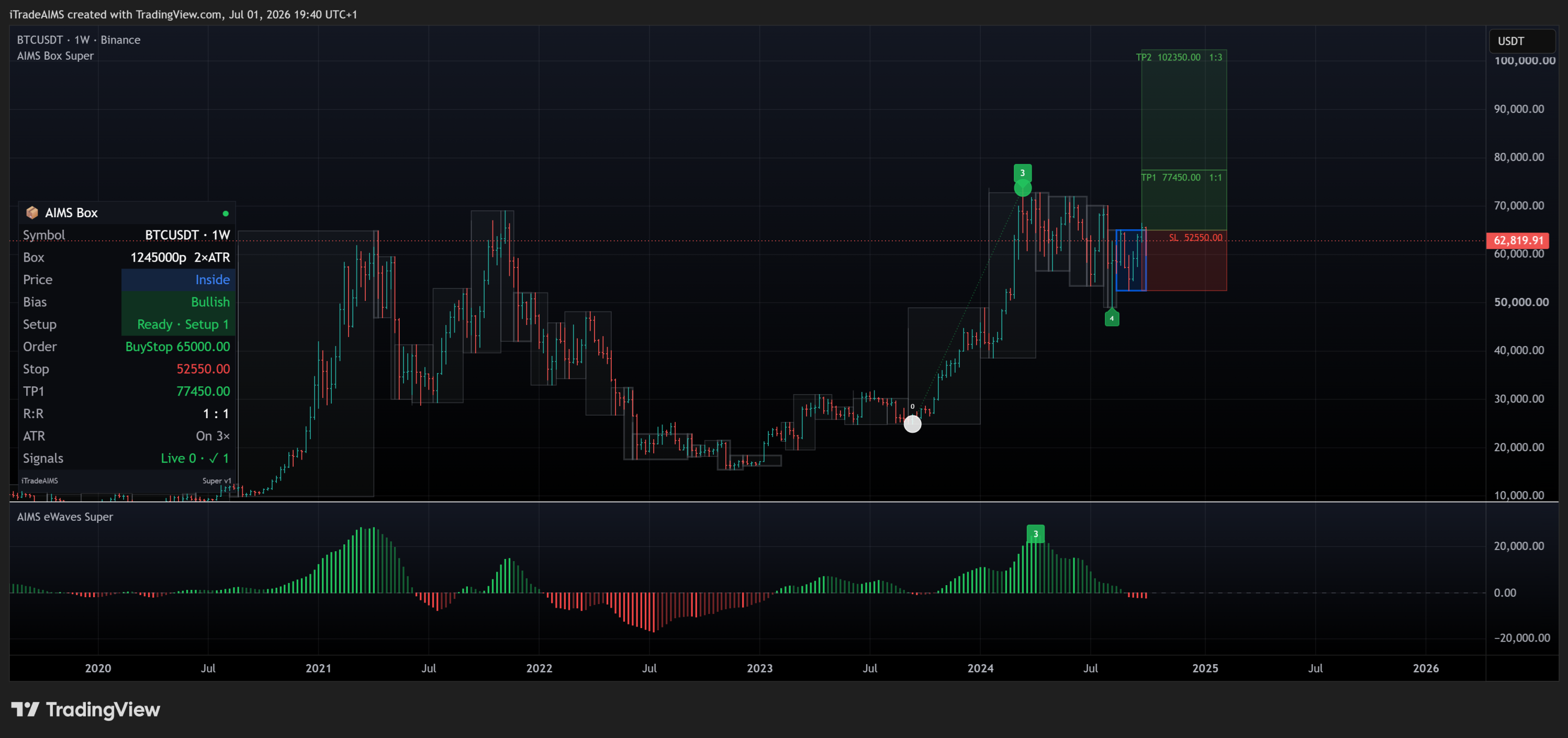
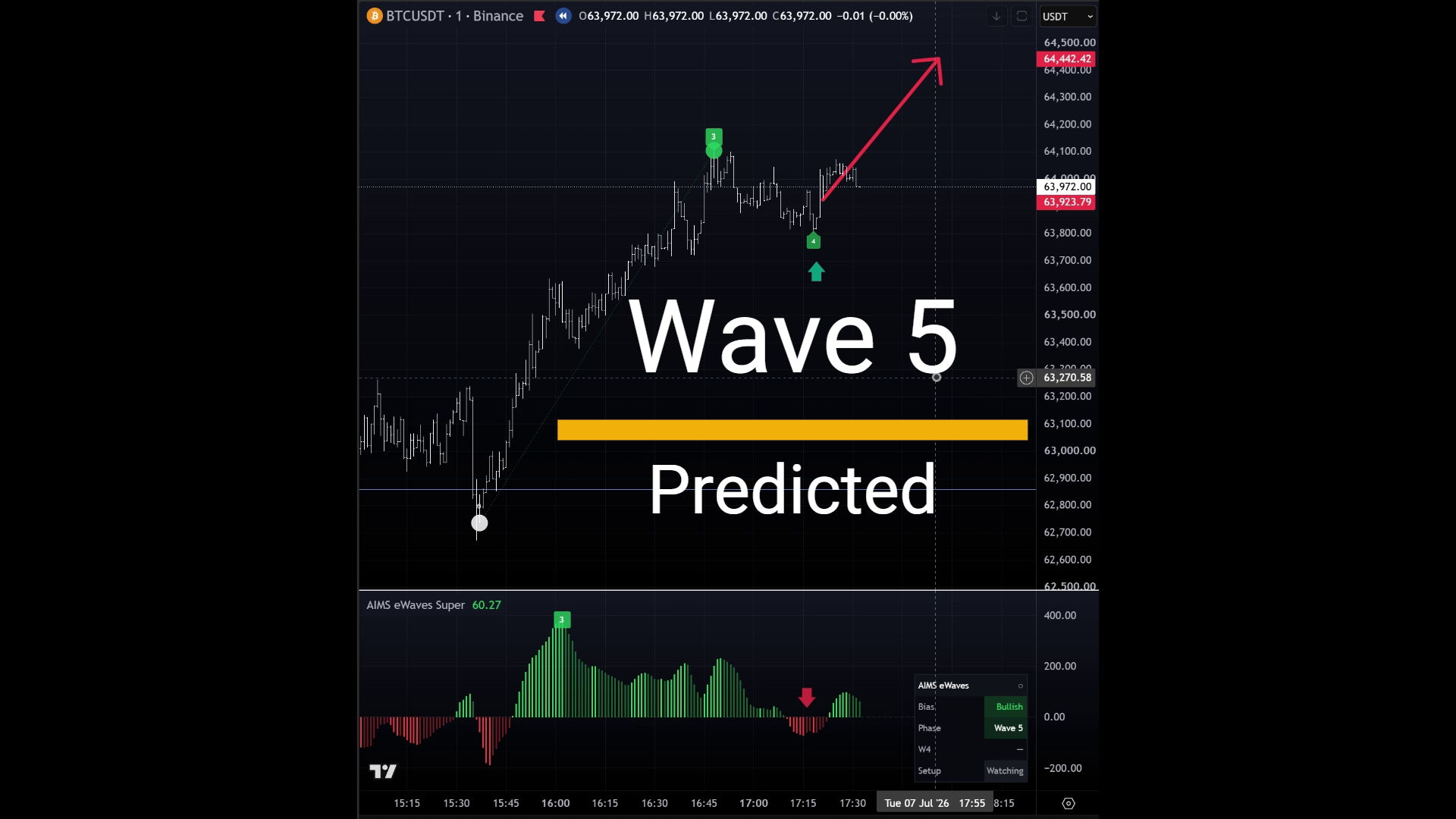
Wave 5 prediction
What to look for:
- Late-extension / Wave 5 prediction context
- Shrinking room to the next projected stall area
- Own exit plan — the indicator marks structure, it does not manage trades
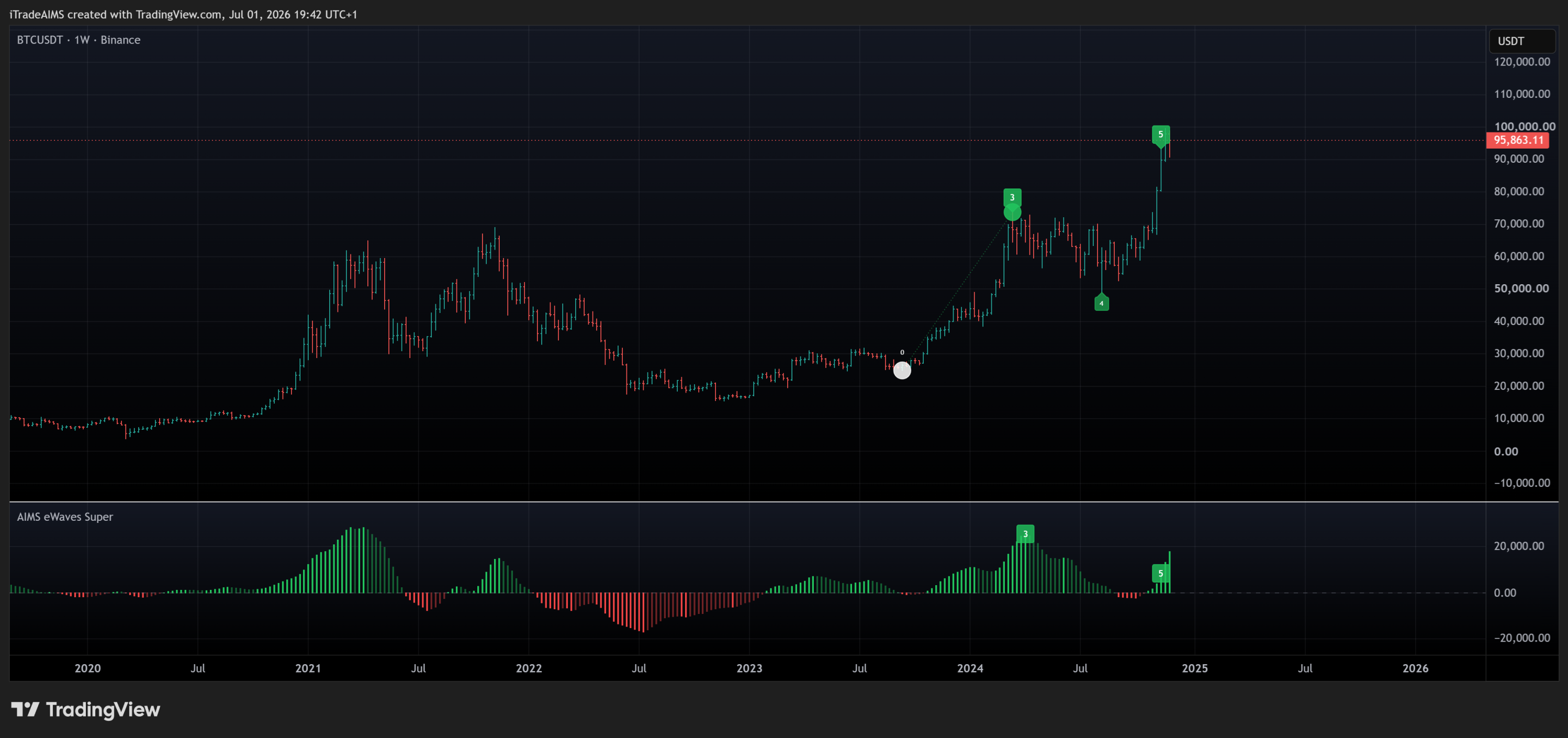
Late extension
What to look for:
- Price pressing into late-wave labels
- Target proximity elevating completion / reversal risk
- Review quality before treating as fresh continuation
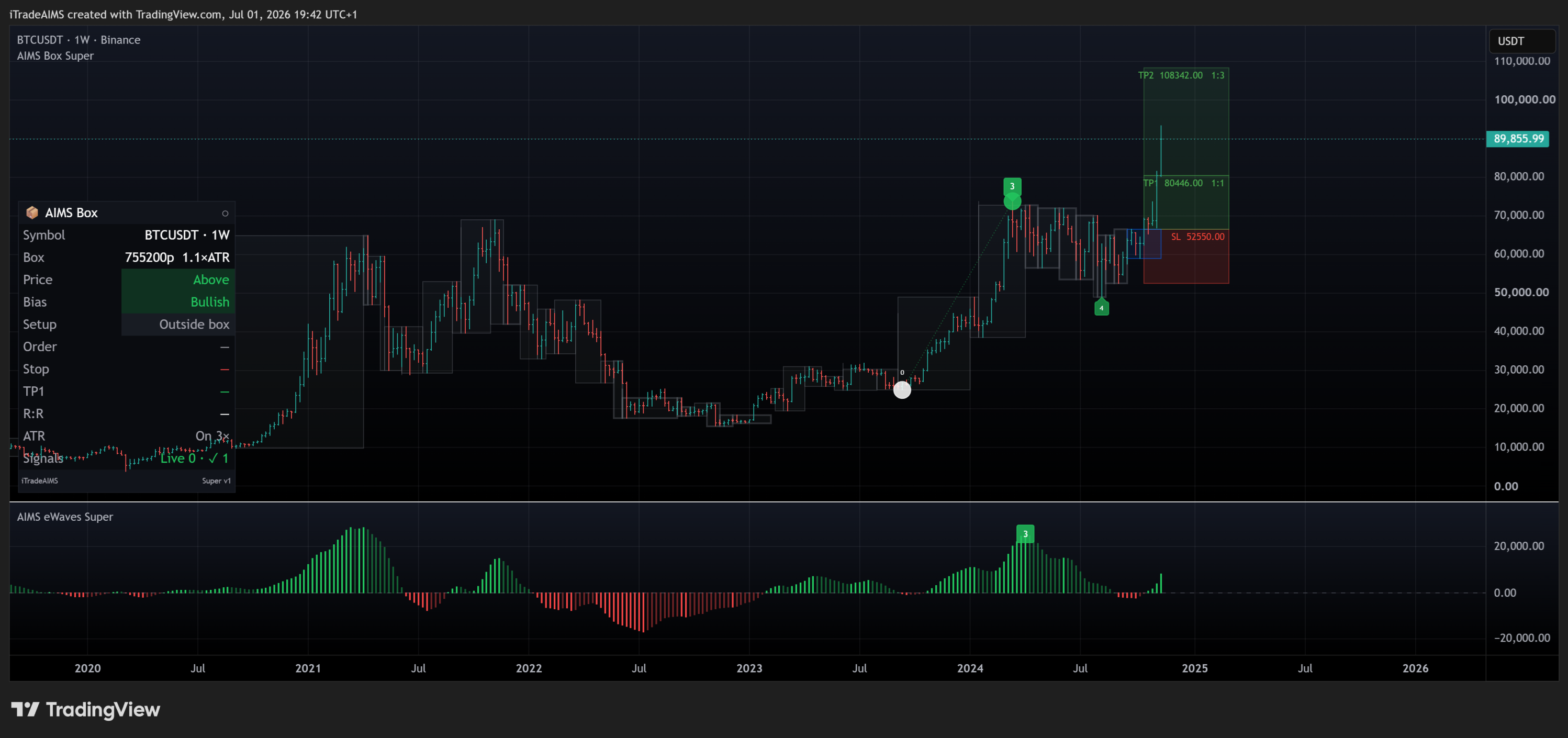
More angles
Additional screenshots from the same TradingView walkthrough.
Optional suite confluence (MT5 only)
When you run the full iTradeAIMS stack on MetaTrader 5, wave reads align with Box and Banana on one dashboard: