What Is AIMS Wave?
AIMS Wave (license name: The Elliott Wave Indicator) labels Elliott wave structure on your chart — main impulse, pullback, late extension — and shows how much room is left before the next likely stall zone. On MT5 it also appears as the Wave tab inside the Confluence Indicator Suite. On TradingView it runs as invite-only Pine scripts (Free, eWaves Super, eWaves Pro (publish pending)).
Wave labels and target zones are chart information for your review. They are not automatic trade instructions and they do not replace your trading plan. Not financial advice.
Stop Guessing Which Wave You're In
AIMS Wave answers three core structural questions on every chart:
| Question | What AIMS Wave shows |
|---|---|
| Which wave? | Numbered labels on completed structure (for example Wave 3 impulse, Wave 4 pullback, Wave 5 extension) |
| How much room? | Target zone lines and distance to the next likely stall area |
| Is rhythm aligned? | Companion histogram / rhythm panel (build-dependent) |
🌊 10-Second Elliott Wave Interactive Trainer
The tallest, highest-momentum lobe on the entire histogram! This is where institutional trend acceleration occurs and the primary AIMS edge lives.
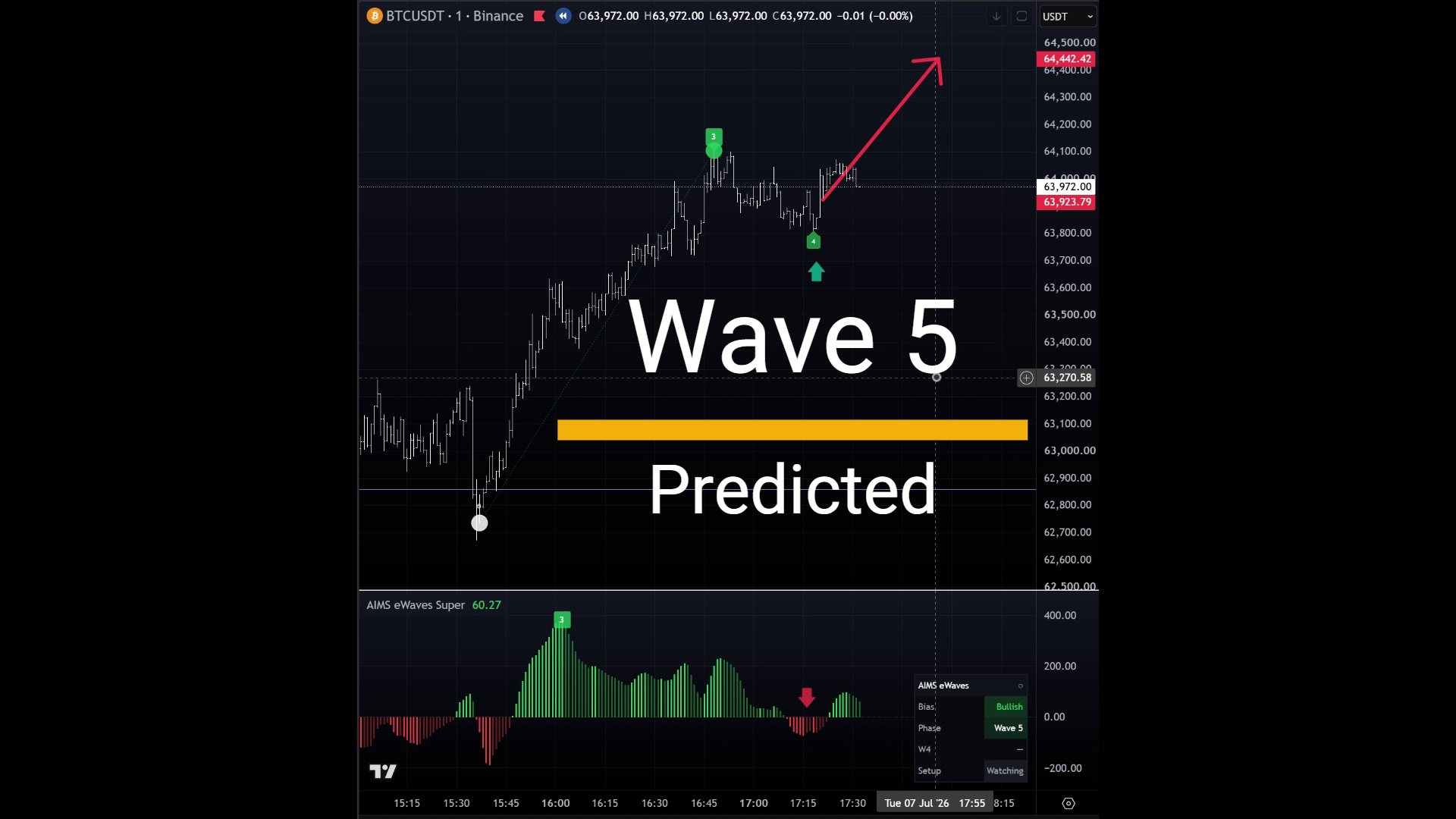
Wave Phases at a Glance
| Phase | Label | Typical use |
|---|---|---|
| Main impulse | Wave 3 | Directional leg with room to target — often supports continuation reads |
| Pullback | Wave 4 | Controlled correction — pair with AIMS Box Setup 1 when structure aligns |
| Late extension | Wave 5 | Extension into target zones — reward often shrinks; review quality carefully |
| Stall risk | Target zone | Price reaches a projected zone — completion or reversal risk rises |
Teaching point: wave count is a structural hypothesis on completed bars. If labels disagree with recent price action, wait for the indicator to refresh after structure closes.
On-Chart Display & History Rule
Besides any dashboard tab (MT5 suite), AIMS Wave draws on the chart:
- Wave labels — annotated wave numbers on price structure.
- Target zone markers — areas where extension or completion risk often rises.
- Rhythm / histogram tools — companion visual for wave rhythm.
History Bars (100–150 Rule)
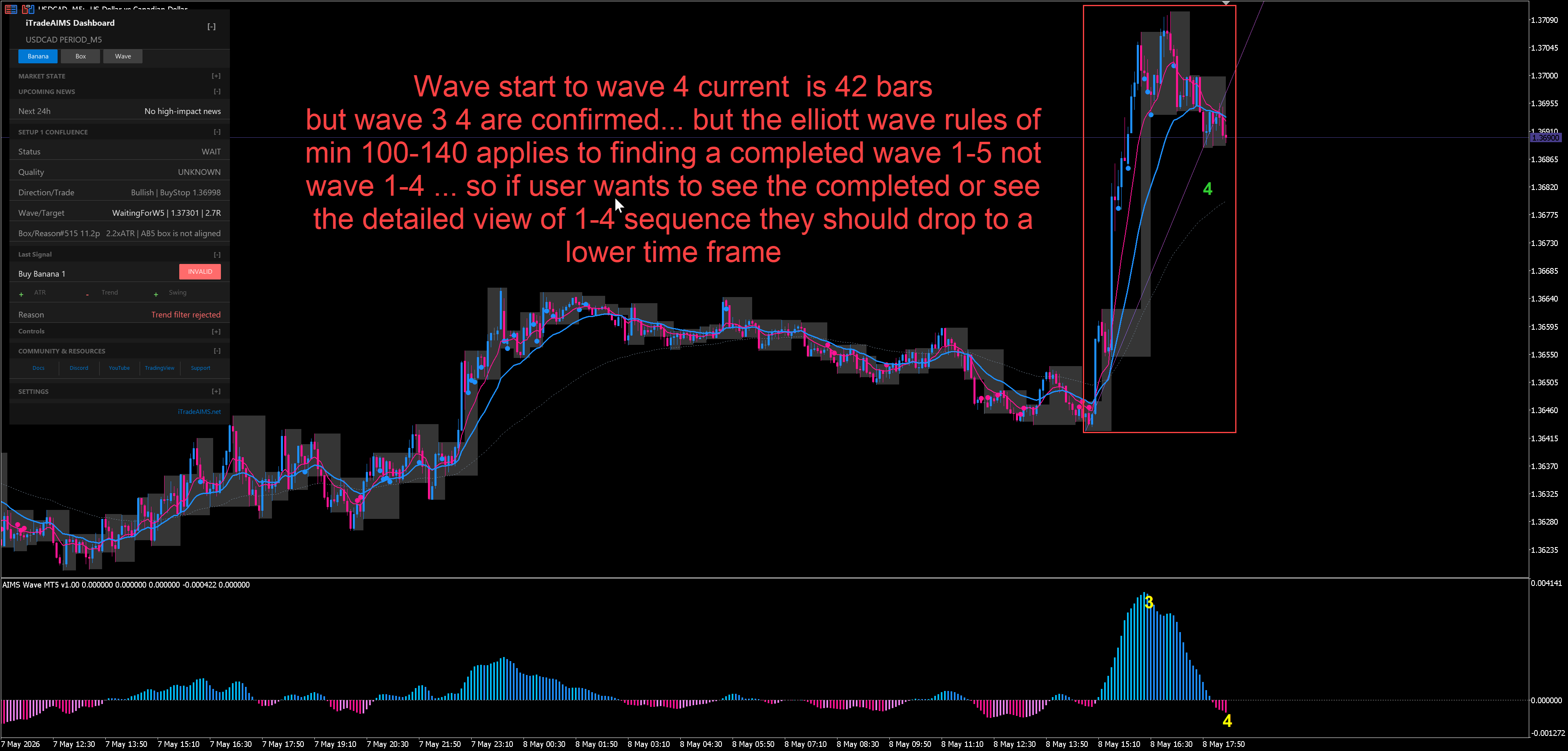
AIMS Wave needs enough closed bars before Elliott counts stabilize. Load roughly 100–150 bars on your symbol and timeframe so you can see a full 1–5 impulse sequence without the count resetting every few candles.
| Check | Why it matters |
|---|---|
| Zoom out or scroll left | Short history hides Wave 4–5 context |
| Match timeframe to your setup | M5/M15 teaching examples use different bar counts |
| Wait after attach | Labels populate after sufficient history loads |
How Wave Fits the iTradeAIMS Stack
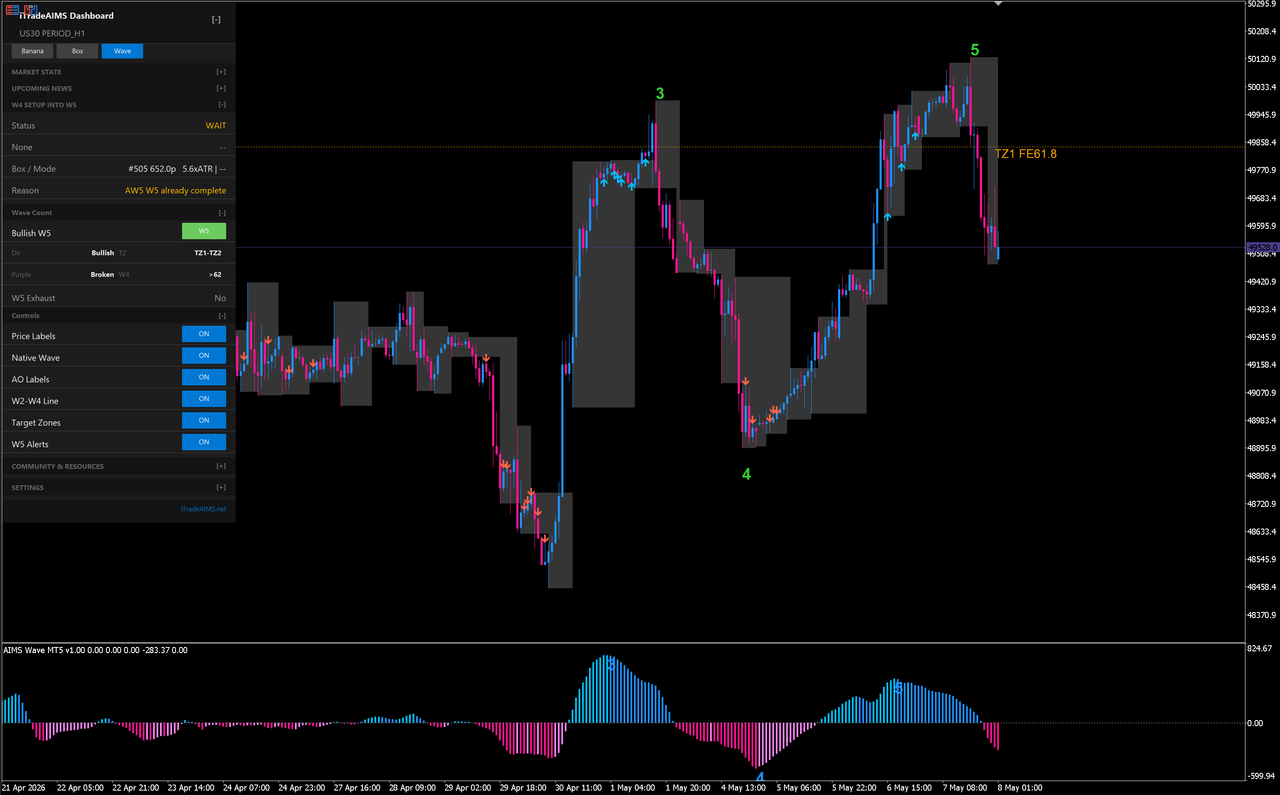
On MT5, Setup 1 Confluence fuses AIMS Wave + AIMS Box Setup 1 lifecycle. Wave stage affects quality tiers (HIGH, CAUTION, AVOID) — not just the Box tab alone.
| Wave context | Typical confluence effect |
|---|---|
| Early impulse (Wave 3) with room to target | Supports HIGH or ARMED when Box is READY |
| Pullback (Wave 4) with Box Setup 1 READY | Often ARMED — structure valid, waiting on breakout |
| Late extension near target zone 1 | CAUTION — limited reward to next target |
| Counter-wave risk elevated | Downgrades quality even if Box looks READY |
Full suite walkthrough: AIMS Wave in the Confluence suite · How confluence works.
Platforms & Visual Gallery
The same wave lifecycle is implemented separately for MetaTrader 5 and TradingView. UI shells differ; the review habit does not.
There is no shipping MT4 Wave build. See Start on MT4 for the status page.
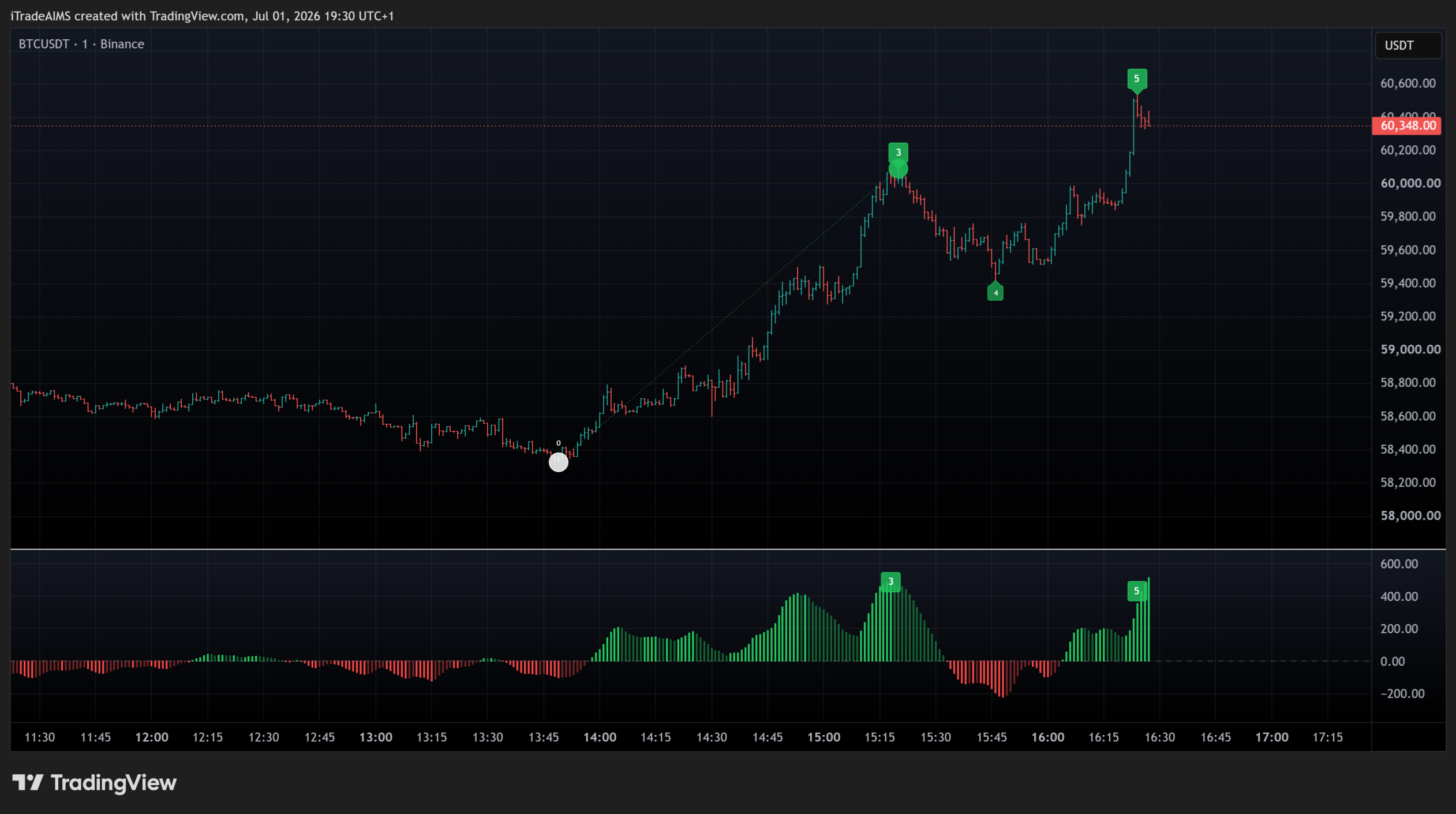
TradingView
Core Elliott wave count, labels, and rhythm read on chart.
Super edition — Elliott wave labels, target zones, rhythm panel, and Wave 5 prediction context on chart.
Premium wave-count lane — scored multi-degree Elliott counts, completed-cycle persistence, W4 forecast pockets, TZ targets, and dashboard. Open the eWaves Pro docs while the TradingView URL is pending.
MetaTrader 5 (Suite)
Installation & Next Steps
- Choose your platform
- TradingView — Get access → Quick start → Chart walkthrough
- MT5 — Start on MT5 → Install → Quick start → Wave tab in the suite
- FAQ if labels are missing or counts look stale
Related
- AIMS Box — structure boxes that pair with wave pullback reads
- The Banana Indicator — pullback continuation signals; Banana Confluence uses wave context on MT5
- The Confluence Indicator Set — unified dashboard orchestrating Box, Wave, Bubble, and Banana