Introduction
AIMS Box MT5 is a MetaTrader 5 chart indicator for traders who use AIMS Box levels as objective chart structure. AIMS Box Advanced Indicator remains the MetaTrader 4 version referenced in this guide.
The indicator is available for:
- MetaTrader 4.
- MetaTrader 5 as AIMS Box MT5.
The MT4 and MT5 versions use different MetaTrader folders and platform interfaces, but the basic workflow is the same:
- Install the correct version for your terminal.
- Add the indicator to a chart.
- Enter your license key if required.
- Read the dashboard and box levels on completed candles.
- Review the setup against trend, volatility, filters, and risk.
- Decide whether the setup fits your plan.
Who This Guide Is For
This guide is written for traders, including users who are still learning MT4, MT5, or the AIMS method.
It avoids developer language. When a technical term is needed, it is explained in the context of using the platform.
What The Indicator Shows
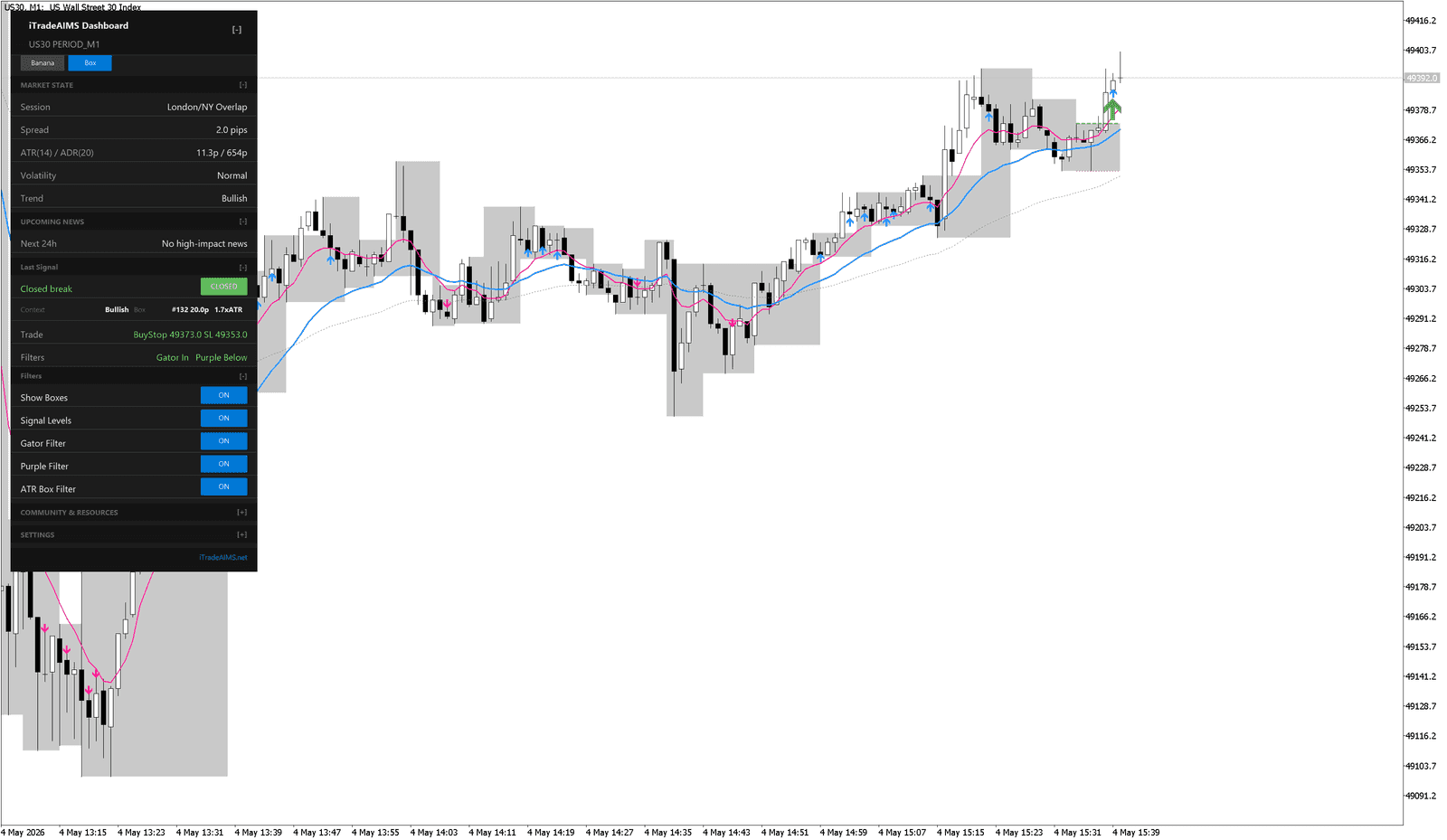
AIMS Box MT5 can show:
- Grey AIMS Box zones.
- Upper and lower box levels.
- Active signal level references.
- MT4 mini-dashboard state or AIMS Confluence Indicator dashboard market state, session, spread, ATR, and trend information on MT5.
- Last signal state, context, trade reference, and filter status.
- Toggle controls for boxes and levels, with additional controls depending on version.
- AIMS Confluence Indicator dashboard GUI settings such as scale and theme, depending on version.
What The Indicator Does Not Do
The indicator does not guarantee that a breakout should be traded. It does not remove the need for chart review.
You still need to check:
- Whether the market is trending, ranging, or transitioning.
- Whether the AIMS Box is too tall for the trade you are considering.
- Whether Gator, Purple, ATR, and other filters agree with the setup.
- Whether spread and session conditions are acceptable.
- Whether your stop and position size match your risk rules.
Recommended Reading Order
- MT4 and MT5 Versions
- MT4 Guide, if you use MetaTrader 4
- Installation
- Quick Start Guide
- Using AIMS Box Levels
- Core Settings
- Troubleshooting
Risk Notice
AIMS Box MT5 is not financial advice. A chart setup is only information for your review. Trading involves risk, and you are responsible for your own decisions.