Start On TradingView
Use this path for The Ultimate Nasdaq-100 Strategy on TradingView.
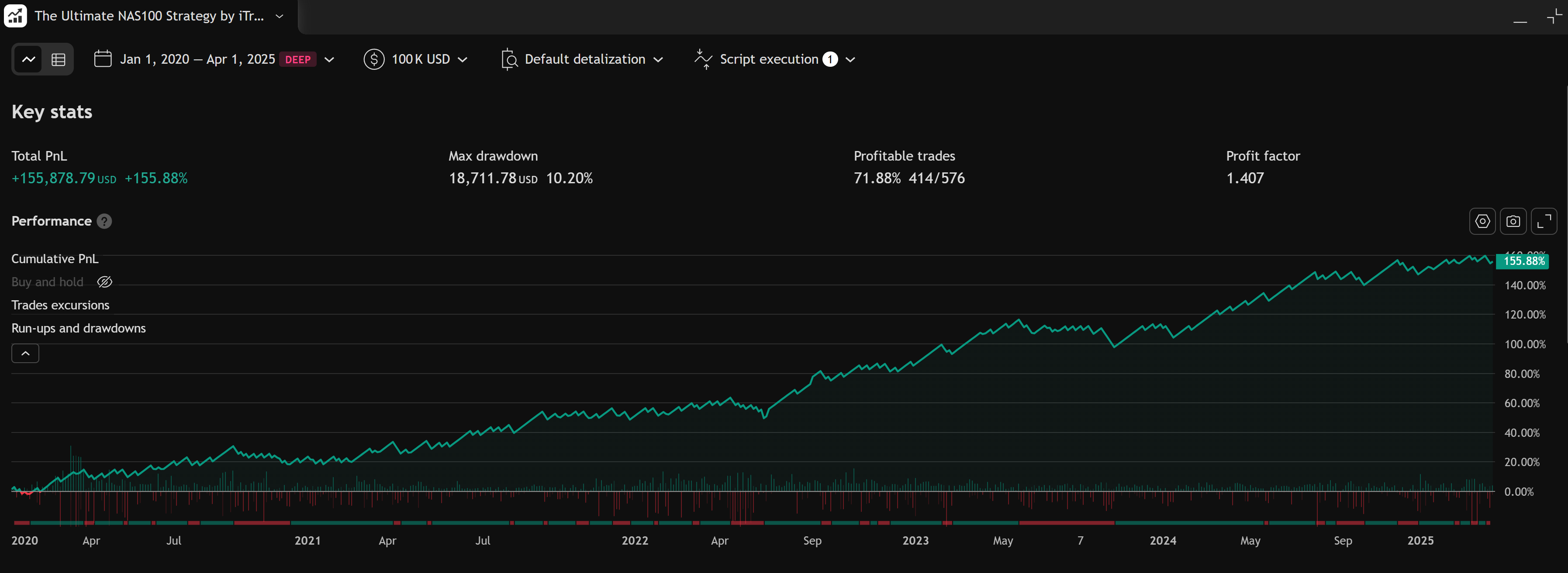
This is a Nasdaq-100 focused strategy — add it to a chart, open Strategy Tester, and review entries, exits, and backtest metrics. There is no Windows installer or MetaTrader data folder.
TradingView edition
The Ultimate NAS100 Strategy
Nasdaq-100 focused TradingView strategy — chart + Strategy Tester.
Fast Path
- Confirm TradingView access
- Add it to a chart
- Strategy settings
- Strategy Tester results
- Troubleshoot TradingView
Review and backtest — not live trading by default
The strategy plots logic on chart. Strategy Tester shows historical simulation metrics. Connecting live orders requires your own broker setup and risk plan. Not financial advice.
What To Confirm First
Before troubleshooting chart display or tester metrics, confirm:
- You are signed in to the TradingView username that received access.
- The chart shows The Ultimate Nasdaq-100 Strategy (not AIMS Algo or Banana Indicator TV).
- You opened Strategy Tester when reviewing performance — indicators alone will not show the same equity metrics.
- Your symbol maps to Nasdaq-100 context (US100, NAS100, or your broker's NQ symbol).