Turn of the Month
iTradeAIMS | NAS100 Turn-of-Month (short title AIMS TOM) is a calendar / seasonal strategy — not an intraday setup. It holds a long Nasdaq-100 position during a short window around the turn of each calendar month, based on published research (McConnell & Xu, 2008).
Because it trades only a handful of windows per year, costs can be lower per trade than high-frequency intraday systems — but past seasonal patterns can weaken as they become widely known. Strategy Tester output remains a historical simulation, not a promise of future returns.
Unlike the other edge engines, this script holds overnight and across multiple sessions. Factor gap risk, swap/funding, and broker margin rules into any live use. Not financial advice.
Strategy Tester results are historical simulations. The effect has attenuated in recent years compared with long-horizon academic samples. Not financial advice.
This edge-engine script is publish pending in docs. Use the listed chart name only when it appears in your TradingView access list.
Design timeframe
Daily chart only. Logic counts trading days around month boundaries. On a daily Nasdaq-100 chart each bar is one session — matching how the research counts days. Intraday timeframes distort the day count.
Use NAS100, US100, NDX, or QQQ on a daily chart for the cleanest review.
How it works
- Window: from the last N days before month-end (default 1) through the first M trading days of the next month (default 3).
- Entry: go long when the window opens.
- Exit: flat when the window closes.
- Regime gate (optional): skip the window when close is below the 200-period SMA (off by default).
- Sizing: a set % of equity as directional exposure (default 100% — fully invested during the window).
There is no intraday stop or target because this is a calendar hold, not a breakout or pullback setup.
What to look for on the chart
| Visual | Meaning |
|---|---|
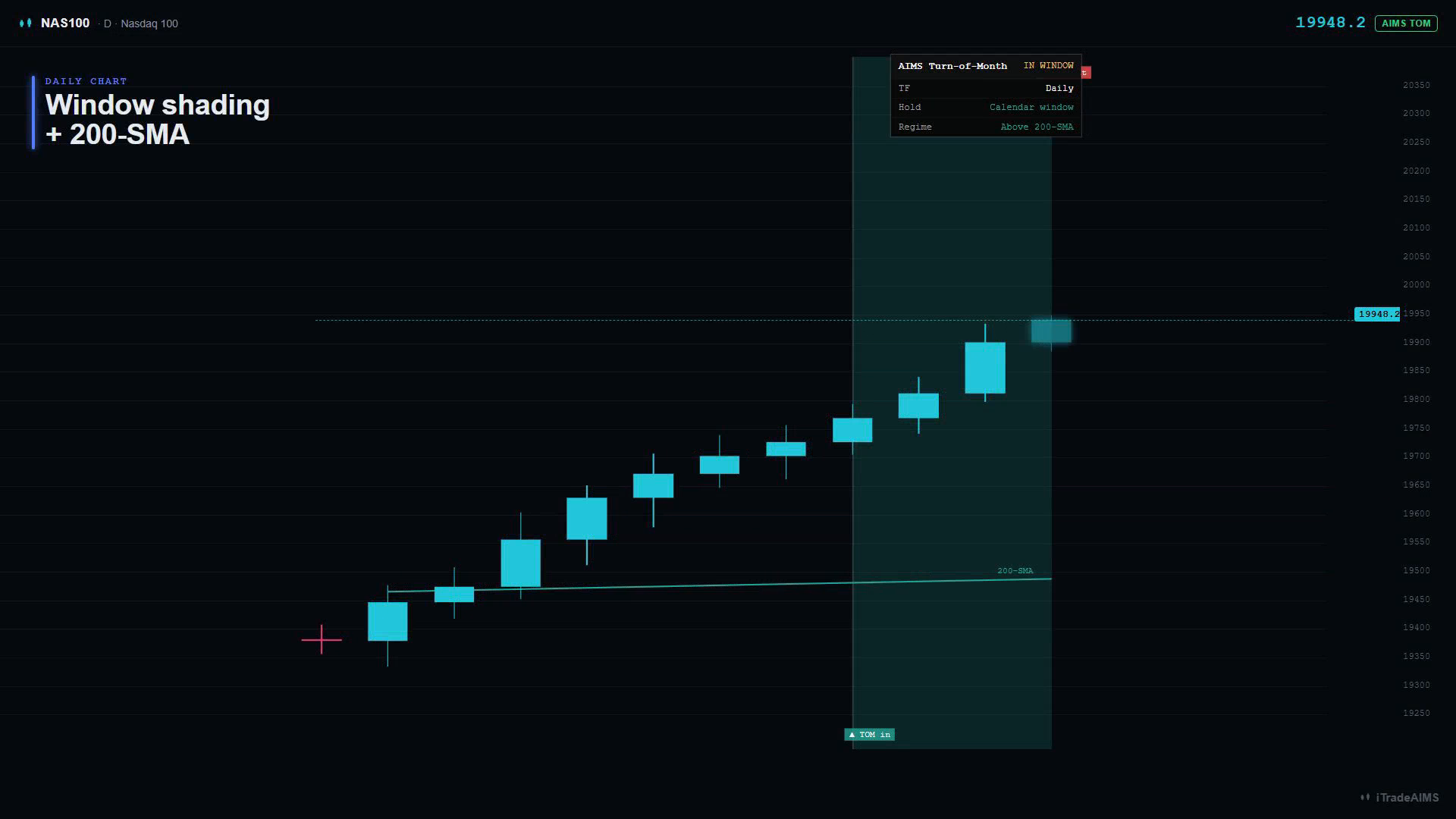
| Green window shading | The turn-of-month window is active and a position can be held |
| Red window shading | The calendar window exists but the 200-SMA regime gate blocks it |
| Month-turn marker | First bar of a new month |
| 200-SMA regime line | Green above / red below |
| TOM in / TOM out labels | Entry and exit markers |
| Dashboard IN WINDOW / flat | Current calendar state |
Key inputs
| Group | Input | Default | Notes |
|---|---|---|---|
| Turn-of-Month window | Position size (% equity) | 100 | Unlevered hold |
| Turn-of-Month window | Trading days BEFORE month-end | 1 | Last-day entry framing |
| Turn-of-Month window | Trading days AFTER month-start | 3 | Post-turn leg |
| Turn-of-Month window | Only when close > 200-SMA | off | Regime gate |
| Visuals | Turn-of-month window shading | on | Shows active / blocked windows |
| Visuals | Month-turn markers | on | Marks first bar of month |
| Visuals | 200-SMA regime line (coloured) | on | Shows regime gate context |
Chart overlays
- Turn-of-month window shading — green where a position is held; red where the regime gate blocks
- Month-turn markers — vertical on each month's first bar
- 200-SMA regime line — green above / red below
- Entry/exit markers (no R:R boxes — calendar hold, not a stop/target trade)
Instrument
NAS100, US100, NDX, or QQQ on a daily chart for the cleanest history.
Caveats
- The academic effect was strong over long historical samples; recent years may show a smaller edge than older studies.
- Weekend month-ends can shift the pre-turn entry to the first bar of the new month; the post-turn leg still applies.
- This is the one edge engine that does not follow the intraday flat-overnight pattern of ORB, ATR breakout, and VWAP trend.
First-session checklist
- Chart timeframe is Daily.
- Window shading and month-turn markers are visible.
- You understand that positions can hold overnight and across weekends/holidays.
- Strategy Tester includes enough years to review more than a handful of windows.
- You account for funding, gap risk, and broker margin before considering live use.
Next steps
- Edge engines overview
- Strategy Tester results
- Start on TradingView — Ultimate NAS100