What Is AIMS Box?
AIMS Box marks market-structure box levels on your chart — grey zones, upper/lower references, and setup states such as Setup 1, Setup 2, Closed break, or Blocked. On MT5 it runs as AIMS Box MT5 alongside the Confluence Indicator Suite; on MT4 as AIMS Box Advanced; on TradingView as AIMS Box TV (Free), AIMS Box Advanced, AIMS Box PRO, AIMS Box Super (publish pending — docs), and AIMS Liquidity Box (invite / publish pending — structure plus S&R confluence; docs)
A setup state or box level is chart information for your review. It is not an automatic trade instruction and it does not replace your trading plan. Not financial advice.
What AIMS Box Does
AIMS Box marks the current structure on your chart. The box is built from upper and lower fractal levels, which act as visible support, resistance, breakout, stop, and trailing references.
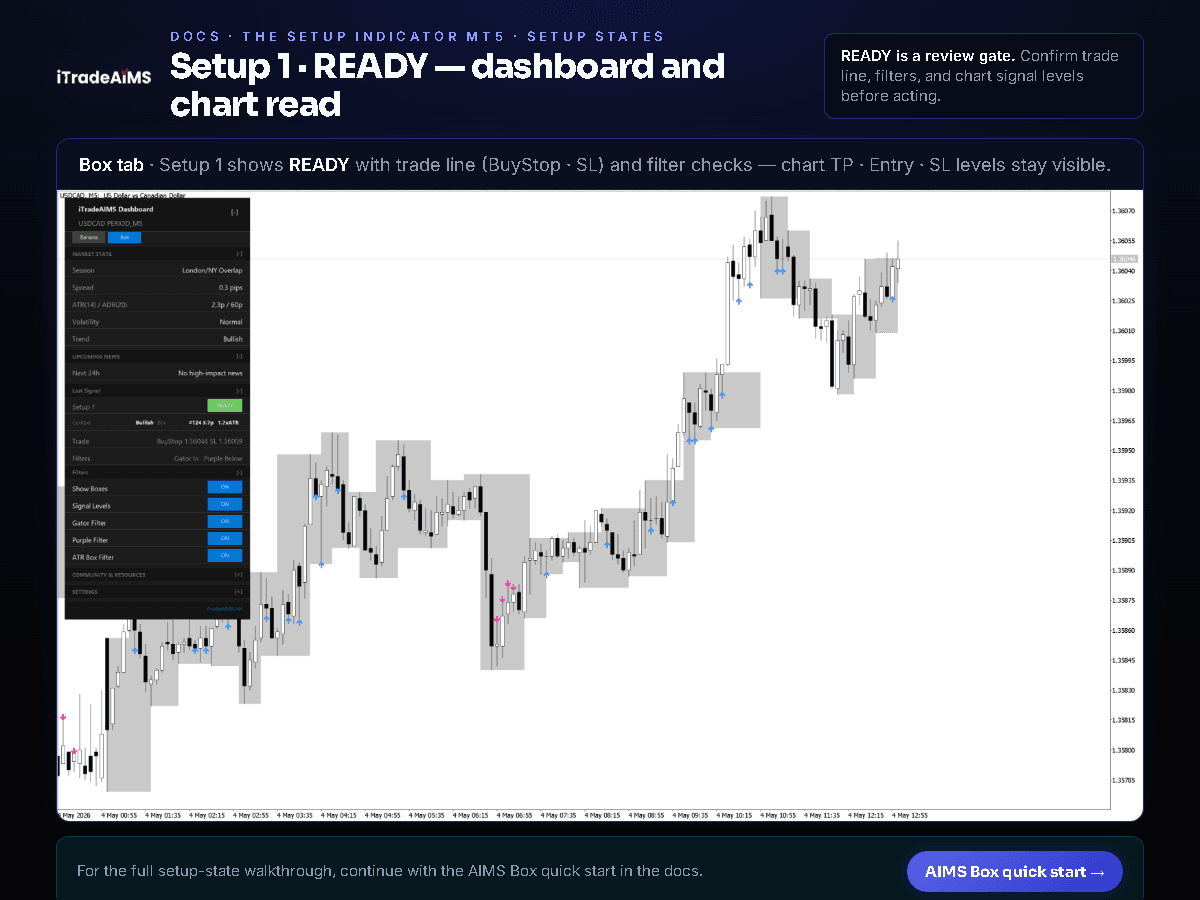
Setup 1 is the Wave 4 box — formed from fractal high to fractal low during an active trend. When price consolidates within the box and Gator/Purple filters confirm market state, the indicator reads SETUP 1 READY.
Core Features & Setup States
- Grey AIMS Box Zones: Visual high/low structure boundaries shaded on the chart.
- Upper & Lower Box Levels: Precise price levels used for breakout entry triggers and initial stops.
- Setup States: Live classification of market setup conditions (
Setup 1,Setup 2,Closed break, orBlocked). - Filter Context: Gator oscillator alignment and ATR volatility checks to avoid trading choppy ranges.
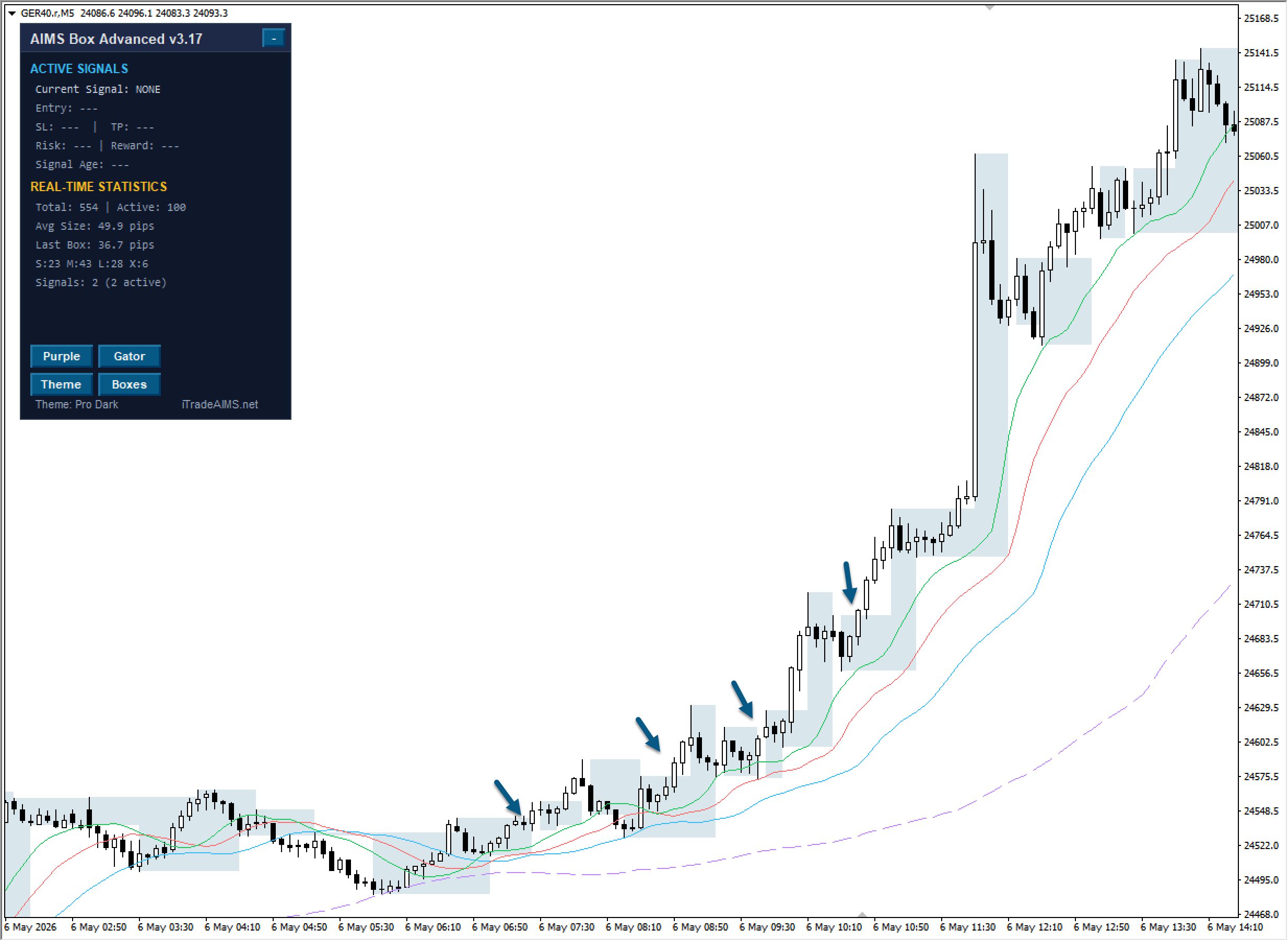
- Multi-Platform Integration: On MT5, integrated into the three-tab Confluence Indicator Suite; on MT4, available as a compact panel; on TradingView, selectable via Pine script suites.
What You Still Need To Do
The indicator does not decide whether you should enter a trade. Before taking action, check:
- The higher-timeframe direction and recent price movement.
- Whether the box is tight enough for your risk plan.
- Nearby support, resistance, news, and session conditions.
- Spread, stop placement, and position size.
- Whether the setup matches your trading plan.
Three Platforms, One Box Idea
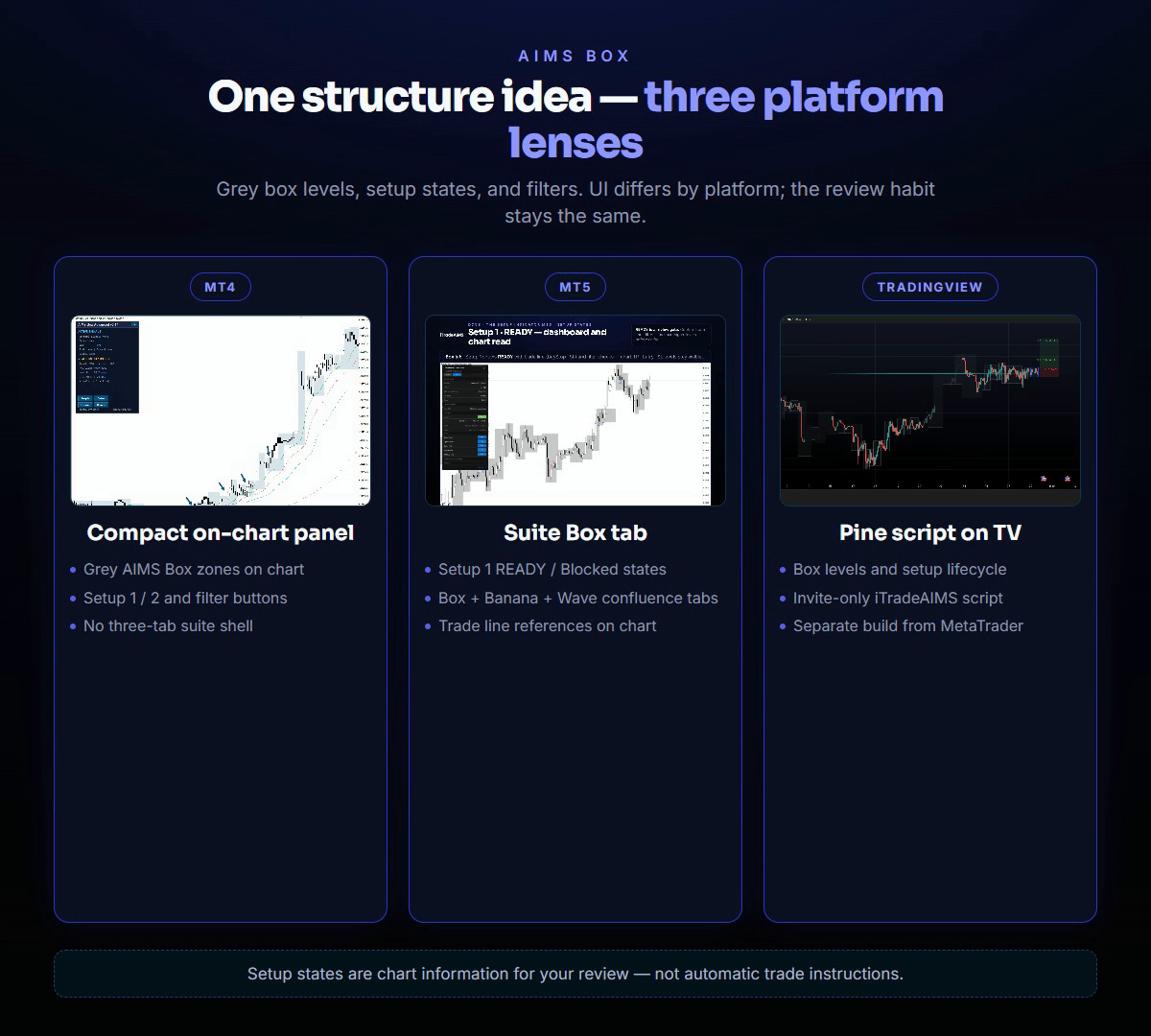
The same box lifecycle is implemented separately for MetaTrader 4, MetaTrader 5, and TradingView. The UI, dashboard shell, and alert wiring differ — the review habit does not.
| Platform | Product name | What you see on chart |
|---|---|---|
| MT4 | AIMS Box Advanced Indicator | Grey boxes, mini dashboard, Gator/Purple filters |
| MT5 | AIMS Box MT5 | Box tab in iTradeAIMS Dashboard, READY / Blocked reads |
| TradingView | Free · Advanced · PRO · Super (pending) · Liquidity Box (pending) | Free = teaser; Advanced = visible Gator + tint; PRO = Setup 1/2 + invisible bias; Super = structure-only Setup 1/2, no gator lines, no tint; Liquidity Box = structure + S&R (TV-only) |
Platform Visuals
MetaTrader 4 — Compact Panel
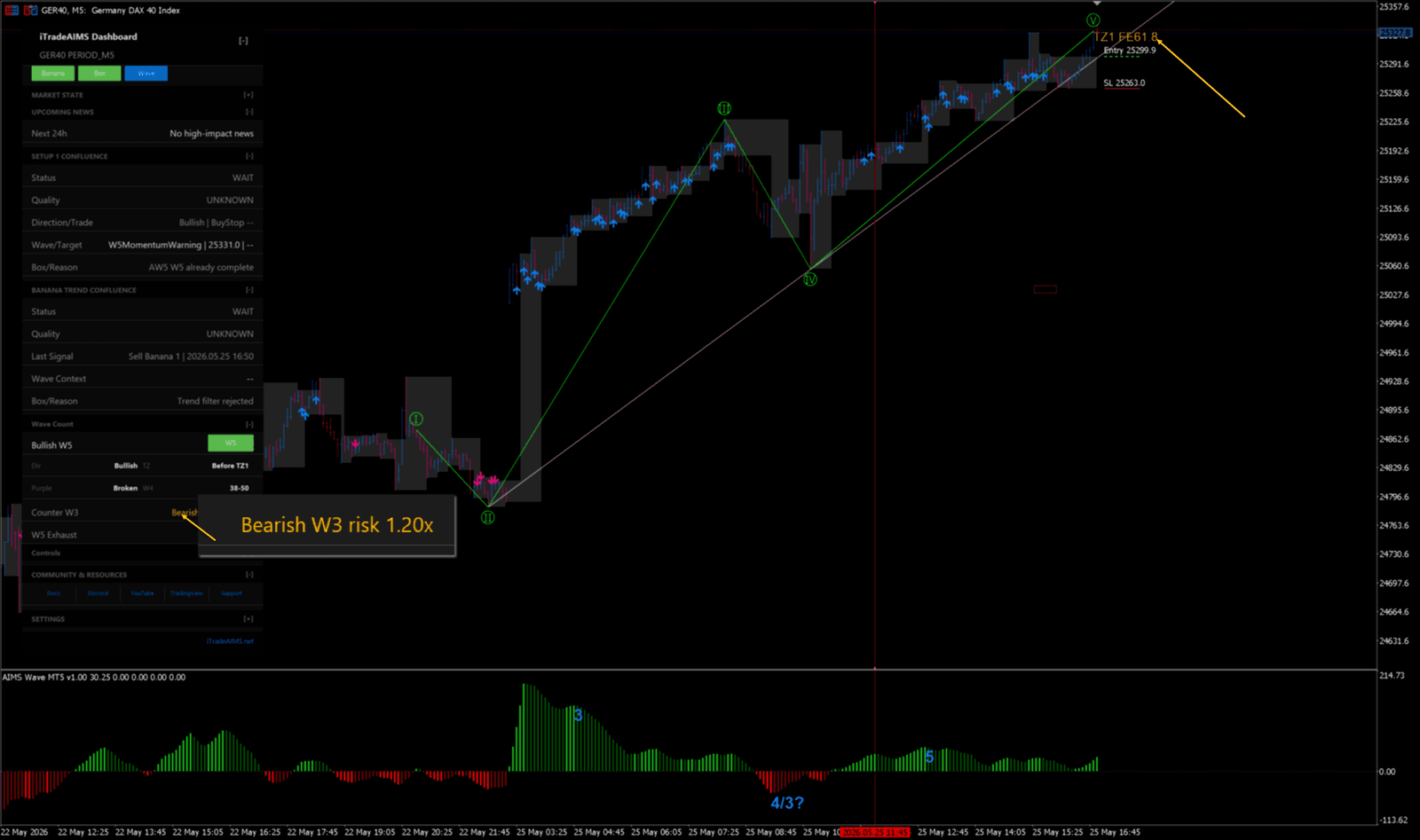
MetaTrader 5 — Box Tab & Setup 1 READY
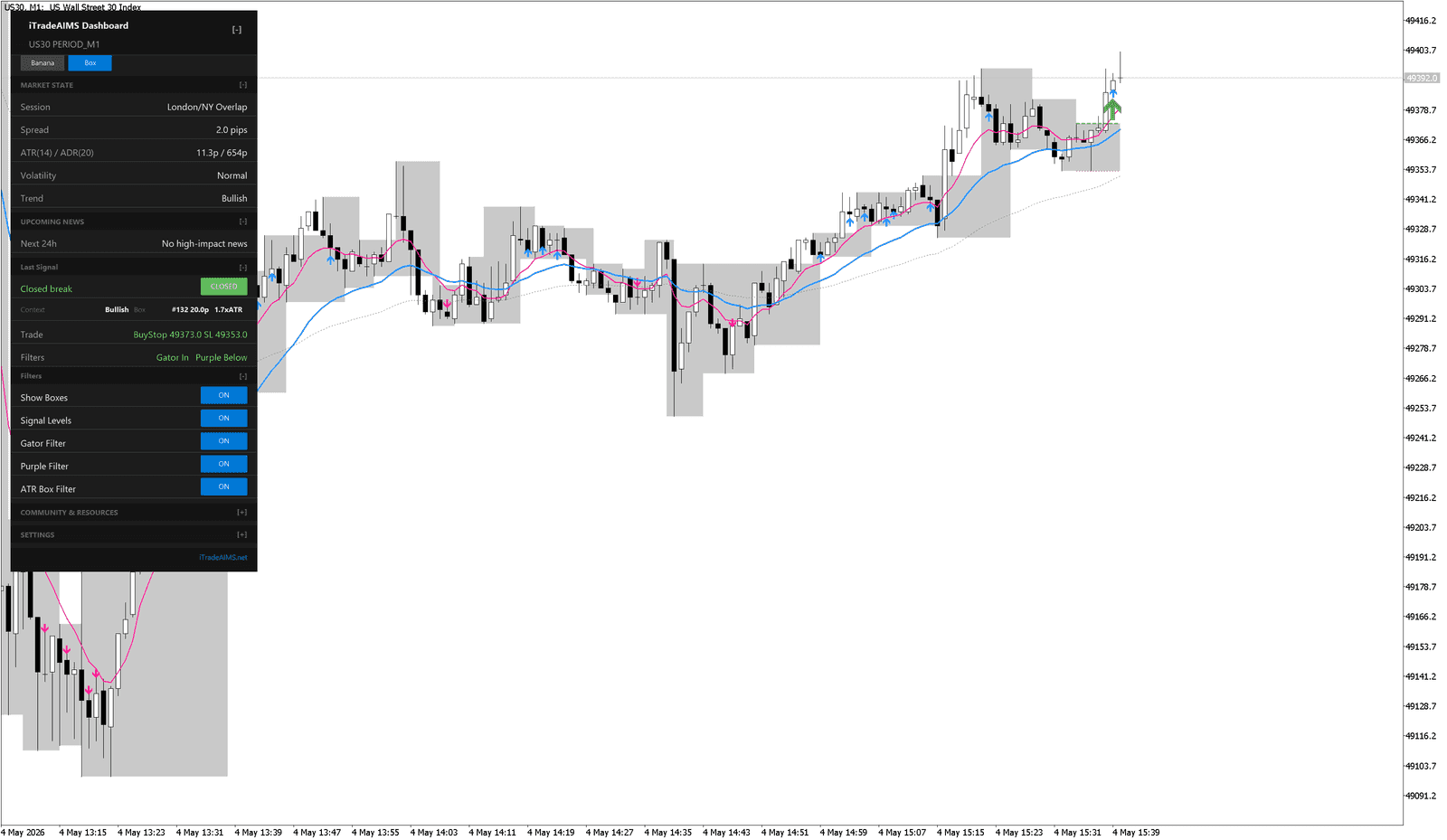
On MT5, switch to the Wave tab when you need Elliott-wave context alongside the chart.
TradingView — Multi-Script Options
Public structure teaser — last fractal box + optional pip-limit tint. No Setup 1/2 lifecycle.
Invite-only — full box lifecycle with visible Gator lines, mouth ribbon, settings, and trend candle tint (legacy all-in-one).
Invite-only Pro — fractal boxes, MT5-parity Setup 1/2 lifecycle, invisible Gator/Purple bias, ALMA option, volatility cloud, volume anomaly + ATR box gate, dashboard, PineConnector pending-order alerts.
Structure-only Setup 1/2 lane — invisible Gator/Purple bias validation, no gator lines, no candle tint. Open the Box Super docs while the TradingView URL is pending.
Box Super structure plus Support & Resistance zones and ★ S&R confluence. Open the Liquidity Box docs while the TradingView URL is pending.
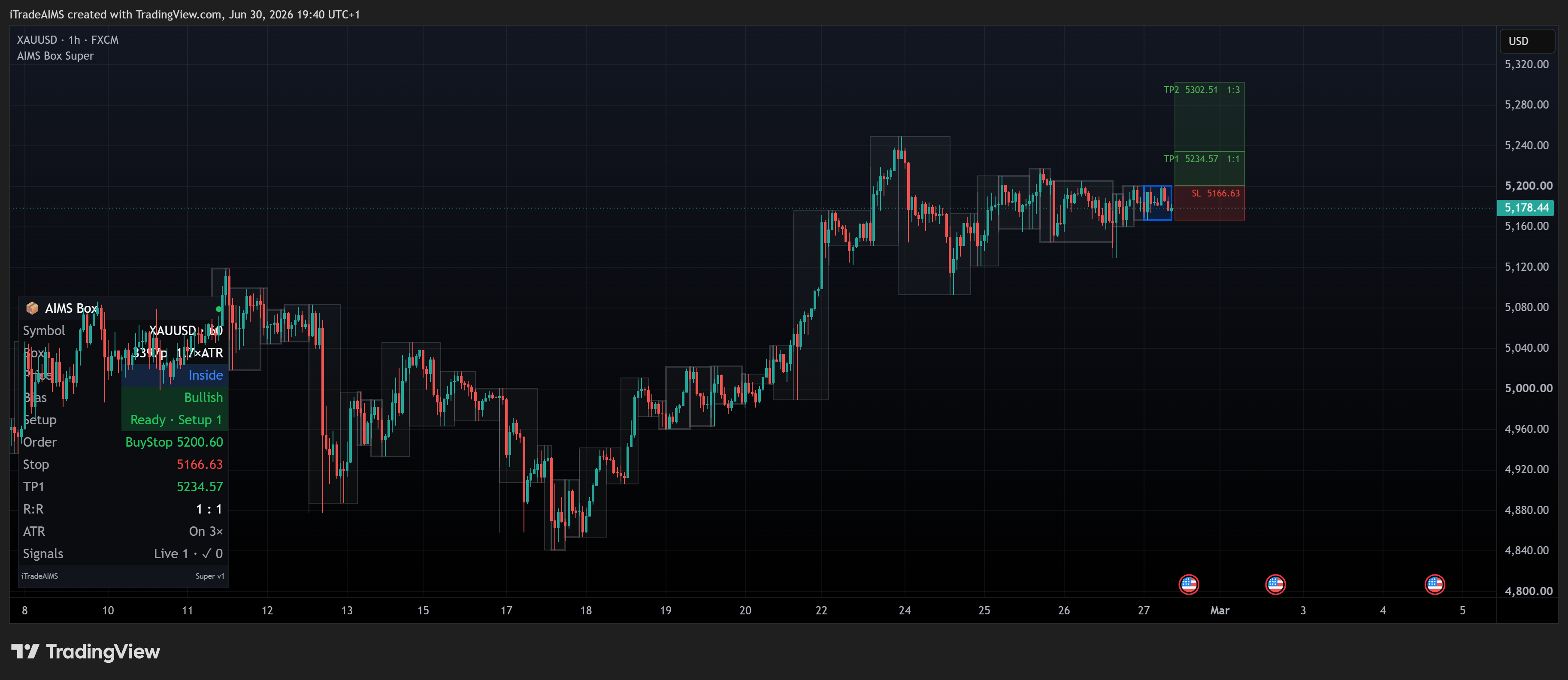
More TV examples: Chart examples on TradingView · AIMS Box Super · AIMS Liquidity Box.
Installation & Next Steps
- Compare the MT4 and MT5 versions if you are not sure which one to install.
- If you use MT4, read the MT4 Guide.
- Install the indicator into your MetaTrader data folder.
- Follow the Quick Start Guide to attach it to a clean chart.
- Review the Box Level Strategy Rules before trading.
- Check Troubleshooting for licensing or display help.
Risk Notice
AIMS Box is not financial advice. A setup state, box level, or dashboard trade reference is only chart information for your review. Trading involves risk, and you are responsible for your own trading decisions and risk management.
Official Links
- iTradeAIMS website: https://itradeaims.net
- AIMS Box lesson: https://itradeaims.net/lesson-8-aims-the-box-indicator/
- Members area: https://my.itradeaims.net