Confluence Status Model
Confluence uses plain-language lifecycle states plus quality tiers. You see both what stage the setup is in and how much to trust the read.
This vocabulary is different from Box tab labels (Setup 1, Closed break, Blocked). Box states describe structure; confluence states describe combined alignment.
Lifecycle states
| Status | Typical meaning |
|---|---|
| WAIT | A required product is missing, not live, or a blocker is present (filter fail, incomplete structure, product not on chart). |
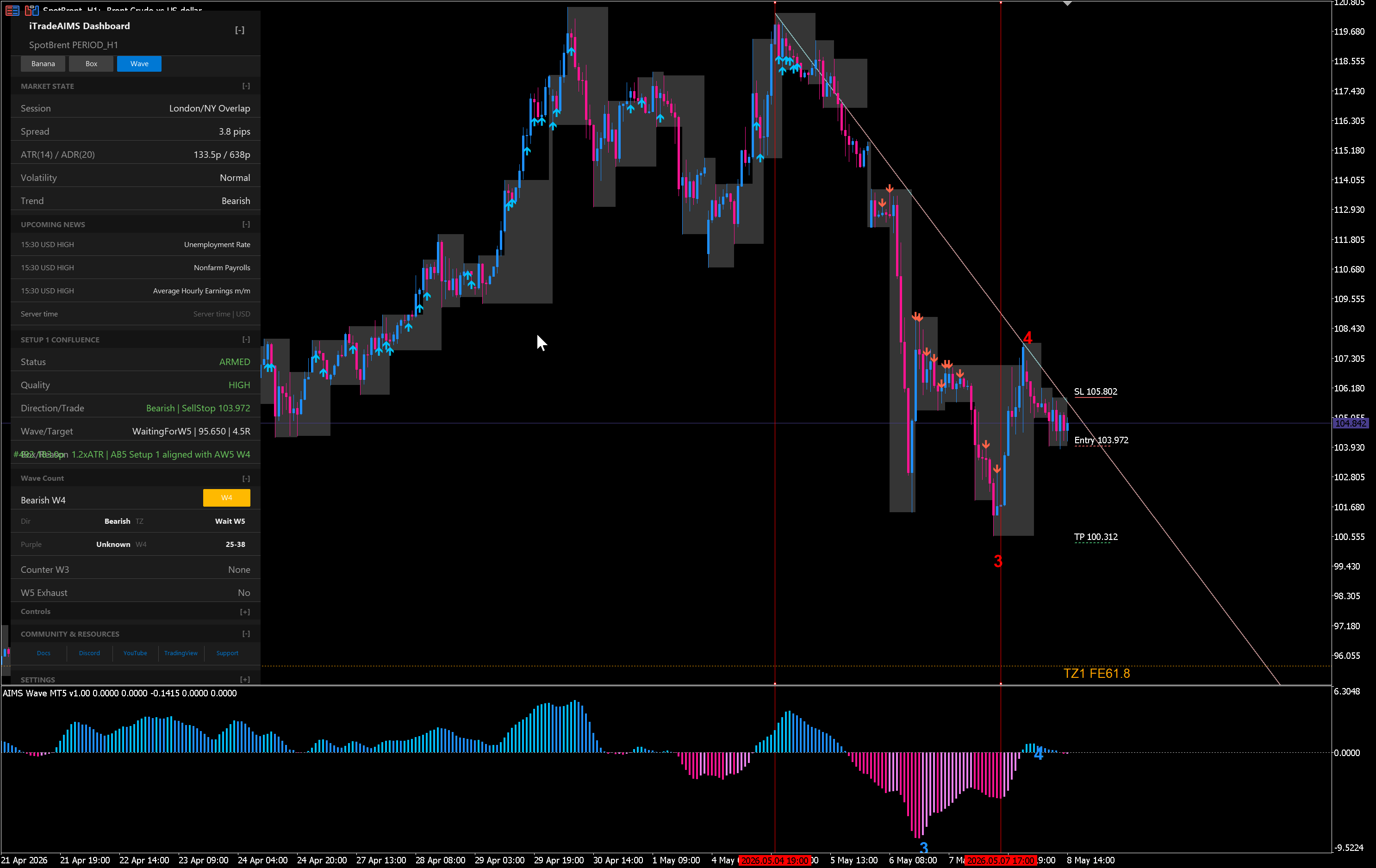
| ARMED | Context is aligned enough to watch — for example Setup 1 is ready but the breakout has not fired, or Banana is still waiting while wave + box agree. |
| TRIGGERED | A confluence event fired on completed structure — for example breakout confirmation that passes cross-layer rules. |
Example read (illustrative)
| Field | Example | Notes |
|---|---|---|
| Status | ARMED | Setup is ready; breakout not fired yet |
| Quality | CAUTION | Usable, but reward to next wave target may be under 2R |
| Direction | Buy | Wave and box both point up |
| Wave / target | Wave 4 | Pullback phase; room toward next target |
| Box / reason | Ready | Setup 1 passed; box height within limits |
| Banana trend | Waiting | No Banana pullback signal yet |
| What's next | Watch | Review before acting — waiting on Banana |
Your live dashboard shows actual values for the symbol and timeframe on the chart.
Quality tiers
Quality sits beside lifecycle status:
| Tier | How to use it |
|---|---|
| HIGH | Strong alignment across structure, box lifecycle, and confirming filters. Still review risk — not an auto-entry. |
| CAUTION | Valid context with a downgrade reason — extension risk, marginal reward to target, mixed Banana read, or similar. |
| AVOID | Cross-layer rules flag poor alignment — treat as stand-aside unless your plan explicitly handles edge cases. |
Example: VALID on the Banana tab with AVOID on Banana Confluence when wave context and Bubble timing disagree — chart walkthrough. | UNKNOWN | Insufficient data — missing product, stale read, or structure not yet complete. |
Tiers encode method alignment on completed structure. They do not predict profit or replace stop placement and position sizing.
How this maps to Box tab states
| Box tab (component) | Confluence layer (combined) |
|---|---|
| Setup 1 forming | May show WAIT or ARMED until fractals confirm |
| Setup 1 · READY | Often ARMED with quality tier; TRIGGERED after confirmed breakout rules fire |
| Closed break | May move toward TRIGGERED if wave + filters agree |
| Blocked (tall box, filter fail) | Usually WAIT or AVOID — confluence should not override a block |
If the chart shows momentum arrows but the dashboard says BLOCKED on the Box tab, trust the filter block until context clears. See AIMS Box blocked example.
Missing products
Confluence sections stay visible when a product is not attached. Fields may show WAIT or — with an explanation (for example Bubble not on chart). Attach more indicators to enrich the read — start with Wave + Box, add Banana and Bubble when you want those layers.
Alerts
Confluence alerts are opt-in and off by default. When enabled, they can notify you on selected transitions (for example ARMED → TRIGGERED). Alerts are nudges to review the dashboard — not trade execution.
Configure alerts only after you understand default dashboard behavior. Platform alert paths for Banana alone are documented under Banana MT5 alerts.