Get TradingView Access
Use this page to confirm invite-only access for The Banana Indicator TV (v3 or Legacy).
Before You Start
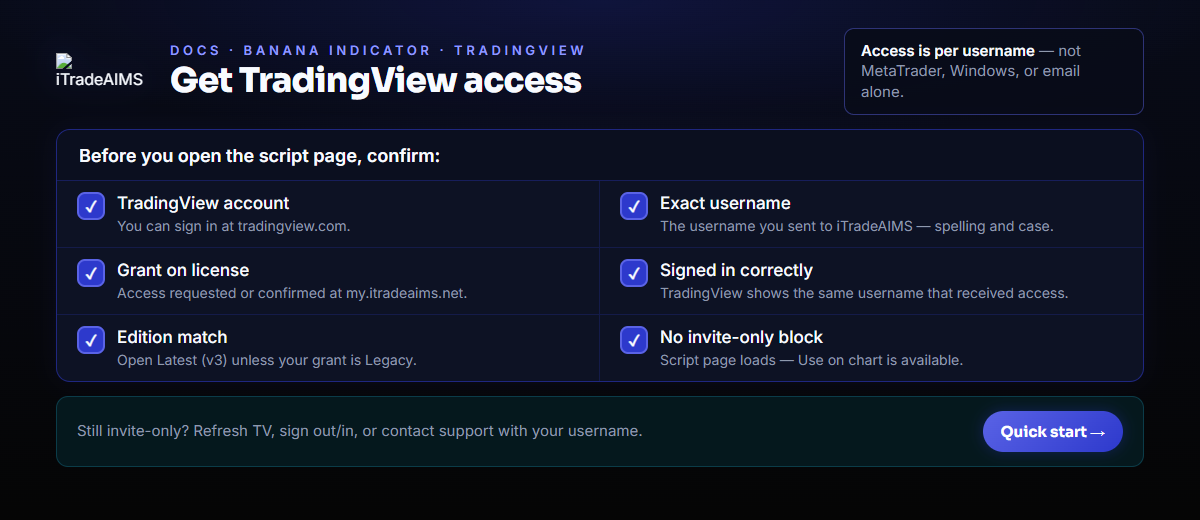
You need:
- A TradingView account.
- The exact TradingView username that should receive access.
- Invite-only access granted by iTradeAIMS — request or confirm it from your member dashboard after purchase.
Request access from your dashboard
If you have not received TradingView access yet, sign in at my.itradeaims.net and follow the product access steps for The Banana Indicator TV (or contact support with your TradingView username).
Confirm The Correct Username
TradingView access is tied to a username, not to MetaTrader, Windows, or an email address alone.
- Sign in to TradingView.
- Confirm the username shown in TradingView is the username you sent to iTradeAIMS.
- If access was recently granted, refresh TradingView or sign out and back in.
How to Add Your Granted Scripts to Live Charts
Once access is activated, you do not need to open external script URLs. Simply add them directly inside TradingView:
- Open any chart on TradingView.
- In the top toolbar, click Indicators (or press
/). - In the pop-up modal, select Invite-Only Scripts from the left-hand menu.
- Click your granted Banana indicator (Banana Super, Banana Scalper, Banana Swing, or Banana Indicator Legacy).
- Click the Star (⭐) next to the indicator to pin it to your favorites bar for instant access.
If TradingView does not show Invite-Only Scripts or the list is empty, refresh your browser or sign out and back in to sync your active permissions.