Install On MT4
Use this guide for The Banana Indicator MT4 only.
Before You Start
You need:
- MetaTrader 4 installed and opened at least once.
- The official Banana Indicator MT4 installer from Latest Downloads on your member dashboard.
- Your license key, if one was issued.
- Internet access for license validation.
Download the installer first
Sign in at my.itradeaims.net, open Latest Downloads, and download The Banana Indicator MT4 installer before you run the steps below. Use only files from your dashboard, purchase email, or iTradeAIMS support.
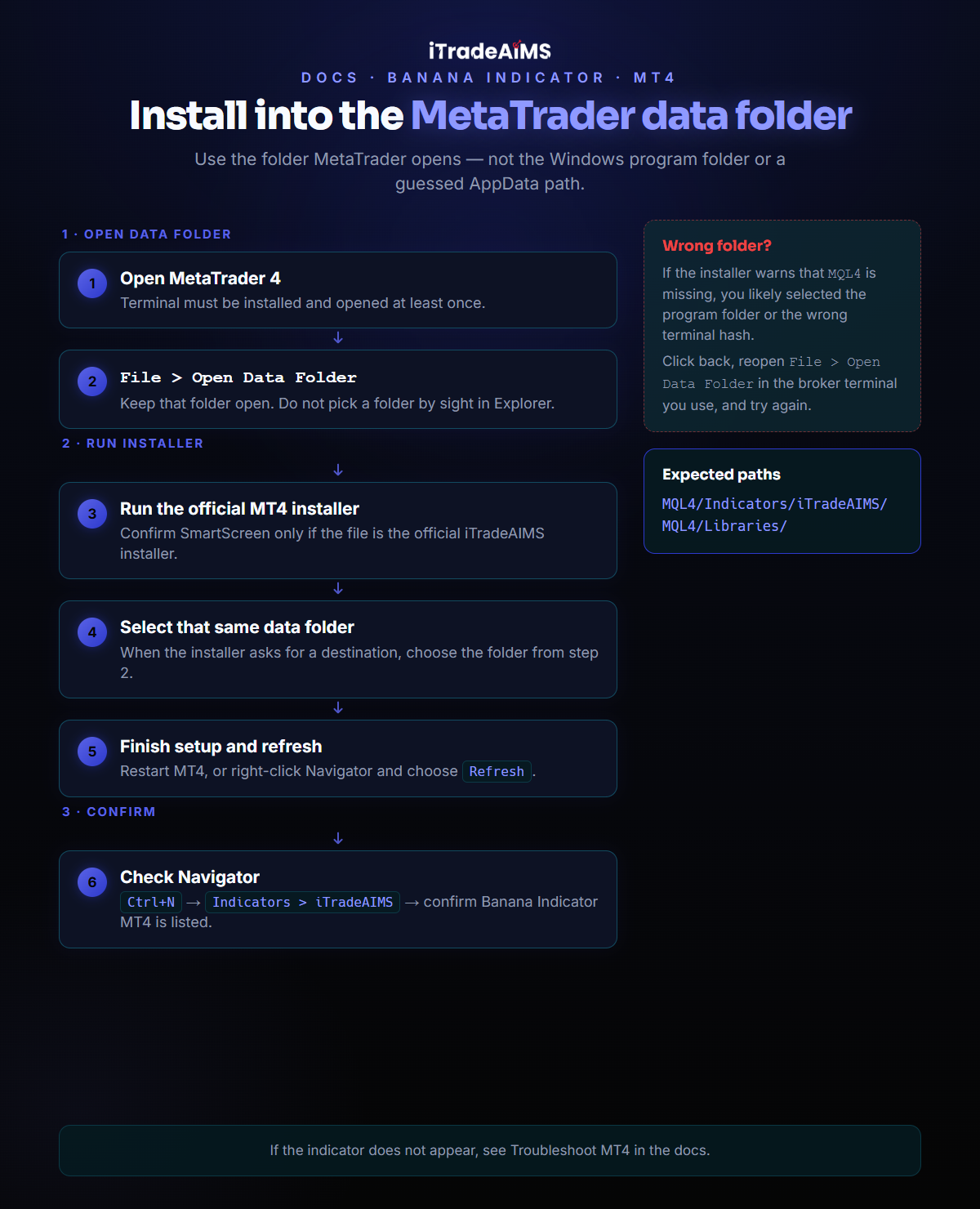
1. Open The MT4 Data Folder
- Open MetaTrader 4.
- Select
File > Open Data Folder. - Keep that folder open.
Use the folder opened by MetaTrader 4. Do not choose a folder by sight from Windows Explorer.
2. Run The MT4 Installer
- Download The Banana Indicator MT4 from Latest Downloads on your member dashboard.
- Run the official installer you downloaded.
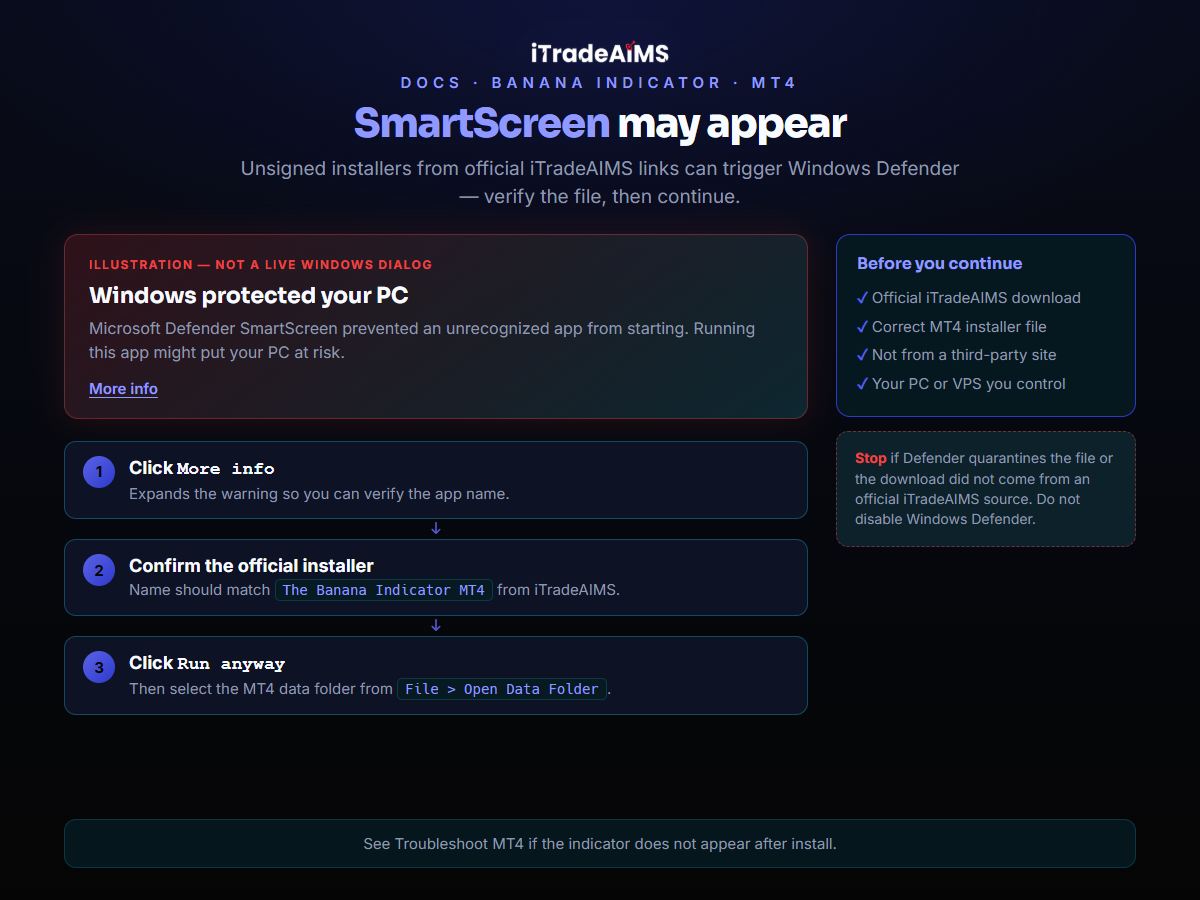
- If Windows SmartScreen appears, confirm the installer is the official iTradeAIMS file before continuing.
- When the installer asks for a folder, select the MT4 data folder opened from
File > Open Data Folder. - Complete setup.
- Restart MT4, or right-click inside Navigator and select
Refresh.
Expected MT4 locations:
MQL4/Indicators/iTradeAIMS/
MQL4/Libraries/
3. Confirm The Indicator Appears
- Press
Ctrl+Nto open Navigator. - Open
Indicators > iTradeAIMS. - Confirm
The Banana Indicator MT4is listed.
If the indicator does not appear, use Troubleshoot MT4.