TradingView Settings
Use this page to review The Banana Indicator TV (v3) inputs before changing defaults.
This build is Pine v6 on TradingView — not the MetaTrader indicator. Input groups are numbered 1–10 in the settings dialog. Defaults below match the current v3 script.
Script pages
Open settings
- Add the Latest script to your chart (or Legacy if that matches your grant).
- Click the gear on Banana in the chart legend (or double-click the indicator name).
- Open the Inputs tab.
- Change one group at a time — use Defaults if the chart becomes hard to read.
Leave defaults for your first look. See Start Here.
Settings map (v3)
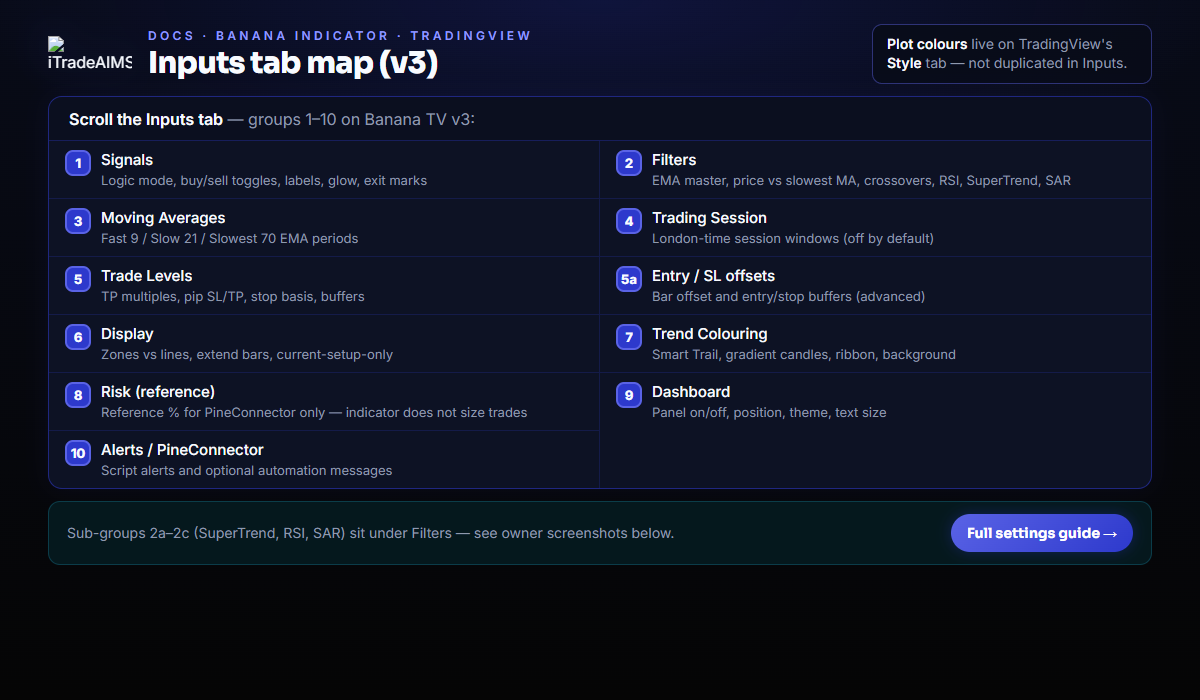
| Group | Name | Purpose |
|---|---|---|
| 1 | Signals | Logic mode, buy/sell toggles, labels, glow, exit marks |
| 2 | Filters | EMA master, price vs slowest MA, crossovers, RSI, SuperTrend, SAR |
| 2a–2c | SuperTrend / RSI / SAR | Parameters for optional filters |
| 3 | Moving Averages | Fast 9 / Slow 21 / Slowest 70 EMA periods |
| 4 | Trading Session | London-time session windows (off by default) |
| 5 | Trade Levels | TP multiples, pip SL/TP, stop basis, buffers |
| 5a | Entry / SL offsets | Bar offset and entry/stop buffers (advanced) |
| 6 | Display | Zones vs lines, extend bars, current-setup-only |
| 7 | Trend Colouring | Smart Trail, gradient candles, ribbon, background |
| 8 | Risk (reference) | Reference % for PineConnector only — indicator does not size trades |
| 9 | Dashboard | Panel on/off, position, theme, text size |
| 10 | Alerts / PineConnector | Script alerts and optional automation messages |
Plot colours and line widths are edited on TradingView's Style tab — there are no duplicate colour pickers in Inputs.
1 · Signals
| Input | Default | Notes |
|---|---|---|
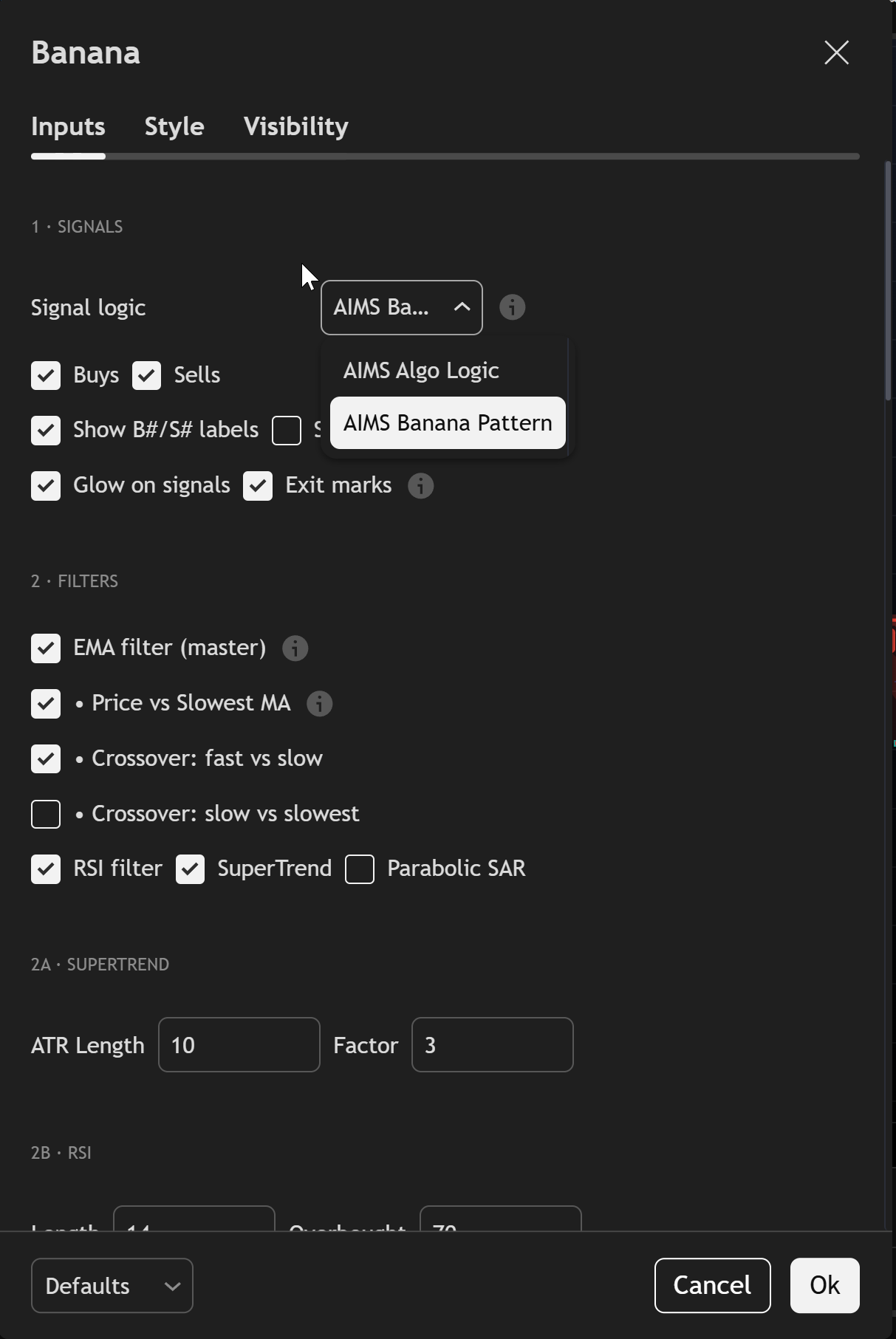
| Signal logic | AIMS Banana Pattern | Banana Pattern = stricter multi-bar pullbacks (recommended). AIMS Algo Logic = Algo-style engine (fewer, different markers). |
| Buys / Sells | On / On | Turn off one side if you only review long or short setups. |
| Show B#/S# labels | On | Numbered buy/sell labels on confirmed bar close. |
| Show arrows | Off | Diamond markers; off keeps glow + labels only. |
| Glow on signals | On | Highlight around signal bars. |
| Exit marks | On | x when a live setup hits TP1 or stop/invalidation. |
See Signal detection for what B#/S# mean.
2 · Filters (+ 2a–2c)
| Input | Default | Notes |
|---|---|---|
| EMA filter (master) | On | Master switch for all EMA-based filters below. |
| Price vs Slowest MA | On | Buys only above slowest EMA; sells only below. |
| Crossover: fast vs slow | On | Requires fast/slow EMA alignment for the direction. |
| Crossover: slow vs slowest | Off | Stricter trend alignment when enabled. |
| RSI filter | On | Blocks extremes (see 2b). |
| SuperTrend | On | Direction filter (see 2a). |
| Parabolic SAR | Off | Optional SAR filter (see 2c). |
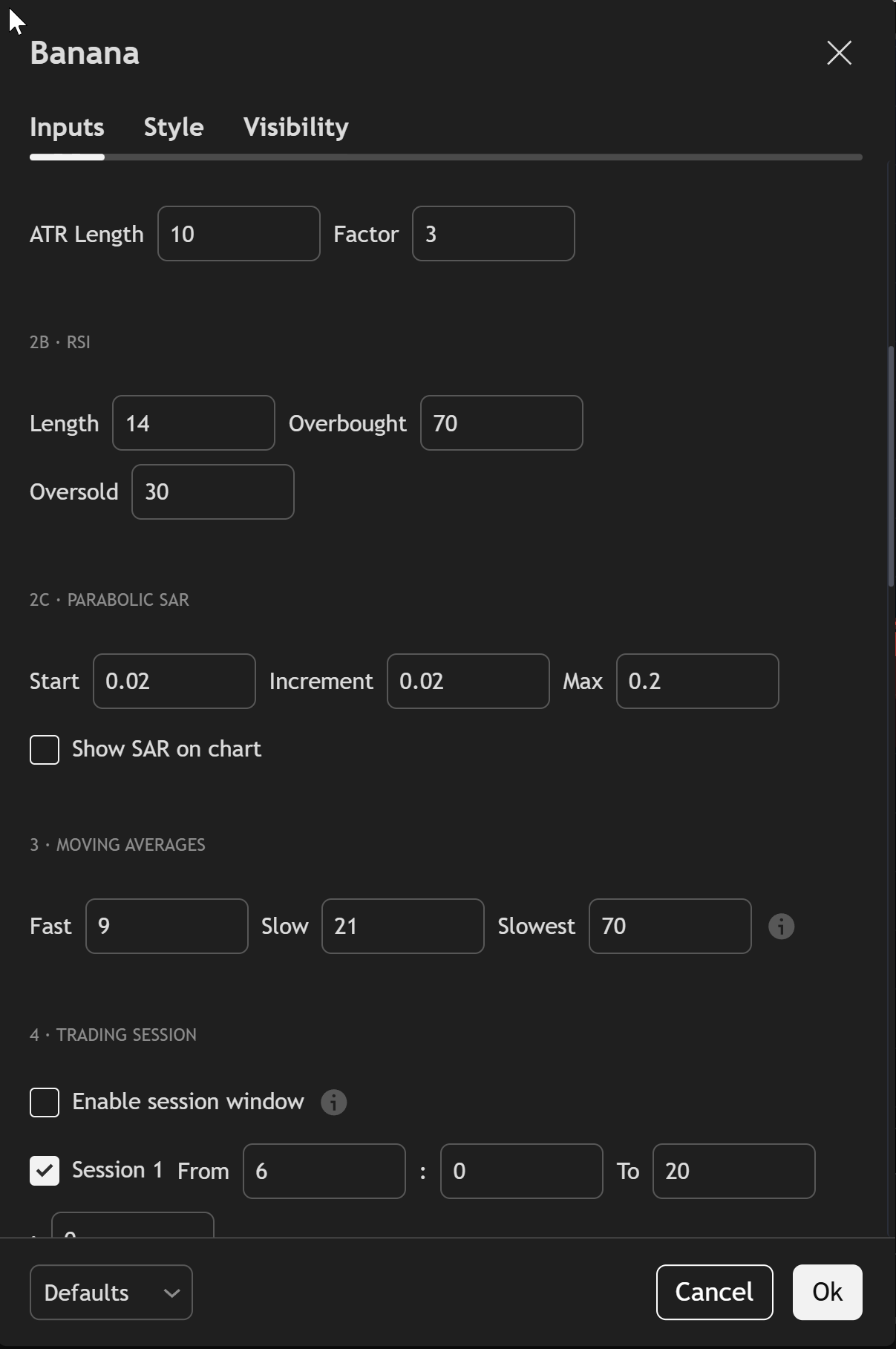
2a · SuperTrend — ATR Length 10, Factor 3.
2b · RSI — Length 14, Overbought 70, Oversold 30.
2c · Parabolic SAR — Start 0.02, Increment 0.02, Max 0.2, Show SAR on chart off by default.
3 · Moving Averages
| Input | Default | Notes |
|---|---|---|
| Fast | 9 | EMA period (close[1] — non-repainting). |
| Slow | 21 | Used by crossovers and ribbon. |
| Slowest | 70 | Primary trend filter when Price vs Slowest MA is on. |
Show, hide, and recolour MA lines on the Style tab.
4 · Trading Session
| Input | Default | Notes |
|---|---|---|
| Enable session window | Off | When off, session times are ignored. |
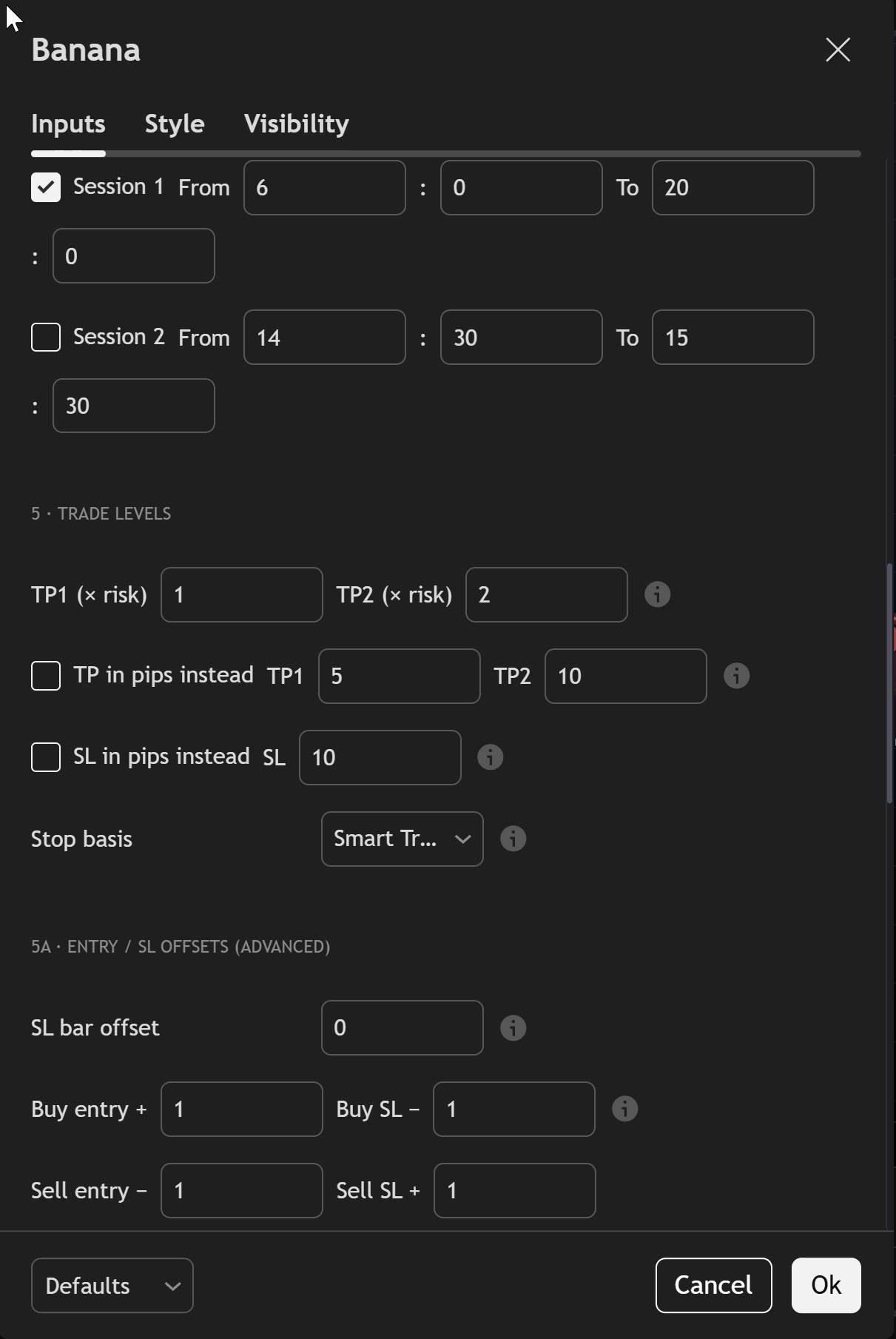
| Session 1 | On (06:00–20:00 London) | Active only when master switch is on. |
| Session 2 | Off (14:30–15:30 London) | Optional second window. |
Times use Europe/London. Enable the master switch before session rows affect signals.
5 · Trade Levels (+ 5a)
| Input | Default | Notes |
|---|---|---|
| TP1 (× risk) | 2.0 | Reward multiple of entry→stop distance (1:2 default). |
| TP2 (× risk) | 5.0 | Second target multiple. |
| TP in pips instead | Off | Fixed pip TPs when on (TP1 5, TP2 10 pips). |
| SL in pips instead | Off | Fixed pip stop (10 pips) when on. |
| Stop basis | Bar low/high | Or Smart Trail (SuperTrend line; falls back to bar extreme if trail is on wrong side). |
5a · Entry / SL offsets (advanced) — SL bar offset 0; buy/sell entry and SL buffers 1.0 each (tick-aware conversion inside the script).
Zones vs lines: see 6 · Display below. Chart examples: Chart examples.
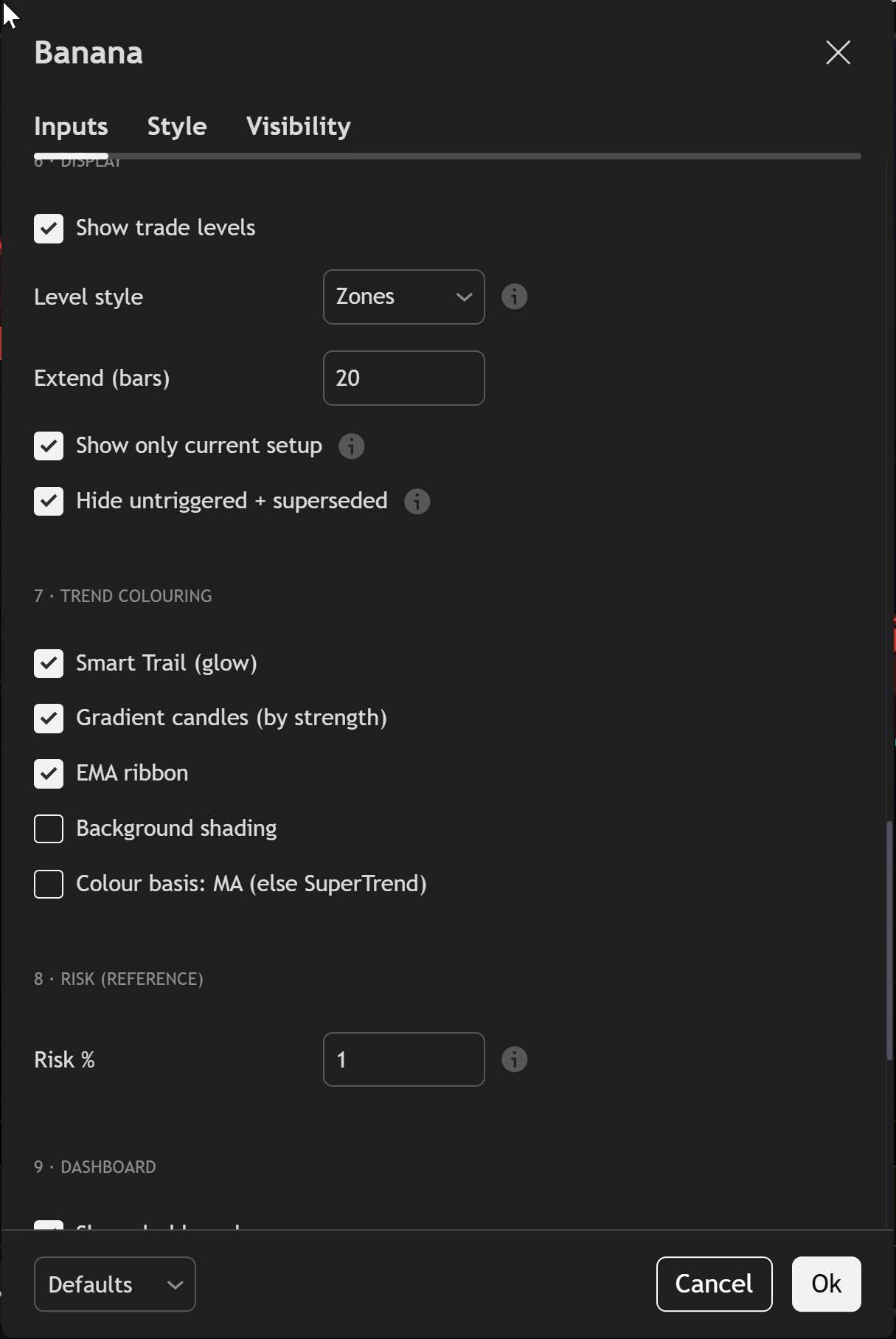
6 · Display
| Input | Default | Notes |
|---|---|---|
| Show trade levels | On | Entry, stop, TP, invalidation on chart. |
| Level style | Zones | Zones (filled boxes), Lines, or Both. |
| Extend (bars) | 20 | How far level graphics extend right. |
| Show only current setup | On | One live setup per direction; clears opposite side. |
| Hide untriggered + superseded | On | Replaces stale same-side levels when a newer signal forms. |
7 · Trend Colouring
| Input | Default | Notes |
|---|---|---|
| Smart Trail (glow) | On | SuperTrend line with glow halo. |
| Gradient candles (by strength) | On | Candle fill by trend strength. |
| EMA ribbon | Off | Fill between fast and slow EMA. |
| Background shading | Off | Subtle trend background. |
| Colour basis: MA (else SuperTrend) | Off | Bar/background basis when shading is on. |
8 · Risk (reference)
| Input | Default | Notes |
|---|---|---|
| Risk % | 1.0 | Used in PineConnector alert text only. The indicator does not size positions or show account risk. |
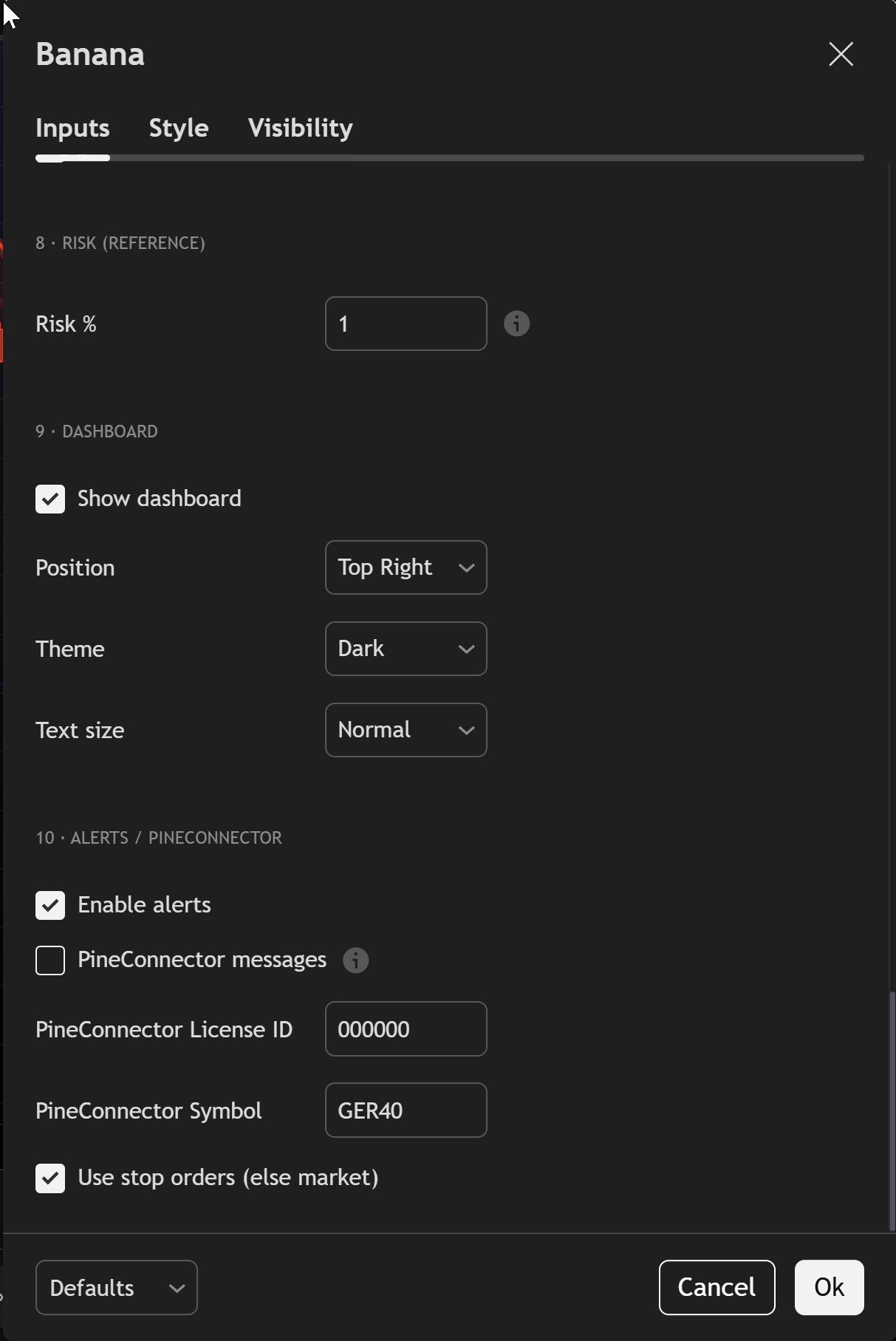
9 · Dashboard
| Input | Default | Notes |
|---|---|---|
| Show dashboard | On | Pine table panel on chart. |
| Position | Top Right | Also Top Left, Bottom Right, Bottom Left, Middle Right. |
| Theme | Dark | Dark or Light. |
| Text size | Normal | Tiny / Small / Normal / Large. |
The dashboard shows symbol, trend, RSI, session state (when enabled), active LONG/SHORT setup levels, and filter flags — not P/L or win rate. See Dashboard panel.
10 · Alerts / PineConnector
| Input | Default | Notes |
|---|---|---|
| Enable alerts | On | Fires script alert() on new buy/sell signals (once per bar). |
| PineConnector messages | Off | When on, emits buystop/sellstop automation strings instead of plain text. |
| PineConnector License ID | 000000 | Your PineConnector license when automation is on. |
| PineConnector Symbol | GER40 | Broker symbol name for automation messages. |
| Use stop orders (else market) | On | Stop vs market order type in PineConnector payload. |
For TradingView alert conditions (Banana Buy / Banana Sell), continue with TradingView alerts.
Common tweaks
| Goal | Try |
|---|---|
| Fewer signals | Keep EMA + RSI + SuperTrend on; enable 4 · Trading Session. |
| More signals | Review Price vs Slowest MA — price may be on the wrong side for your direction. |
| Cleaner chart | Turn off Gradient candles or Smart Trail under 7 · Trend Colouring. |
| History on chart | Turn off Show only current setup under 6 · Display. |
| Algo-style markers | Switch Signal logic to AIMS Algo Logic only after you understand the difference. |
Change one group at a time. If support asks for a screenshot, capture the full Inputs tab (these five scroll positions cover all groups).
Related
- Start Here
- Chart examples
- TradingView alerts
- MT5 settings — separate product build
- MT4 settings — separate product build