MT5 Alerts
Use this page for AIMS Box MT5 alert inputs on MetaTrader 5.
Chart Visuals First
Before enabling alerts, confirm you can read box states on the chart and Box tab dashboard:
- Box shading and signal levels visible.
- Dashboard state such as READY, CLOSED, or BLOCKED.
- Filter rows (Context, Trade, Filters) explaining why a setup is blocked.
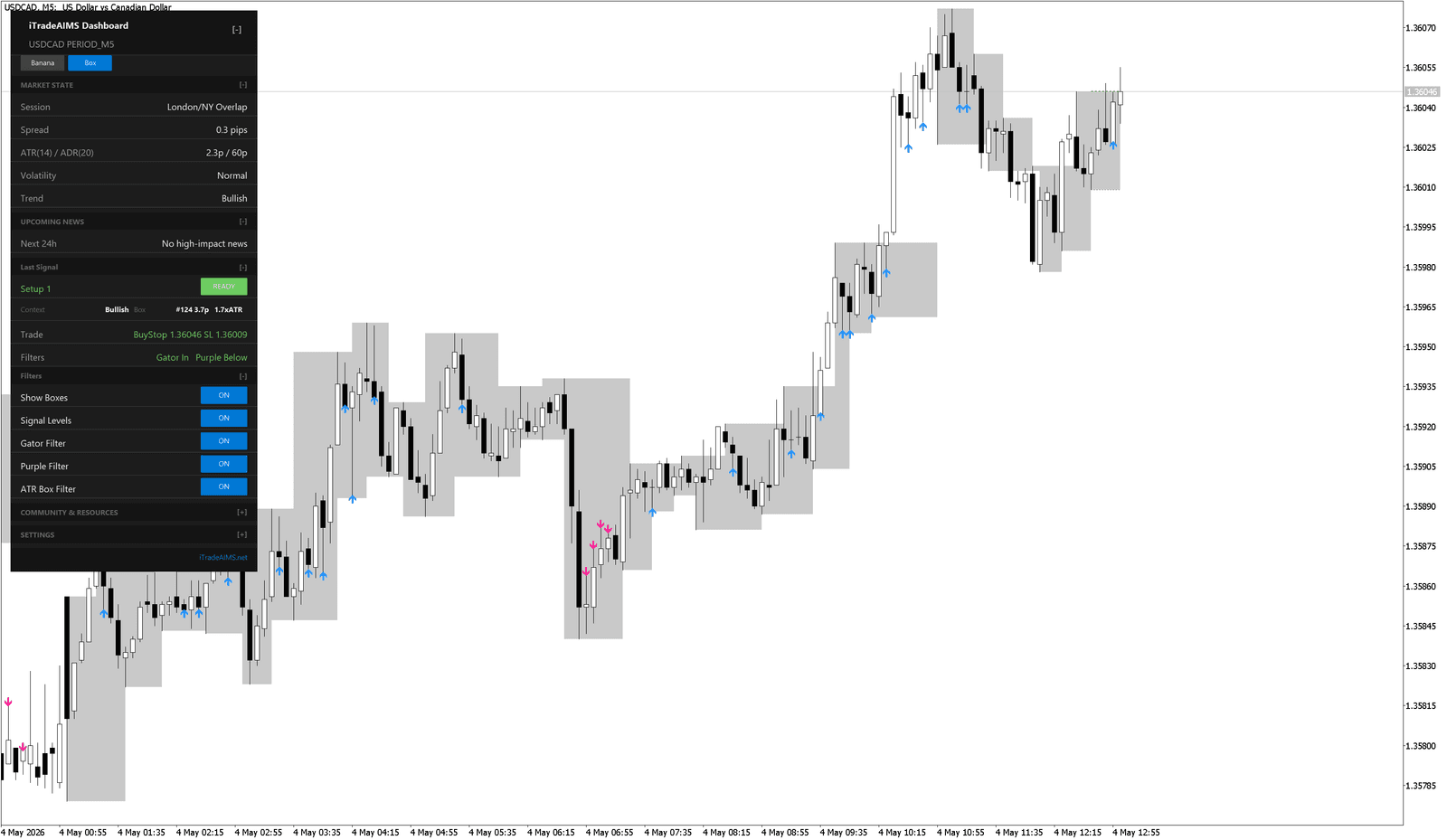
MT5 Alert Inputs
Current MT5 builds can include popup alert controls such as:
- Alert Setup Ready
- Alert Live Break
- Alert Closed Breakout
Open Indicators List → AIMSBoxAdvancedMT5 → Properties → Inputs and scroll to Alert Settings.
Recommended First Setup
- One chart you actively watch.
- Alert Setup Ready on; other alert types off until you know which states you want.
- Boxes and signal levels visible.
- Gator and Purple filters left on.
- No extra indicators until you understand AIMS Box states.
Avoid Alert Overload
Too many alerts on multiple symbols or timeframes can make the indicator harder to use. Add live-break or closed-breakout alerts only after you have tested setup-ready alerts on one chart.
MT4 Note
MT4 uses a compact mini dashboard and may not expose every MT5 alert input. If you chart on MT4, use the MT4 guide.
Next Step
If alerts fire but the chart looks wrong, use Troubleshoot MT5.
For more alert context, see Visual alerts.