Chart Examples On TradingView
Use these after quick start to see how Setup 1 Ready, box levels, and blocked states look on TradingView (Advanced / PRO).
Script pages
Public structure teaser — last fractal box + optional pip-limit tint. No Setup 1/2 lifecycle.
Invite-only — full box lifecycle with visible Gator lines, mouth ribbon, settings, and trend candle tint (legacy all-in-one).
Invite-only Pro — fractal boxes, MT5-parity Setup 1/2 lifecycle, invisible Gator/Purple bias, ALMA option, volatility cloud, volume anomaly + ATR box gate, dashboard, PineConnector pending-order alerts.
Structure-only Setup 1/2 lane — invisible Gator/Purple bias validation, no gator lines, no candle tint. Open the Box Super docs while the TradingView URL is pending.
Box Super structure plus Support & Resistance zones and ★ S&R confluence. Open the Liquidity Box docs while the TradingView URL is pending.
Screenshots show setups to review. They are not trade recommendations. You are responsible for risk and trade decisions.
Setup 1 Ready
Setup 1 · Ready marks a candidate breakout structure with visible box levels and entry references.
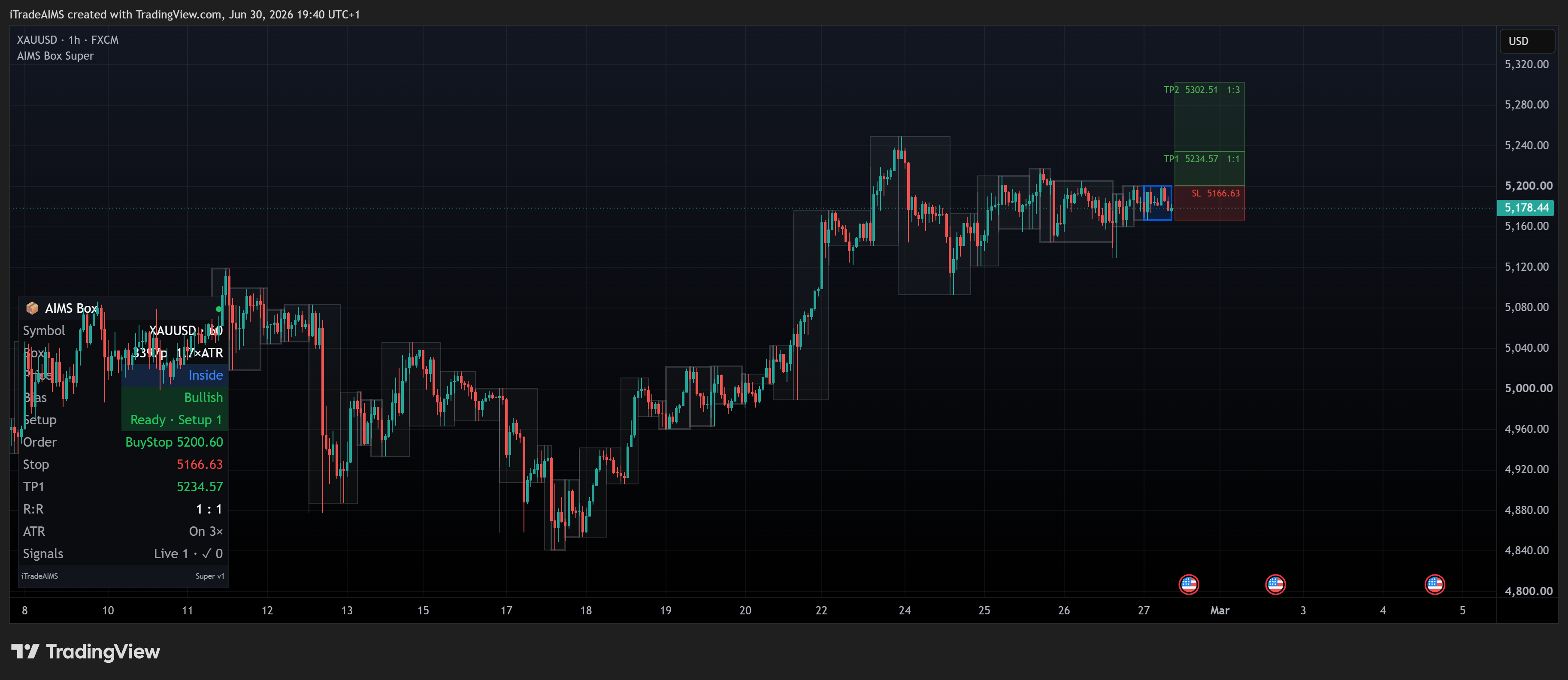
AIMS Box PRO — GER40 (author snapshot)
Live invite-only PRO chart from the AIMS Box PRO script page — fractal box, risk levels, and Pro UI (cloud / dashboard where enabled).
Suite Confluence (Optional)
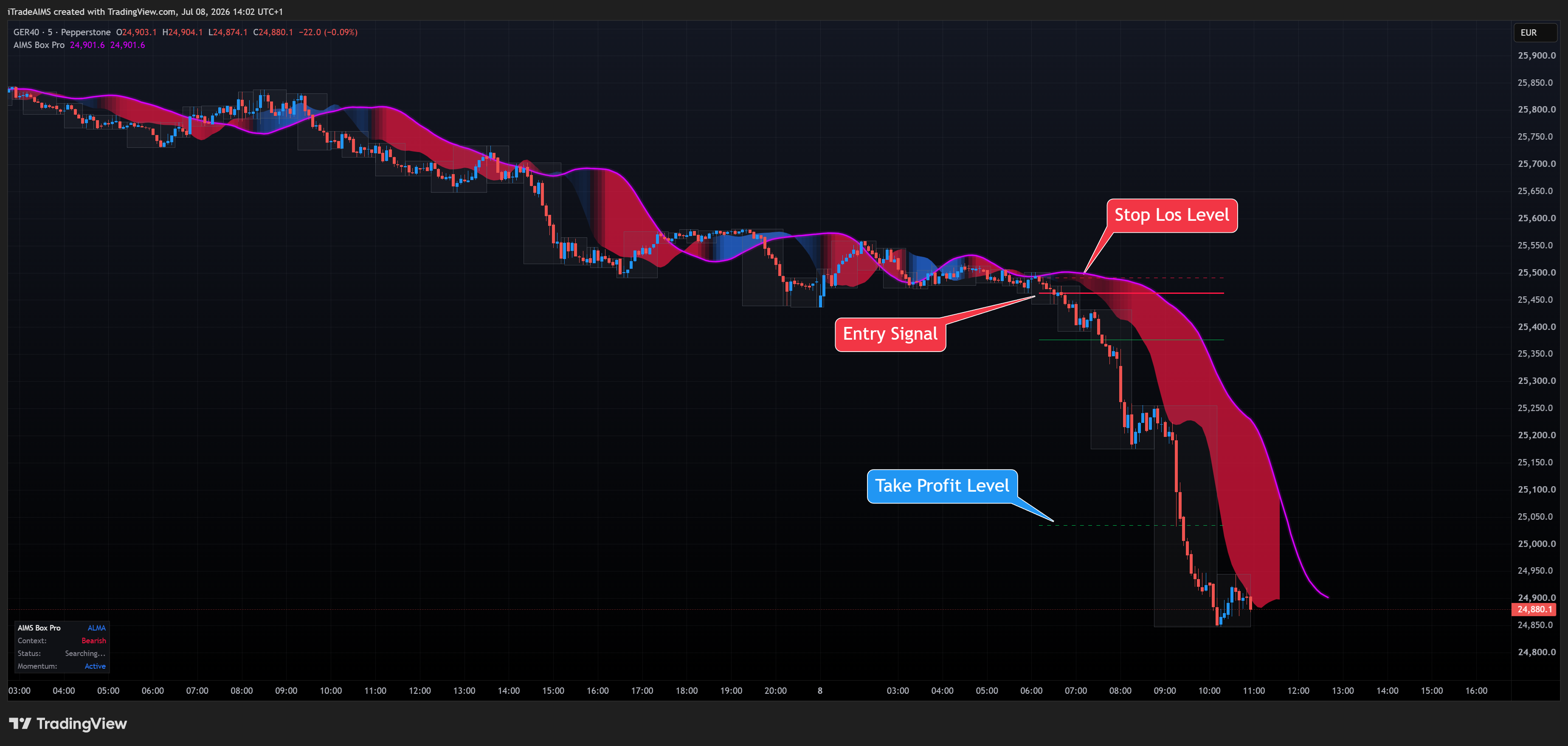
When you run the full iTradeAIMS stack on MT5, Box reads align with Banana and Wave on one dashboard. On TradingView, compare with Banana TV chart examples:
- Banana TV chart examples — includes an AIMS Box Setup 1 Ready panel on XAUUSD.
- Box tab in the Confluence suite — MT5 walkthrough with factory screenshots.
Blocked / Too Tall
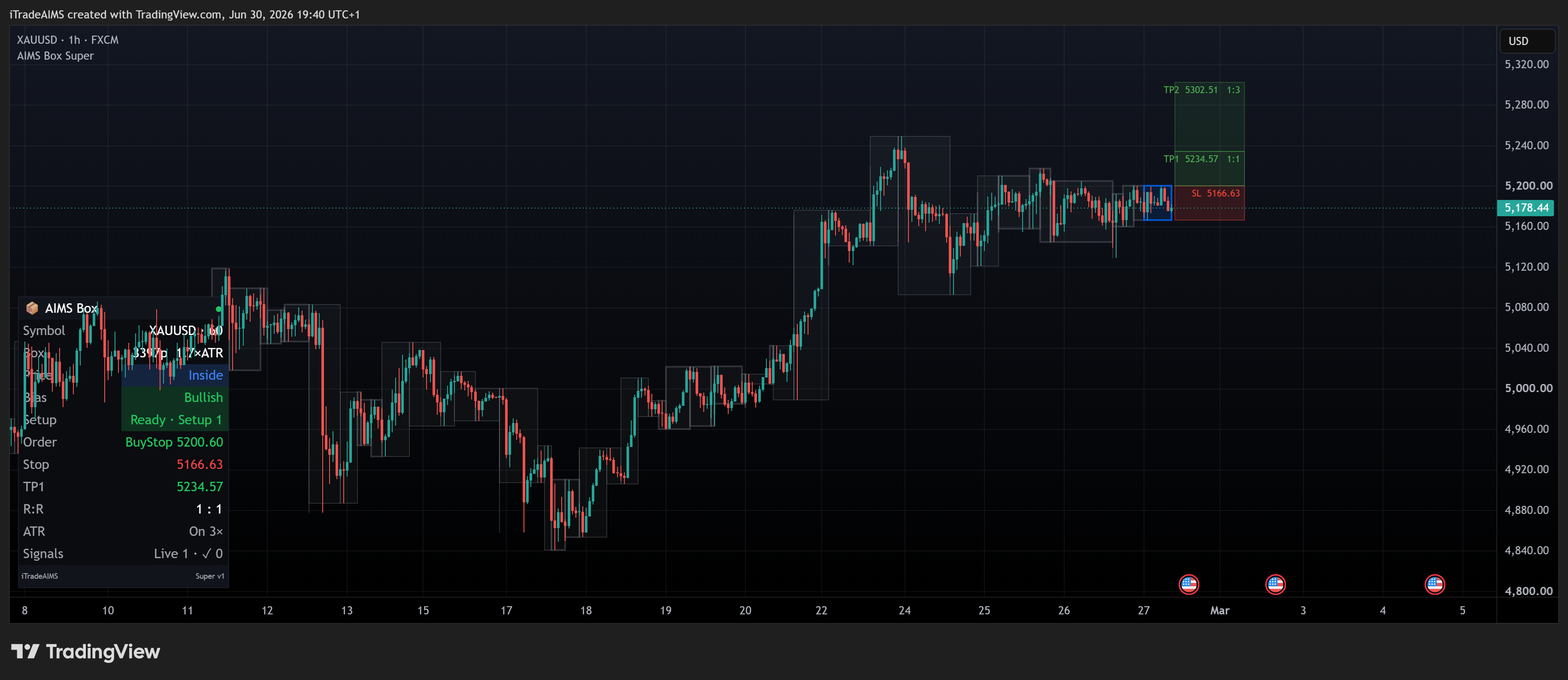
When the box is too tall for your filter settings, the script can show a Blocked state instead of Ready. See Using AIMS Box levels and MT5 examples in Box tab in the suite.
Next Step
Set up TradingView alerts or read Troubleshoot TradingView.